
What Is a Wi-Fi Extender Used For?
 By Theo LangUpdated
A Wi-Fi extender picks up your router's signal and rebroadcasts it into rooms the router cannot reach, such as bedrooms, a garage or a basement. It extends coverage to dead zones instead of replacing your router. Place it halfway between the router and the weak spot, where it still gets a strong signal.
What an extender does
A Wi-Fi extender connects to your router and rebroadcasts its signal into rooms the router cannot reach, such as bedrooms, a garage, a basement or a backyard. It fills dead zones where the signal is weak. It does not replace your router: the NETGEAR EX5000 works with any router and extends its signal. It also does not increase speed. The TP-Link models give actual speeds of 50% or less from current speeds, so judge an extender by the coverage it adds, not by a faster plan.
Where to place it
Plug the extender into a wall outlet halfway between the router and the room with weak signal, so it still receives a strong signal to rebroadcast. Too close to the router adds little coverage, and too far away leaves it with a weak signal to pass on. The TP-Link models have an intelligent signal indicator that helps find the best spot, and setup runs through the TP-Link Tether app. The NETGEAR models set up through the Nighthawk app or with WPS on the router and the extender.
Match coverage and device count
Compare the coverage and device figures before you choose. The TP-Link RE315 covers up to 1500 sq ft for up to 32 devices, and the TP-Link RE550 covers up to 2200 sq ft for up to 32 devices. The NETGEAR EX5000 covers up to 1,500 sq ft for up to 25 devices, and the NETGEAR EXS27 covers up to 1,500 sq ft for up to 45 devices. Actual performance varies with conditions, distance to devices and obstacles such as walls, so treat these figures as upper limits.
Wired connections and access point mode
Some extenders have an Ethernet port for a wired device. The TP-Link RE315 has one Ethernet port, and the TP-Link RE550 has a Gigabit Ethernet port. The NETGEAR EXS27 has a 2.5G Ethernet port for a smart TV, game console or desktop. The RE550 also has an access point mode that turns a wired connection into a Wi-Fi hotspot through its Gigabit Ethernet port. A wired link suits a device that stays in one place, such as a TV or desktop.
Dual-band, Wi-Fi standard and EasyMesh
Dual-band extenders work on the 2.4 GHz and 5 GHz bands. The RE315 gives 867 Mbps on 5 GHz and 300 Mbps on 2.4 GHz, while the RE550 gives up to 1300 Mbps on 5 GHz and up to 600 Mbps on 2.4 GHz. The RE550 and the EX5000 are Wi-Fi 5, and the EXS27 is Wi-Fi 7 with BE5000. The RE315 and RE550 work with an EasyMesh-compatible router for one unified Wi-Fi network, and create a separate network name with a non-EasyMesh router.
What you need
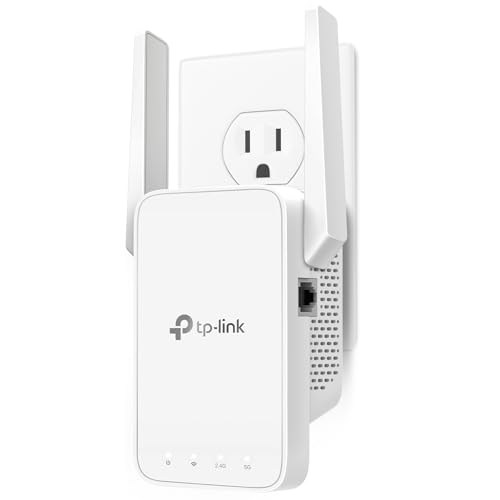
TP-Link AC1200 WiFi Extender Dual Band 5GHz/2.4GHz
An AC1200 dual-band extender with 867 Mbps on 5 GHz and 300 Mbps on 2.4 GHz, one Ethernet port and EasyMesh support.
View on Amazon
TP-Link AC1900 WiFi Range Extender RE550
An AC1900 Wi-Fi 5 extender with up to 1300 Mbps on 5 GHz, a Gigabit Ethernet port and an access point mode.
View on Amazon
NETGEAR WiFi Extender EX5000
A Wi-Fi 5 AC1200 extender with up to 1.2 Gbps across two bands and up to 1,500 sq ft of added coverage.
View on Amazon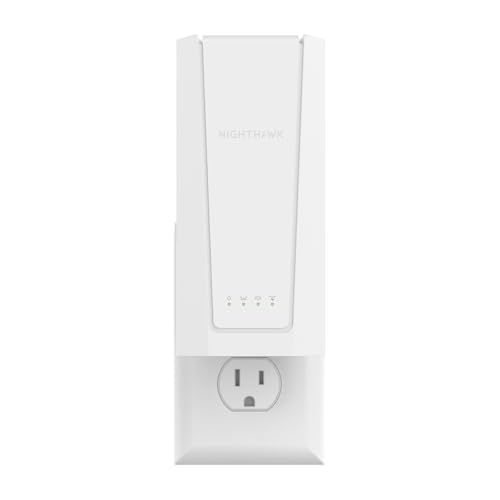
NETGEAR Nighthawk
A Wi-Fi 7 BE5000 extender with up to 5 Gbps, a 2.5G Ethernet port and up to 1,500 sq ft of added coverage.
View on AmazonThese come from our ranked list Best Wi-Fi Booster, which compares them spec by spec.
FAQ
Does a Wi-Fi extender increase internet speed?
No. Extenders improve coverage, not speed. The TP-Link models give actual speeds of 50% or less from current speeds, though a stronger signal can improve performance in a dead zone.
Does an extender replace my router?
No. It connects to your existing router and rebroadcasts its signal. The NETGEAR EX5000 works with any router and extends it rather than replacing it.
Where should I plug in a Wi-Fi extender?
Plug it into a wall outlet halfway between the router and the room with weak signal, where it still receives a strong signal. The TP-Link models have a signal indicator to help find the best spot.
