
Can a Wi-Fi Extender Work Without a Router?
 By Theo LangUpdated
No. A Wi-Fi extender does not work on its own without a router. It picks up the signal from a router or access point and rebroadcasts it to rooms the router cannot reach. Without that source signal, the extender has nothing to extend, so your devices get no connection from it.
What an extender actually does
An extender joins the network your router already broadcasts and repeats that signal farther into your home. It does not connect to the internet by itself. The TP-Link RE315 and RE550 create a separate network name with a non-EasyMesh router and join one unified Wi-Fi network with an EasyMesh-compatible router. It extends your router, it does not replace it. The extender repeats the signal while the router stays on and within range.
The one exception: access point mode
Some extenders have an access point mode that works from a wired Ethernet connection instead of a router. The TP-Link RE550, for example, can turn a wired connection into a Wi-Fi hotspot through its Gigabit Ethernet port. You still need a wired connection carrying internet to plug into the extender. The extender alone still cannot create internet access.
What to check before you buy
Check whether the extender lists an access point mode if you plan to use it without a router. Check that your router or access point broadcasts on the 2.4 GHz and 5 GHz bands the extender supports, since the RE315 and RE550 are dual-band extenders. Also check that the extender works with your router: the NETGEAR EX5000 and EXS27 work with any router, and the TP-Link RE315 and RE550 work with almost all routers or access points, with an EasyMesh-compatible router giving one unified network.
Starting without a router
Start with a router, an access point, or a wired connection: an extender builds on that signal to give you Wi-Fi. You need a router, an access point, or a wired connection first, and then the extender can stretch that signal into rooms with weak coverage. If your goal is Wi-Fi in a room far from the router, place the extender where it can still pick up the router signal and repeat it onward.
What you need
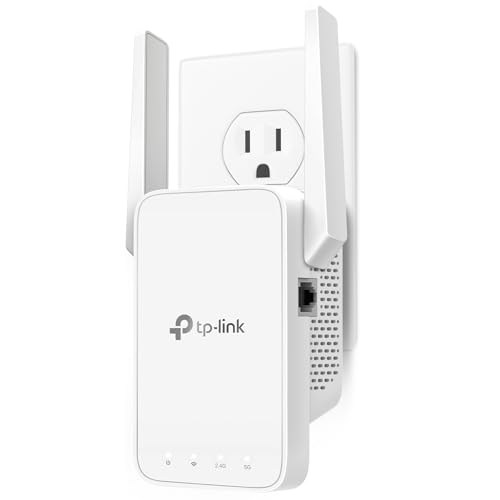
TP-Link AC1200 WiFi Extender Dual Band 5GHz/2.4GHz
A dual-band AC1200 extender with one Ethernet port and EasyMesh support, for repeating a router signal on the 2.4 GHz and 5 GHz bands.
View on Amazon
TP-Link AC1900 WiFi Range Extender RE550
A dual-band AC1900 extender with a Gigabit Ethernet port and access point mode, for repeating a router signal or turning a wired connection into Wi-Fi.
View on Amazon
NETGEAR WiFi Extender EX5000
A dual-band AC1200 extender that works with any router and repeats its signal into rooms the router cannot reach.
View on Amazon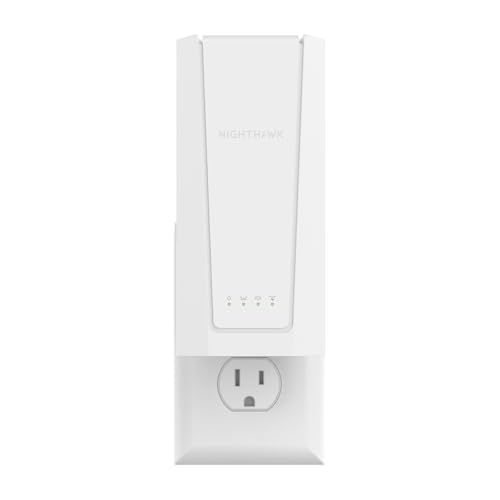
NETGEAR Nighthawk
A Wi-Fi 7 BE5000 extender with a 2.5G Ethernet port that works with any router and keeps one Wi-Fi name across your home.
View on AmazonThese come from our ranked list Best Wi-Fi Booster, which compares them spec by spec.
FAQ
Can I use a Wi-Fi extender with just a modem?
Yes, if the extender has an access point mode and the modem has an Ethernet port. Connect the modem to the extender with an Ethernet cable and the extender broadcasts Wi-Fi from that wired connection. The TP-Link RE550 has this access point mode.
Does an extender create internet on its own?
No. An extender only repeats a signal it receives from a router, an access point or a wired connection. With no source signal, it broadcasts nothing your devices can use.
Can an extender replace my router?
No. An extender extends your router and does not replace it. A router connects your home to the internet, while an extender only carries that connection farther.
