
How to Pick a Wi-Fi Extender
 By Theo LangUpdated
Start with the dead zone: measure how far it sits from the router and how many devices need signal there. Match the extender to your router's Wi-Fi version, pick dual-band 2.4 GHz and 5 GHz, and check the coverage and device count against your home. Place it halfway between the router and the dead zone, where it still gets a strong signal.
Find the dead zones first
Walk through your home with a phone or laptop and note where the signal drops or stalls. Mark the rooms that lose signal, such as a bedroom, garage, basement or backyard, and note how far each sits from the router. The extender belongs between the router and the dead zone, not inside it, so knowing the distance helps you judge the coverage figure on the box.
Match the Wi-Fi version to your router
Check which Wi-Fi version your router uses, such as Wi-Fi 5, Wi-Fi 6, Wi-Fi 6E or Wi-Fi 7, and pick an extender that speaks the same version. An extender built for an older version still works, but it cannot add the newer version's features to your network. If your router supports EasyMesh, an EasyMesh-compatible extender can join it as one network with one name; with another router, the extender creates a separate network name.
Check bands, coverage and device count
Look for dual-band 2.4 GHz and 5 GHz so the extender can serve both slow, far-reaching connections and faster, shorter-range ones. Compare the coverage figure with the size of the area you want to reach, and compare the device count with how many phones, laptops, TVs and smart devices share your network. An extender improves coverage, not speed, so the signal it repeats is only as fast as the signal it receives.
Decide if you need an Ethernet port
An Ethernet port on the extender gives a wired link to one device, such as a smart TV, game console or desktop. A wired link avoids the drop that a repeated wireless signal can have, and some extenders also run in access point mode to turn a wired connection into a Wi-Fi hotspot. If every device you own connects over Wi-Fi, a port adds little; if one device sits near the extender, the port is worth having.
Place it halfway and check the signal
Plug the extender into an outlet about halfway between the router and the dead zone, where it still receives a strong signal from the router. An extender placed inside the dead zone has little signal to repeat, so it cannot fix the room. Use the signal indicator or the maker's app to find the best spot, then move it closer to the router if the signal stays weak.
What you need
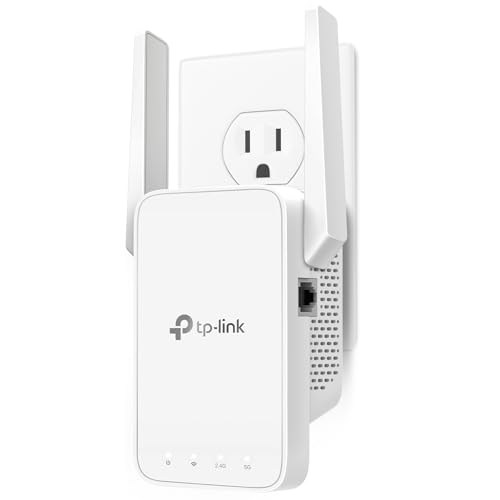
TP-Link AC1200 WiFi Extender Dual Band 5GHz/2.4GHz
A dual-band AC1200 extender with 867 Mbps on 5 GHz and 300 Mbps on 2.4 GHz, one Ethernet port and EasyMesh support for up to 32 devices.
View on Amazon
TP-Link AC1900 WiFi Range Extender RE550
A dual-band AC1900 extender with 1300 Mbps on 5 GHz and 600 Mbps on 2.4 GHz, three adjustable antennas, a gigabit Ethernet port, access point mode and EasyMesh support.
View on Amazon
NETGEAR WiFi Extender EX5000
A compact Wi-Fi 5 AC1200 extender with up to 1.2 Gbps across two bands and up to 1,500 sq. ft. of coverage for up to 25 devices.
View on Amazon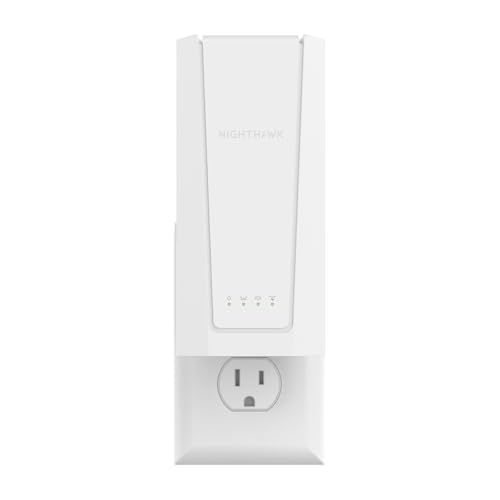
NETGEAR Nighthawk
A Wi-Fi 7 BE5000 extender with up to 5 Gbps, up to 1,500 sq. ft. of coverage for up to 45 devices and a 2.5 Gigabit Ethernet port.
View on AmazonThese come from our ranked list Best Wi-Fi Booster, which compares them spec by spec.
FAQ
Will a Wi-Fi extender make my internet faster?
No. An extender improves coverage, not speed, and the signal it repeats is only as fast as the signal it receives. It helps rooms the router cannot reach, but it does not raise the speed of your internet plan.
Where should I plug in a Wi-Fi extender?
Plug it into an outlet about halfway between the router and the dead zone, where it still gets a strong signal. Use the signal indicator or the maker's app to find the best spot, and move it closer to the router if the signal stays weak.
Do I need an extender that matches my router's Wi-Fi version?
Yes, match the version when you can. A Wi-Fi 7 extender fits a Wi-Fi 7 router, and an EasyMesh-compatible extender can join an EasyMesh router as one network. An older extender still works with a newer router, but it cannot add the newer version's features.
