
Can You Extend a Wi-Fi Extender?
 By Theo LangUpdated
Yes, you can extend a Wi-Fi extender by adding a second extender that picks up the first extender's network and broadcasts it further. The second unit connects to the extended signal and repeats it again, so coverage reaches rooms the first extender cannot. This works, but each extra hop repeats the signal, so the connection at the far end is slower than a direct link to the router.
What extending an extender means
A second extender does not connect straight to the router. It connects to the network the first extender broadcasts, then sends that signal on to the next room. This is often called daisy-chaining. It adds coverage in one more direction, but every hop passes the signal through another device, which adds delay and cuts the speed that reaches your device.
Place the second extender in the right spot
Put the second extender halfway between the first extender and the room with no signal, in a spot where it still gets a solid signal from the first unit. If it sits too far away, it has little signal to repeat and the far room stays slow. Use the extender's app to check the signal in that spot before you finish.
Set up the second extender
Plug the second extender in, then set it up with its app or the WPS button on your router. During setup, pick the extended network from the first extender as the source, not the router's original network. Give the new unit its own network name or keep the same name, then connect your phone or laptop in the far room and check that it joins the second extender.
Check the speed at the far end
Once the second extender is running, open a video or a large page on a device in the far room and see how it loads. If pages stall, move the second extender a step closer to the first one and open a video or a large page again to see how it loads. A small move can make a clear difference, because the second unit can only repeat the signal it receives.
When a wired link fits better
If you can run an Ethernet cable from the router to the far room, a wired access point there gives a stronger link than a second wireless hop. The cable carries the full signal to the far room, and the access point only has to cover that room. When no cable is possible, a second extender is the simpler choice.
What you need
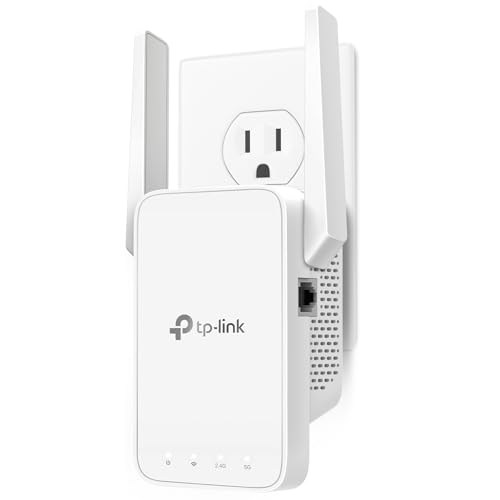
TP-Link AC1200 WiFi Extender Dual Band 5GHz/2.4GHz
A dual-band AC1200 extender with an Ethernet port and EasyMesh support, for pushing coverage toward rooms the router cannot reach.
View on Amazon
TP-Link AC1900 WiFi Range Extender RE550
A dual-band AC1900 extender with a gigabit Ethernet port, three adjustable antennas and EasyMesh support, set up through the Tether app.
View on Amazon
NETGEAR WiFi Extender EX5000
A Wi-Fi 5 AC1200 extender that plugs into a wall outlet and works with any router, adding coverage for up to 25 devices.
View on Amazon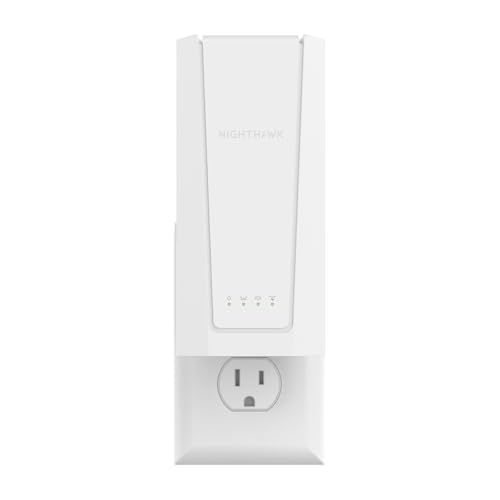
NETGEAR Nighthawk
A Wi-Fi 7 BE5000 extender with a 2.5 Gigabit Ethernet port and Smart Roaming, keeping one network name for up to 45 devices.
View on AmazonThese come from our ranked list Best Wi-Fi Booster, which compares them spec by spec.
FAQ
Does a second extender slow down my Wi-Fi?
Yes. Each extender repeats the signal it receives, so a device on the second extender gets less speed than a device on the first one. The drop is larger when the first extender already has a weak signal from the router.
Can I use two extenders from different brands?
Yes. An extender connects to a Wi-Fi network by its name and password, so a second extender works with a first extender from another brand. Set it up from the extended network, and check that your devices connect to the unit you expect.
Should both extenders use the same network name?
Either choice works. One name means your device moves between units on its own, while a separate name makes it clear which extender you are on. A separate name helps when you want to check that a device in the far room is on the second extender.
