
What Is a Wi-Fi Extender?
 By Theo LangUpdated
A Wi-Fi extender, also called a range extender or repeater, is a small device that picks up your router's Wi-Fi signal and rebroadcasts it further into your home. It does not replace your router or increase your internet speed. It fills in rooms where the router's signal is too weak, so devices in those rooms stay connected.
How an extender works
An extender sits between your router and the weak-signal room and connects to your router over Wi-Fi. It then sends out its own copy of that signal, so phones, laptops and TVs in the far room connect to the extender instead of the distant router. Because the extender repeats the signal, the speed on the extended network is lower than the speed next to the router. Place the extender halfway between the router and the dead zone, where it still gets a solid signal from the router.
What the speed class means
Extenders carry a speed class such as AC1200, AC1900 or BE5000, which names the combined speed across the 2.4 GHz and 5 GHz bands. The class is a ceiling for the link between the extender and your devices, not the speed your internet plan delivers. A higher class helps when many devices share the extended network, but the extender never makes your connection faster than the plan you pay for.
Where to put the extender
Plug the extender into a wall outlet about halfway between your router and the room with weak signal. If it sits too close to the router, it adds little coverage; too far away, and it repeats a weak signal. Use the signal indicator light or the maker's app to check the spot, and keep a clear path between the extender and the router.
When an extender is not enough
An extender suits a home where one or two rooms sit beyond the router's reach. If the whole house has weak signal, or thick walls weaken the signal between rooms, a mesh system with several nodes may fit better. Check the extender's device limit too: the models in this guide support from 25 to 45 devices, so a home with many connected devices should pick a model with a higher limit.
What you need
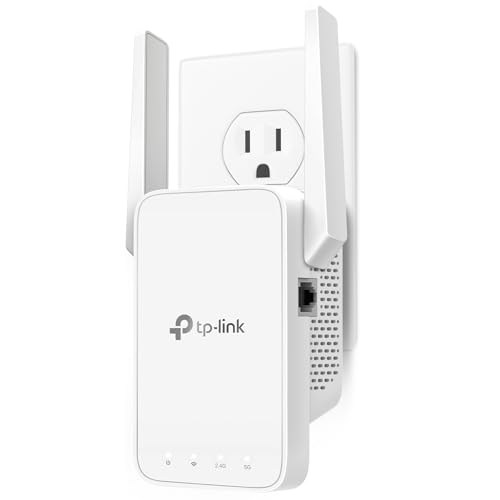
TP-Link AC1200 WiFi Extender Dual Band 5GHz/2.4GHz
A dual-band AC1200 extender with a Fast Ethernet port, EasyMesh support and coverage for up to 32 devices.
View on Amazon
TP-Link AC1900 WiFi Range Extender RE550
A dual-band AC1900 extender with a Gigabit Ethernet port, AP mode and EasyMesh support for up to 32 devices.
View on Amazon
NETGEAR WiFi Extender EX5000
A WiFi 5 AC1200 extender that works with any router and covers up to 25 devices from a wall outlet.
View on Amazon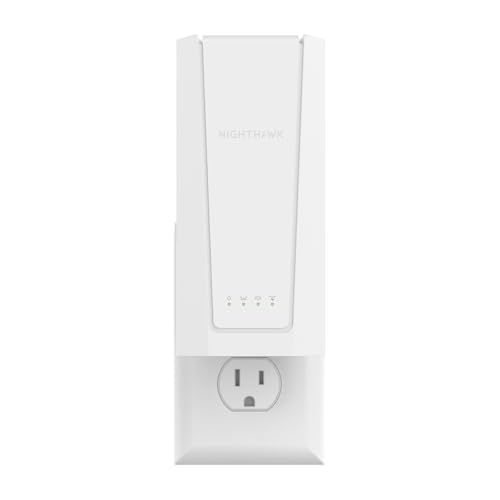
NETGEAR Nighthawk
A WiFi 7 BE5000 extender with a 2.5G Ethernet port, Smart Roaming and coverage for up to 45 devices.
View on AmazonThese come from our ranked list Best Wi-Fi Booster, which compares them spec by spec.
FAQ
Does a Wi-Fi extender increase my internet speed?
No. An extender improves coverage in rooms the router cannot reach, but it does not raise the speed of your internet plan. Speeds on the extended network are lower than speeds next to the router.
Do I need a new router to use an extender?
No. Extenders connect to the router you already have. The TP-Link models add EasyMesh support when paired with an EasyMesh-compatible router, and the NETGEAR models work with any router.
Can I plug a TV into an extender with a cable?
Yes, if the extender has an Ethernet port. The RE315, RE550 and EXS27 each have one, so you can run a cable from the extender to a TV, game console or desktop.
