
What Is a Wi-Fi Extender or Booster?
 By Theo LangUpdated
A Wi-Fi extender, also called a booster or repeater, receives the signal from your router and rebroadcasts it into rooms where the signal is weak. It extends coverage to dead zones in a home. It does not replace your router, and it does not raise the speed of your internet plan.
What an extender does
An extender joins your existing Wi-Fi network and sends the signal onward to a wider area. A phone, laptop or TV in a far bedroom then connects through the extender instead of reaching for a weak router signal. The router still provides the internet connection. The extender only carries that connection farther, including to a garage, basement or backyard where the router signal fades.
What an extender does not do
An extender improves coverage, not the speed of your internet plan. Because the extender receives and resends traffic over Wi-Fi, speeds through the extender can be lower than speeds near the router. Walls, distance and other obstacles also lower performance. A stronger signal can make a connection steadier in a weak room, but the plan speed at the router stays the same.
Where to place the extender
Place the extender between the router and the weak area, in a spot where the router signal is still clear. Placing it inside the dead zone gives it a weak signal to rebroadcast. If your model includes a signal indicator or app guidance, use it to help you find a good spot. Try a wall outlet with fewer walls between the extender and the router, then check the rooms you want to cover.
Bands and network names
Dual-band extenders work on the 2.4 GHz and 5 GHz bands, and devices connect to the extended network on those bands. Setup can keep your existing network name or create a separate name, depending on the extender and router. Check the setup notes for your router and extender to see which option your pair supports before you connect devices in the weak rooms.
Setup and wired options
Setup uses a phone app with step-by-step guidance, or a WPS button press on the router and extender. After setup, connect devices in the weak rooms to the extended network. Some extenders also include an Ethernet port, so a TV, console or desktop near the extender can use a cable instead of Wi-Fi. Check the port speed listed for the model you choose.
What you need
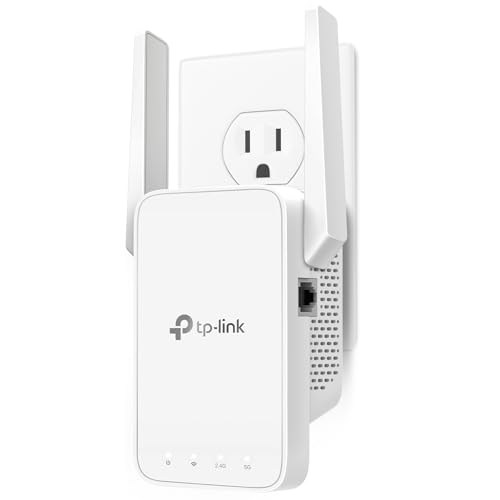
TP-Link AC1200 WiFi Extender Dual Band 5GHz/2.4GHz
A dual-band AC1200 extender with two adjustable antennas, an Ethernet port and app setup for up to 32 devices.
View on Amazon
TP-Link AC1900 WiFi Range Extender RE550
A dual-band AC1900 extender with three adjustable antennas, a Gigabit Ethernet port and access point mode for up to 32 devices.
View on Amazon
NETGEAR WiFi Extender EX5000
A Wi-Fi 5 AC1200 extender with app or WPS setup, for up to 25 devices from a wall outlet.
View on Amazon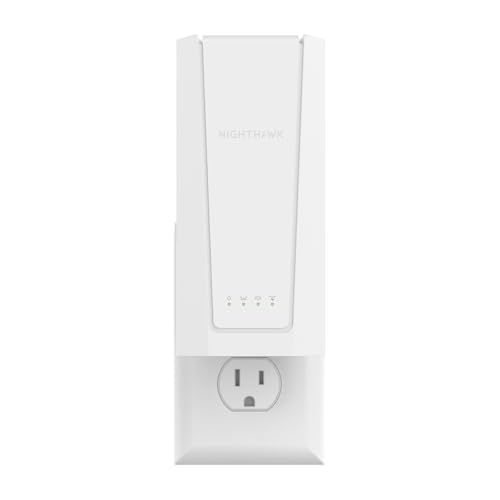
NETGEAR Nighthawk
A Wi-Fi 7 BE5000 extender with a 2.5 Gigabit Ethernet port, for up to 45 devices from a wall outlet.
View on AmazonThese come from our ranked list Best Wi-Fi Booster, which compares them spec by spec.
FAQ
Does a Wi-Fi extender increase internet speed?
No. An extender improves coverage in weak rooms and does not raise your plan speed. Speeds through an extender can be lower than near the router, and walls and distance affect results.
Where should you place a Wi-Fi extender?
Place it between the router and the weak area, where the router signal is still clear. Use the signal indicator or app guidance if your model includes one, and avoid extra walls where you can.
Will devices keep the same network name?
It depends on the extender and router. Some setups keep one network name, while others create a separate one for the extended network. Check the setup notes for your pair.
Can an extender work with your current router?
An extender connects to the router you already have and rebroadcasts its signal. Check the compatibility notes for your router and the extender before setup, since features vary by model.
