
How to Turn a Router Into a Wi-Fi Extender
 By Theo LangUpdated
You can turn a spare router into a Wi-Fi extender by switching it to repeater, bridge or access point mode, then placing it where your main router's signal is still strong. The spare router picks up the main network and rebroadcasts it under the same SSID or a new one.
Check what your spare router can do
Log in to your spare router's admin page and look for a mode setting. You want repeater, bridge or access point mode. Repeater mode picks up your main network over Wi-Fi and rebroadcasts it, while access point mode needs an Ethernet cable run from the main router. Check the maker's site for a firmware update, or use a dedicated extender instead.
Connect the spare router to your main network
Reset the spare router to factory settings first so old settings do not clash with your main network. Then connect a computer to it with an Ethernet cable or its default Wi-Fi, open the admin page, and pick repeater mode. Select your main network from the networks it shows and type in the main network password. Save the settings and let the router restart.
Set the network SSID and password
Give the extended network the same SSID and password as your main network if you want devices to move between the two without you switching networks by hand. If you prefer to choose which network each device uses, give the extended network a different SSID, such as your usual SSID with EXT at the end. Either way, keep the same password so you do not have to remember two of them.
Place the extender where the signal is still strong
Put the spare router about halfway between your main router and the room with weak signal, in a spot where it still gets a solid signal from the main router. A repeater placed inside the dead zone itself has nothing good to repeat, so the result stays slow. Keep it out in the open, away from thick walls and large metal objects, and away from the floor.
When a dedicated extender is the easier choice
If the setup keeps failing, a dedicated extender is simpler. It plugs straight into a wall outlet, and you set it up from a phone app or by pressing the WPS button on the router and the extender. Extenders also handle roaming between the main network and the extended one, so your phone moves to the stronger signal on its own.
What you need
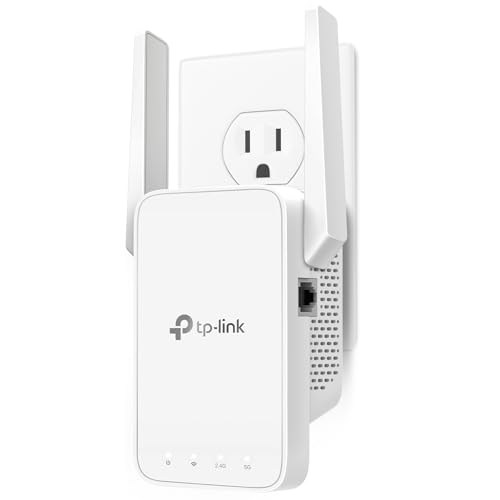
TP-Link AC1200 WiFi Extender Dual Band 5GHz/2.4GHz
A dual-band AC1200 extender with an Ethernet port and EasyMesh support, set up through the TP-Link Tether app.
View on Amazon
TP-Link AC1900 WiFi Range Extender RE550
A dual-band AC1900 extender with a Gigabit Ethernet port and access point mode, managed through the Tether app.
View on Amazon
NETGEAR WiFi Extender EX5000
A WiFi 5 AC1200 extender that works with any router and sets up with the NETGEAR Nighthawk app or WPS.
View on Amazon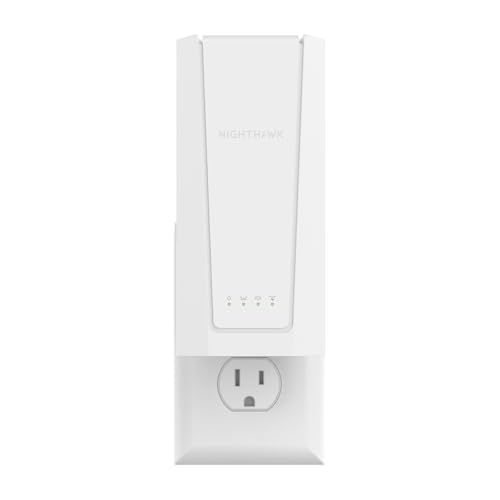
NETGEAR Nighthawk
A WiFi 7 BE5000 extender with a 2.5 Gigabit Ethernet port and Smart Roaming under one SSID.
View on AmazonThese come from our ranked list Best Wi-Fi Booster, which compares them spec by spec.
FAQ
Can any router work as a Wi-Fi extender?
Only routers with a repeater, bridge or access point mode can do it. With an access point mode and an Ethernet cable, the spare router joins the main network, or buy a dedicated extender.
Does an extender slow down my Wi-Fi?
It can. A repeater talks to the main router and to your device on the same radio, so some speed is lost. An access point wired to the main router with an Ethernet cable keeps more of the speed.
Should the extender use the same SSID?
The same SSID lets devices move between the main router and the extender without you switching networks by hand. A different SSID gives you control over which network each device joins.
