
How to Extend Wi-Fi With Another Router
 By Theo LangUpdated
You can extend Wi-Fi with a second router by wiring it to your main router and using it as an access point, or by adding a Wi-Fi extender where the signal is weak. A wired second router keeps the same network name and gives the far rooms a signal source. An extender needs no cable but repeats the signal, so it suits rooms where you cannot run a cable.
Pick a wired router or an extender
A second router wired to the main router works well when you can run an Ethernet cable between them. It creates a new Wi-Fi source in the far room and keeps the same network name when it runs in access point mode. An extender is the simpler route when no cable is possible: it plugs into a wall outlet, picks up the main router signal and repeats it. Extenders suit weak rooms near the main router, while a wired second router suits a far wing, a garage or a basement.
Wire the second router to the main router
Run an Ethernet cable from a LAN port on the main router to the WAN or Internet port on the second router, or to a LAN port if the second router has an access point mode. Plug the second router into power and switch it on. Open its settings in a browser or its app and switch on access point mode, then turn off its DHCP server if the mode does not do that for you. Give it the same Wi-Fi name and password as the main router so your devices move between them without joining a new network.
Place an extender halfway to the weak room
Plug the extender into an outlet about halfway between the main router and the room with weak signal, not inside the weak room itself. It needs a solid signal from the main router to repeat, so pick an outlet where your phone still shows a strong signal. Use the extender app to join it to your Wi-Fi network and check its signal light. If the light shows a weak link, move the extender to an outlet closer to the main router and check again.
Match the bands and check the result
Set the second router or extender to use the same bands as the main router, 2.4 GHz and 5 GHz, so older and newer devices can connect. The 2.4 GHz band reaches further through walls, while the 5 GHz band suits the same room. Walk to the far room with your phone, join the network and open a web page. If pages load, the link works. If the signal is still weak, move the extender closer to the main router or check the cable between the routers.
What you need
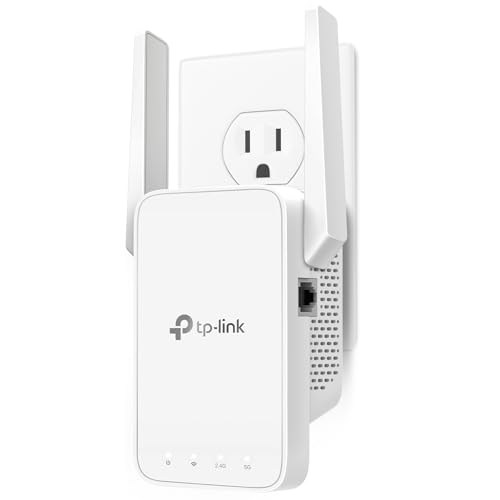
TP-Link AC1200 WiFi Extender Dual Band 5GHz/2.4GHz
A dual-band AC1200 extender with 867 Mbps on 5 GHz and 300 Mbps on 2.4 GHz, for 32 devices, with one Ethernet port.
View on Amazon
TP-Link AC1900 WiFi Range Extender RE550
A dual-band AC1900 extender with 1300 Mbps on 5 GHz and 600 Mbps on 2.4 GHz, for 32 devices, and a Gigabit Ethernet port.
View on Amazon
NETGEAR WiFi Extender EX5000
A WiFi 5 AC1200 extender with up to 1,500 sq ft of added coverage for 25 devices, working with any router and setting up through the Nighthawk app.
View on Amazon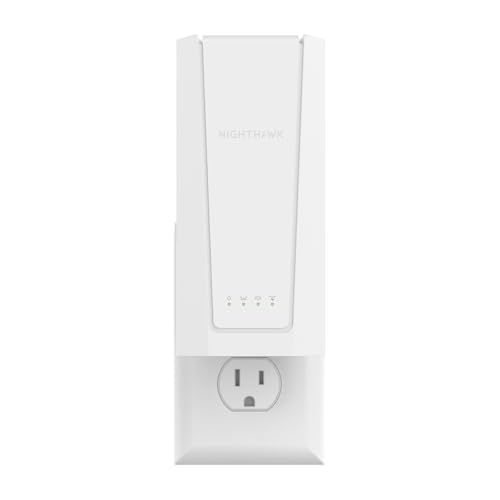
NETGEAR Nighthawk
A WiFi 7 BE5000 extender with up to 5 Gbps, up to 1,500 sq ft of added coverage for 45 devices, and a 2.5 Gigabit Ethernet port.
View on AmazonThese come from our ranked list Best Wi-Fi Booster, which compares them spec by spec.
FAQ
Can I use any old router as an extender?
Yes, if it has an access point mode or lets you turn off its DHCP server. Wire it to the main router, set the same Wi-Fi name and password, and place it where the signal is weak.
Does an extender slow down my Wi-Fi?
It can. An extender repeats the signal, so the link between the extender and your device can run slower than a direct link to the main router. A wired second router avoids that repeat step, so it keeps more of the main router speed in the far room.
Should the second router use the same network name?
Yes. Using the same name and password lets your phone move between the main router and the second router without joining a new network. Use a different name only if you want to pick the source by hand for each device.
