
Does a Wi-Fi Extender Need Ethernet?
 By Theo LangUpdated
No. A Wi-Fi extender does not need an Ethernet connection to work. It connects to your router over Wi-Fi and rebroadcasts the signal to rooms the router cannot reach. The Ethernet port on some extenders is optional: you can plug a wired device into it, or use it to feed the extender from a wired connection in access point mode.
How an extender connects without Ethernet
An extender joins your router's Wi-Fi network the same way a phone or laptop does, then creates a second signal that reaches further into your home. You place it halfway between the router and the dead zone, where it still gets a solid signal from the router. It needs a power outlet and a Wi-Fi signal to repeat, not a cable run back to the router.
What the Ethernet port is for
On extenders that have one, the Ethernet port gives a wired device a direct connection through the extender. That suits a smart TV, game console, or desktop that sits far from the router and connects by cable. The port does not carry the extender's link to the router in normal use, so the extender still works with the port empty.
When a cable to the extender helps
Some extenders offer an access point mode that turns a wired connection into a Wi-Fi hotspot. If you have an Ethernet cable run to a far room, plug it into the extender and switch on that mode for a fresh Wi-Fi signal there. This is a choice, not a requirement, and it only works on models that list access point mode, such as the TP-Link RE550.
Set up the extender in the right spot
Plug the extender into an outlet between the router and the room with weak signal, then use the maker's app or the WPS button to join it to your router's network. The extender's signal light or app shows whether the spot gets enough signal from the router. If the light shows a weak link, move the extender closer to the router and try again.
What you need
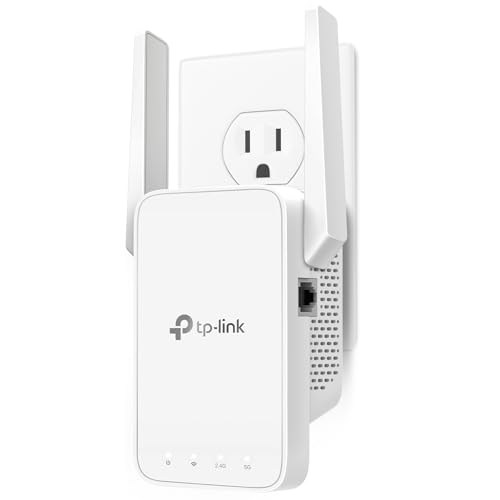
TP-Link AC1200 WiFi Extender Dual Band 5GHz/2.4GHz
An AC1200 dual-band extender with one Fast Ethernet port for a wired device, EasyMesh support, and coverage for up to 32 devices.
View on Amazon
TP-Link AC1900 WiFi Range Extender RE550
An AC1900 dual-band extender with a Gigabit Ethernet port and access point mode, so a wired connection can become a Wi-Fi hotspot.
View on Amazon
NETGEAR WiFi Extender EX5000
An AC1200 WiFi 5 extender that works with any router, adds coverage for up to 25 devices, and sets up through the Nighthawk app or WPS.
View on Amazon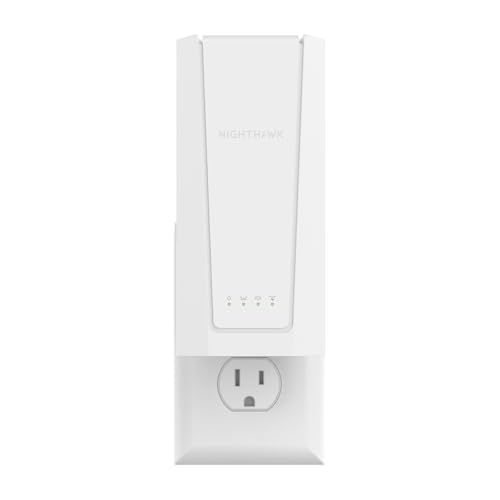
NETGEAR Nighthawk
A WiFi 7 extender with a 2.5G Ethernet port for a wired TV, console, or desktop, plus Smart Roaming under one Wi-Fi name.
View on AmazonThese come from our ranked list Best Wi-Fi Booster, which compares them spec by spec.
FAQ
Can I use a Wi-Fi extender with no Ethernet port at all?
Yes. The extender connects to your router over Wi-Fi and needs only a power outlet. An Ethernet port adds a wired option, but extenders without one still extend your network.
Will an extender make my internet faster?
No. An extender improves coverage in rooms your router cannot reach, not the speed of your internet connection. A stronger signal in a dead zone can still make video calls and streaming work better there.
Can an extender replace my router?
No. An extender repeats the signal from your router and depends on it. If the router is off or out of range, the extender has nothing to repeat.
