
Do You Need a Wi-Fi Extender?
 By Theo LangUpdated
An extender is the right fix when your router works well close by but the signal fades in a far room. It picks up the router's signal and rebroadcasts it, so a dead zone gets usable Wi-Fi without new wiring. It is not the right fix when the signal is weak everywhere or the router itself is the limit.
When an extender is the right fix
Start by checking the signal near the router. If pages load well in the room with the router but stall in a far bedroom or the backyard, the router is fine and the distance is the problem. An extender fits that gap. If the signal is weak even next to the router, fix the router first, since an extender can only repeat the signal it receives.
Place it halfway to the dead zone
An extender needs a strong signal from the router to repeat, so do not put it in the dead zone itself. Plug it into an outlet about halfway between the router and the room with weak signal, where the router's signal is still strong. The TP-Link RE315 and RE550 have a signal indicator that helps you find that spot, and the NETGEAR EX5000 and EXS27 set up through the Nighthawk app. Move it closer to the router if the extended signal still drops.
An extender adds coverage, not speed
Extenders are built to improve coverage, not to raise speeds. The TP-Link RE315 and RE550 both note that actual speeds will be 50% or less of current speeds, so a weak signal repeated stays slow. What improves is reliability in the far room: pages load and calls hold where the router's signal alone faded. With an EasyMesh-compatible router, the TP-Link RE315 and RE550 join one network; with other routers they create a separate network.
When to look past an extender
Skip the extender when the whole home has weak signal, when the router is old enough that its own signal is the limit, or when you want one network name across many rooms without managing extra devices. In those cases a mesh system or a newer router fits better, since it replaces the weak link instead of repeating it. Check what your router supports first, then decide.
What you need
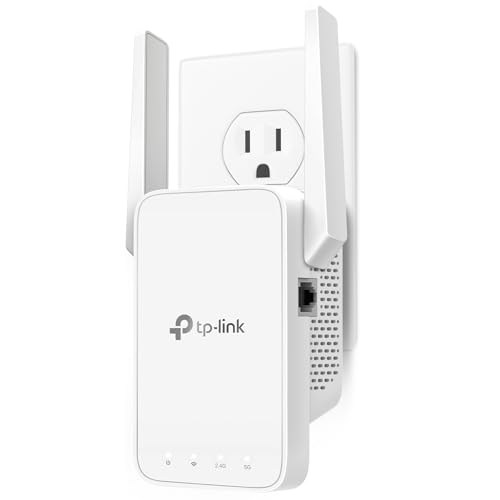
TP-Link AC1200 WiFi Extender Dual Band 5GHz/2.4GHz
A dual-band AC1200 extender with one Ethernet port and EasyMesh support, for up to 32 devices.
View on Amazon
TP-Link AC1900 WiFi Range Extender RE550
A dual-band AC1900 extender with a Gigabit Ethernet port, access point mode and EasyMesh support, for up to 32 devices.
View on Amazon
NETGEAR WiFi Extender EX5000
A WiFi 5 AC1200 extender that works with any router, with up to 1,500 sq ft of added coverage for up to 25 devices.
View on Amazon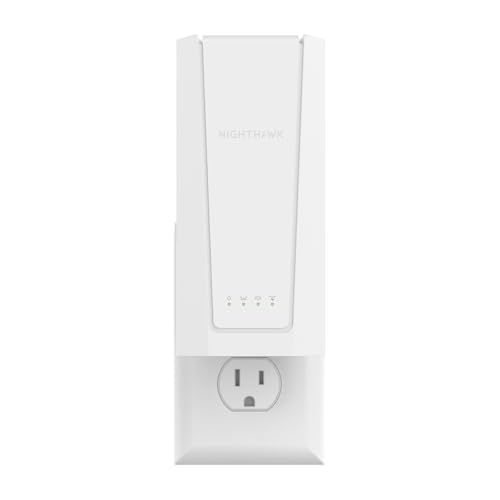
NETGEAR Nighthawk
A WiFi 7 BE5000 extender with a 2.5G Ethernet port and Smart Roaming, for up to 45 devices.
View on AmazonThese come from our ranked list Best Wi-Fi Booster, which compares them spec by spec.
FAQ
Will a Wi-Fi extender make my internet faster?
No. An extender improves coverage in rooms the router cannot reach, but it does not raise speeds. The TP-Link RE315 and RE550 both note that actual speeds will be 50% or less of current speeds, so a slow connection stays slow even with full bars.
Do I need a separate network for an extender?
It depends on the router. With an EasyMesh-compatible router, the TP-Link RE315 and RE550 keep one network and move devices automatically. The NETGEAR EXS27 uses Smart Roaming to keep one network, while other setups create a separate network.
Can I plug an extender into any outlet?
Any outlet works only if the router's signal is strong there. Put the extender about halfway between the router and the dead zone, where the signal is still strong, and use the signal indicator on the TP-Link RE315 or RE550 to check the spot. An outlet inside the dead zone gives the extender little to repeat.
