
Can You Use a Wi-Fi Extender Outdoors?
 By Theo LangUpdated
Yes, you can use a Wi-Fi extender outside, but only in a spot that stays dry. The extenders shown here plug into a wall outlet and are made for indoor rooms, so a covered porch or a sheltered outlet near the house works, while an open lawn or a spot in the rain does not. Place it halfway between your router and the outdoor area you want covered.
Keep it dry and under cover
These extenders plug into a wall outlet and are built for use inside the home, so rain and standing water are the first things to rule out. A covered porch, a roofed patio or a sheltered outlet on the house wall gives the extender the dry spot it needs. Do not place one on open grass, on a fence post or anywhere rain can reach it, and bring it indoors when storms are coming.
Place it halfway to the yard
An extender repeats the signal it receives, so it needs a strong link back to the router. Put it near a door or window on the side of the house facing the yard, about halfway between the router and the seats or grill where you want coverage. If the extender sits too far out, it repeats a weak signal and the connection drops. Move it closer to the house until the signal on your phone looks strong.
Use the 2.4 GHz band outside
The 2.4 GHz band reaches farther than the 5 GHz band and passes through walls and glass more easily, which matters when the signal has to leave the house. Connect outdoor phones, speakers and laptops to the 2.4 GHz network for the yard, and keep the 5 GHz band for devices close to the router inside. Both TP-Link extenders shown here are dual band, so each one offers both networks from the same unit.
Give it a power outlet outdoors
The outdoor spot needs an outlet within reach. A covered outlet on the porch or patio wall is the simplest choice. If the nearest outlet is inside, place the extender just inside the door or window and let the signal reach out, rather than running a long cord outside. Check that the outlet stays dry and that the plug sits firmly in it.
What you need
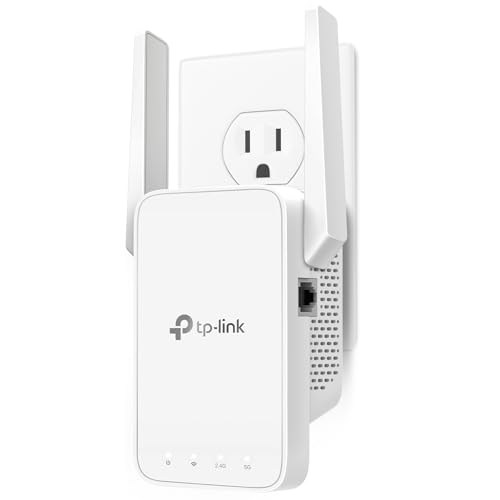
TP-Link AC1200 WiFi Extender Dual Band 5GHz/2.4GHz
A dual-band AC1200 extender with two adjustable antennas, one Ethernet port and EasyMesh support, covering up to 32 devices.
View on Amazon
TP-Link AC1900 WiFi Range Extender RE550
A dual-band AC1900 extender with three adjustable antennas, a gigabit Ethernet port and access point mode, covering up to 32 devices.
View on Amazon
NETGEAR WiFi Extender EX5000
A WiFi 5 AC1200 extender that adds coverage for up to 25 devices and works with any router, set up through the Nighthawk app or WPS.
View on Amazon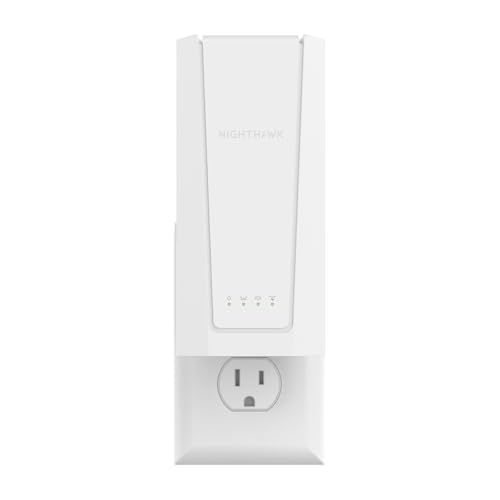
NETGEAR Nighthawk
A WiFi 7 BE5000 extender with a 2.5 gigabit Ethernet port and smart roaming, covering up to 45 devices on one network name.
View on AmazonThese come from our ranked list Best Wi-Fi Booster, which compares them spec by spec.
FAQ
Can I leave a Wi-Fi extender outside all year?
No. The extenders shown here are made for indoor use, so leave one outside only in a dry, covered spot and bring it in for rain and storms. A unit left in the open can fail when water reaches it.
Will an extender work through a brick wall?
It can, but walls cut the signal down, so place the extender near a window or door on the yard side of the house. The 2.4 GHz band gets through walls better than the 5 GHz band, so use it for outdoor devices.
Do I need an outdoor extender for a patio?
Not always. A regular extender in a covered spot near the patio often covers a small yard. If the patio sits far from the house, move the extender to the nearest covered outlet and check the signal on your phone before you settle on the spot.
