
What Is an External SSD Drive?
 By Theo LangUpdated
An external SSD drive is a solid state drive in its own case that plugs into a computer, console or phone with the cable that comes with it. It stores files outside the device, so you can carry photos, videos, games and backups between machines without opening anything. The drive draws power through the same cable, so there is no separate power brick to carry.
What sits inside the case
Inside the case is a solid state drive, which stores files on flash memory chips with no spinning disk and no moving parts. That is why the drive stores files on flash memory chips, handles bumps better than a hard drive, and moves files faster than a spinning disk. The case adds a USB port and a small board that turns the internal drive into a plug-in device.
How it connects to your device
You plug the drive into a USB port with the cable that comes with it, and the device shows it as a new drive. The cable that comes with the drive sets the plug type, so check the port on your laptop, console or phone first. If the ends do not match, a short adapter cable fixes the mismatch, but the drive still runs at the speed of the slowest link in the chain.
Pick a capacity that fits your files
External SSDs come in sizes such as 1TB, 2TB and 4TB. Add up the files you plan to keep on the drive, photos, videos, games and backups, and leave room for new files so the drive does not fill up right away. A drive that holds your whole photo library plus your backups saves you from shuffling files between drives later.
What to check before you buy
Check the interface the drive lists, such as USB 3.2 Gen 2x2 or USB 3.2 Gen-2, and compare it with the port on your device, since a faster drive on a slower port runs at the port speed. Check the weight if you plan to carry the drive daily, and check the warranty term the maker lists. If you record video straight to the drive, check that the drive lists support for your camera or phone first.
What you need

Western Digital P50
A 4TB drive with read speeds up to 2000 MB/s and a SuperSpeed USB 20Gb/s interface, built for game libraries on PlayStation, Xbox, PC and Mac.
View on Amazon
Western Digital P40
A 1TB drive with a USB 3.2 Gen2x2 interface and speeds up to 2000 MB/s, with RGB lighting you can customize through the WD_BLACK Dashboard on Windows.
View on Amazon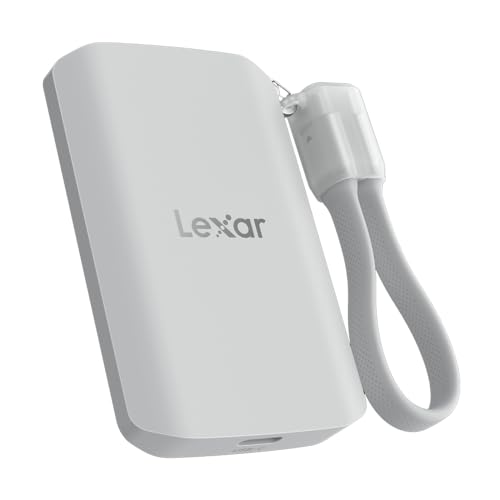
Lexar 2TB ES5 Magnetic External SSD
A 2TB magnetic drive with read and write speeds up to 2000 MB/s, made to attach to MagSafe-compatible phones and record Apple ProRes video at 4K120FPS.
View on Amazon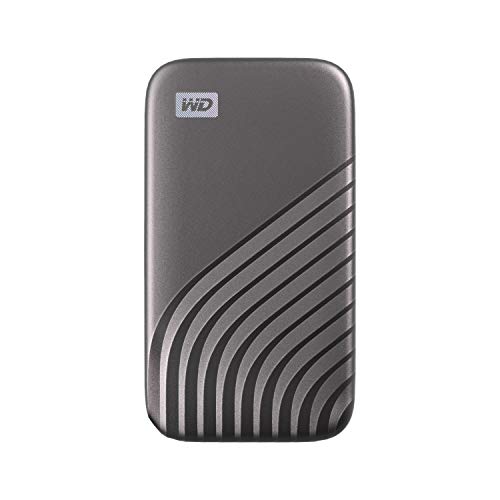
Western Digital WDBAGF0010BGY-WESN
A 1TB drive with speeds up to 1050 MB/s over USB 3.2 Gen-2 and USB-C, with password protection and 256-bit AES hardware encryption.
View on AmazonThese come from our ranked list Best External SSD, which compares them spec by spec.
FAQ
Can I use an external SSD with a game console?
Yes, if the console lists external drive support. The WD_BLACK P50 and P40 list PlayStation and Xbox compatibility, so check your console model and its system software version first.
Is an external SSD faster than a hard drive?
An SSD stores files on flash memory chips, so it reads and writes files faster than a hard drive in normal use. The exact speed depends on the drive interface and the port it plugs into, so check the interface and the port before you buy.
How long does an external SSD last?
There is no fixed lifespan to count on. Watch for warning signs such as files that fail to copy, a drive that disconnects on its own, or errors when you open files, and keep a second copy of anything you cannot replace.


