What Are External Drives?
 By Theo LangUpdated
An external drive is a storage device that sits outside your computer and connects to it by a USB cable. It holds files, photos, videos and games apart from the internal drive, and you can unplug it and carry it to another computer. External drives come as hard drives and as SSDs, and the ones in this article are external SSDs.
What an external drive is
An external drive is a separate storage device that plugs into a computer, a console or a phone through a cable. It stores files outside the machine, so it adds space without opening the case. You can move it between computers, keep a copy of files on it, or carry a game library with you. When you unplug it, the files go with the drive.
Hard drives and SSDs
External drives use either a spinning hard drive or flash memory in an SSD. An SSD stores files on flash memory, and the SSDs in this article list rated read speeds from 1050 MB/s to 2000 MB/s. The P50 uses SuperSpeed USB 20Gb/s, the P40 and the Lexar ES5 use USB 3.2 Gen2x2, and the My Passport SSD uses USB 3.2 Gen-2. Check the speed and the interface the drive lists, and match them to the port on your computer.
Capacity and what fits on it
Capacity is the amount of storage the drive holds, and the drives in this article hold 1TB, 2TB and 4TB. The 4TB P50 holds a larger game library than a 1TB drive, and the 2TB Lexar ES5 sits between them. Check the capacity the drive lists before you choose, and leave room for the files you add later.
How to connect one
Plug the drive into a USB port on your computer, console or phone, and the machine reads it as extra storage. Check that the port on your machine matches the drive's cable or interface, since a USB 3.2 Gen 2x2 drive runs slower on a port that does not support it. The Lexar ES5 attaches to a compatible smartphone with its magnetic design, and the My Passport SSD uses USB-C, with USB-A for older systems.
Use one for backup
An external drive gives your files a second home outside the computer. Copy the photos, videos and documents you cannot replace onto the drive, and keep the drive in a separate place from the computer. If the computer fails, the copy on the drive is still there. Check the copy opens before you count on it.
What you need

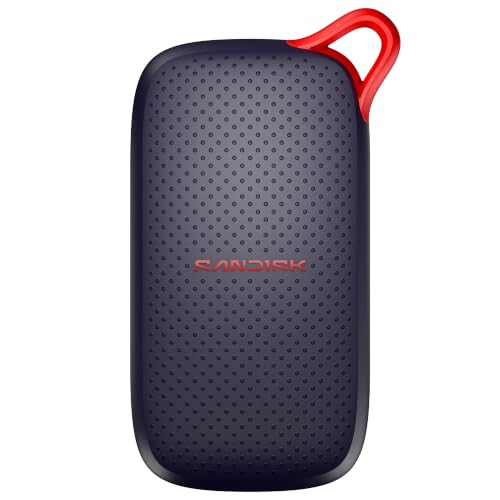
Western Digital P50
A 4TB portable SSD with read speeds up to 2000 MB/s, a SuperSpeed USB 20Gb/s interface, and a shock-resistant form factor for PlayStation, Xbox, PC and Mac.
View on Amazon
Western Digital P40
A 1TB portable SSD with a USB 3.2 Gen2x2 interface, speeds up to 2000 MB/s, customizable RGB lighting and a shock-resistant structure.
View on Amazon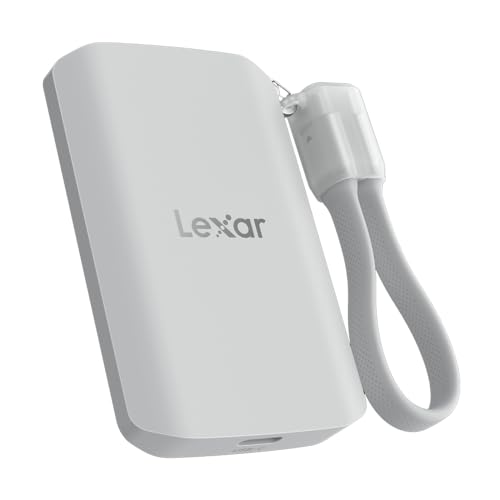
Lexar 2TB ES5 Magnetic External SSD
A 2TB magnetic external SSD with read and write speeds up to 2000 MB/s, a USB 3.2 Gen 2x2 interface and an IP65 rating for dust and water resistance.
View on Amazon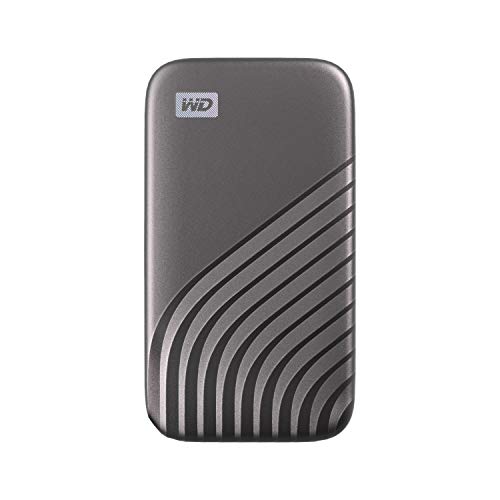
Western Digital WDBAGF0010BGY-WESN
A 1TB portable SSD with read speeds up to 1050 MB/s, a USB 3.2 Gen-2 interface, USB-C and password-enabled 256-bit AES hardware encryption.
View on AmazonThese come from our ranked list Best External SSD, which compares them spec by spec.
FAQ
Do external drives work with a phone?
Some do. The Lexar ES5 attaches to a compatible smartphone with its magnetic design and works with USB-C smartphones, iPhone 15 and 16 or above. Check the drive lists your phone before you buy it.
Can I play games from an external drive?
The P50 and the P40 work with PlayStation and Xbox consoles, and the P40 plays and stores PS4 and Xbox One games. Check the drive lists your console, since some consoles archive newer games instead of playing them from the drive.
Can I lock an external drive with a password?
The My Passport SSD has password-enabled 256-bit AES hardware encryption, so a password locks the files on the drive. Check the drive lists password protection before you buy it, and keep the password where you can find it again.