
What Is a Portable SSD Drive?
 By Theo LangUpdated
A portable SSD drive is a small external drive that stores files on flash memory chips, with no moving parts inside. You plug it into a computer with a USB cable, and it shows up as an extra drive for files, photos, video and backups. It is the pocket-size version of the SSD inside a computer, built to travel between computers.
What makes it portable
A portable SSD is a small, light drive in a case that fits a pocket or a small bag, with a USB cable for power and data. The drive draws its power from the USB port, so it needs no wall plug. The case guards the drive against bumps, and some cases add water and dust resistance, so the drive survives travel better than a bare drive.
SSD or hard drive
An SSD stores files on flash memory chips, while a hard drive stores files on spinning disks. The SSD reads files from flash memory chips, so it starts faster, moves files faster and handles bumps better than a hard drive. A hard drive can hold more capacity than an SSD of the same size, which is why the WD drive here is a 6TB hard drive and not an SSD. Pick an SSD when you carry the drive around, and a hard drive when you want the most room for files that stay at home.
Capacity: GB and TB
Capacity is the amount the drive holds in GB or TB. The drives here range from 256GB to 6TB, so a larger drive holds more photos, video and backups. Check how much space your files take up now, then pick a drive with room to spare for the files you will add.
Speed and the USB port
The speed on the box is a rated read speed, and the speed you get depends on the port and the cable you use. A USB 3.2 Gen 2 port moves data faster than a USB 3.2 Gen 1 port, so the same drive runs slower on an older port. Check the port on the computer and the cable that comes with the drive, and match them to the drive's interface.
Plug it in and back up
Plug the drive into a USB port and the computer lists it as a drive, ready for files. Copy the files you want to keep, then check that they open from the drive before you delete them from the computer. Keep another copy of files that matter, since a drive can fail.
What you need

SanDisk 2TB Extreme Portable SSD
A 2TB portable SSD with up to 2000MB/s transfer speeds, USB-C 3.2 Gen 2, IP65 water and dust resistance and a 5-year limited manufacturer warranty.
View on Amazon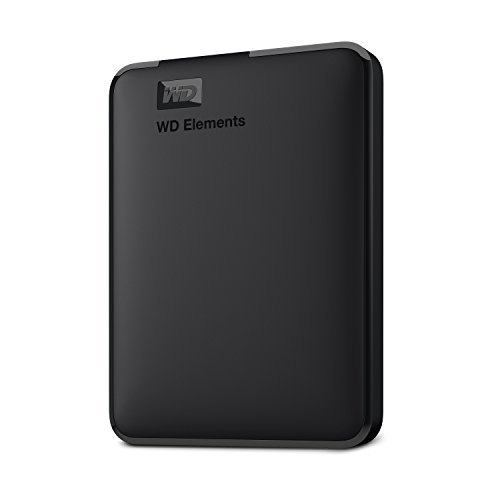
WD 6TB Elements Portable External Hard Drive
A 6TB portable hard drive, not an SSD, with a USB 3.2 Gen 1 connection, plug-and-play setup and a 2-year limited warranty.
View on Amazon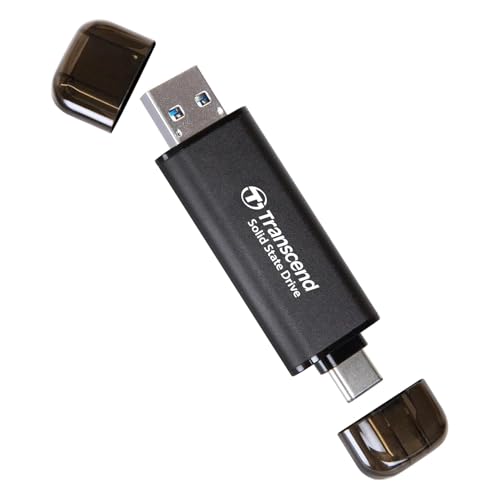
Transcend 256GB ESD310 Dual Portable SSD 1050MB/s
A 256GB portable SSD with 1050MB/s read speed, a 2-in-1 USB-C and USB-A design, a thumb drive form and a 5-year limited warranty.
View on Amazon
Samsung T9 Portable SSD
A 2TB portable SSD with up to 2000MB/s speeds, USB 3.2 Gen 2x2, dynamic thermal guard and a 5-year limited warranty.
View on AmazonThese come from our ranked list Best Portable External SSD, which compares them spec by spec.
FAQ
Is a portable SSD the same as a hard drive?
No. An SSD stores files on flash memory chips, while a hard drive stores files on spinning disks. The SSD reads files from flash memory chips, so it handles bumps better and moves files faster.
Can I use a portable SSD with a phone?
Yes, when the phone has a USB-C port and the drive lists the phone as compatible. The Transcend drive lists iPhone, iPad and Android, so check the drive you buy for the phone you use.
Do portable SSDs need a power plug?
No. A portable SSD draws its power from the USB port, so it needs no wall plug. Plug it into the computer and it shows up as a drive.
How do I protect files on a portable SSD?
Copy the files to the drive, then check that they open from the drive. Keep another copy of files that matter, since a drive can fail. Some drives add password protection, such as the SanDisk 2TB with 256-bit AES encryption.



