Best External SSD Drive for Mac (2026): 4 Picks Compared
 By Theo LangUpdated
You need room for a Mac game library, so buy the WD_BLACK Western Digital 4TB P50 Game Drive SSD. Its 4TB capacity holds your games, its rated read speeds reach up to 2,000 MB/s, and its SuperSpeed USB 20Gb/s interface moves large files for your Mac. The best external ssd drive for mac in this guide balances capacity, speed, and connection for the files you keep. Four drives cover the choice below for you.
Your shortlist at a glance
PCKitHQ scores range from 9.2 to 9.8. See how we pick.
| Product and key specifications | Score and retailer |
|---|---|
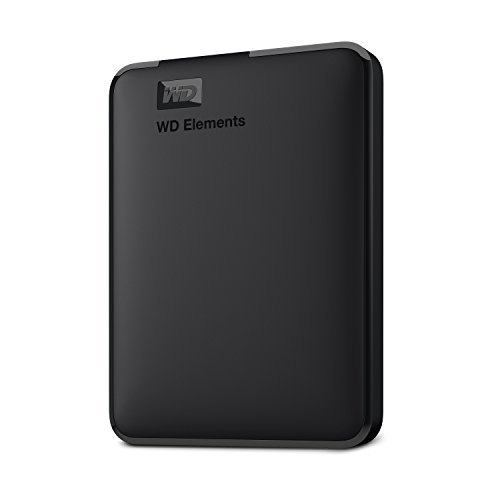
01 | 9.8PCKitHQ scoreView on Amazon |
02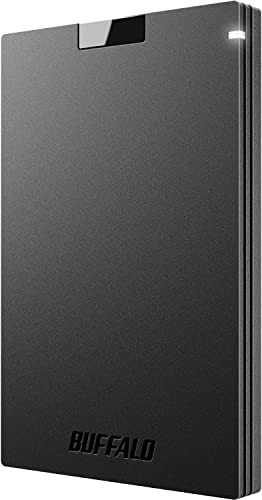 | 9.6PCKitHQ scoreView on Amazon |
03 | 9.4PCKitHQ scoreView on Amazon |
04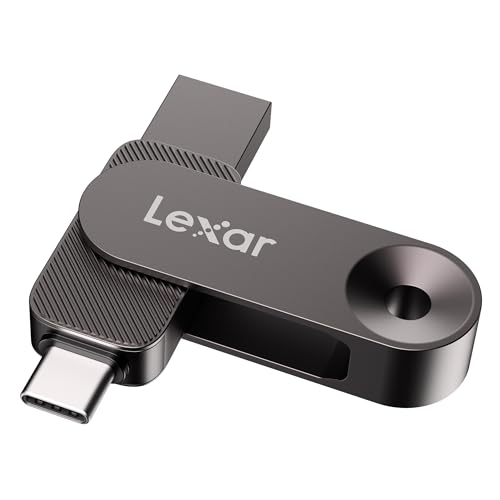 | 9.2PCKitHQ scoreView on Amazon |
A closer look at each configuration
Western Digital
score
The 4TB capacity, 2,000 MB/s read speeds, and SuperSpeed USB 20Gb/s interface define this WD_BLACK P50 for Mac game storage.
- Capacity
- 4TB
- Rated read speed
- 2000 MB/s
- Interface
- SuperSpeed USB 20Gb/s
- Weight
- 0.45 lb
- Warranty
- 5-year manufacturer's limited warranty
This WD_BLACK P50 Game Drive SSD holds 4TB for a Mac game library, with rated read speeds up to 2,000 MB/s that shorten load screen times. The SuperSpeed USB 20Gb/s interface moves large game files, and the drive works with Mac, PC, PlayStation, and Xbox. A shock-resistant design protects the drive on the go, and an 18-inch USB Type-A to Micro-B cable comes in the box. Its 4TB capacity keeps a full game collection in one place, with fast access to your gaming library anywhere you go. It weighs 0.45 lb, and the 5-year manufacturer's limited warranty covers the whole device.
Choose it if
- You want 4TB of storage for your game library
- You want 2,000 MB/s read speeds for game loads
Consider another if
- You need USB-C and USB-A connectors like the BUFFALO
- You need the 0.06 lb weight of the Elements SE
BUFFALO External SSD
score
The 2TB capacity, USB 3.2 connection, and USB-C and USB-A ports define this BUFFALO for Mac backup on the go.
- Capacity
- 2TB
- Interface
- USB 3.2
- Warranty
- two years
This BUFFALO External SSD holds 2TB for Macs and PCs, with USB 3.2 and both USB-C and USB-A connections for a direct plug-in. A shock-resistant, rugged design with drop protection suits on-the-go backup for photos, videos, and documents. Its compact form fits a pocket for work or travel. It also stores game data from PS4 and PS5 consoles. USB 3.2 moves files between the drive and your Mac. It works with Macs and PCs alike. The warranty runs two years, with three years for registered devices. It copies large data quickly for a professional needing fast and secure storage on the go.
Choose it if
- You want 2TB of storage for photos and videos
- You want USB-C and USB-A connections for your Mac
Consider another if
- You need 4TB of capacity for games
- You need a five-year limited warranty
WD 1TB Elements SE
score
The 1TB capacity, 400 MB/s read speeds, and 0.06 lb weight define this WD Elements SE for light Mac storage.
- Capacity
- 1TB
- Rated read speed
- 400 MB/s
- Interface
- USB 3.0
- Weight
- 0.06 lb
- Warranty
- 3 Year Limitary Manufacturer
This WD Elements SE holds 1TB for a Mac, with rated read speeds up to 400MB/s for moving large files. USB 3.0 connects the drive with plug-and-play setup, and the compact design with drop resistance up to 2 meters suits travel and daily work. It works across laptop, desktop, and other devices. Drop resistance up to 2 meters protects the drive on the move. Setup is plug-and-play right out of the box. It weighs 0.06 lb, so it adds almost no weight to a bag. The 3-year manufacturer warranty covers the whole device.
Choose it if
- You want 1TB of storage for everyday files
- You want a 0.06 lb drive for your bag
Consider another if
- You need 2,000 MB/s read speeds
- You need 4TB of capacity like the P50
Lexar 128GB Dual Drive D500 External SSD
score
The 128GB capacity, 400MB/s read speeds, and dual USB connectors define this Lexar D500 for light Mac storage.
- Capacity
- 128GB
- Rated read speed
- 400 MB/s
- Interface
- USB 3.2
- Weight
- 0.06 lb
- Warranty
- Five-year limited warranty
This Lexar D500 Dual Drive holds 128GB in a cable-free design with dual USB connectors, so USB-A and USB-C both plug in directly. Rated transfer speeds reach up to 400MB/s, moving files 4X faster than USB 3.0. A durable metal housing protects the connectors, and the free Lexar App backs up photos on iOS and Android. The lightweight design carries easily every day. The metal housing protects the drive in daily use. It weighs 0.06 lb, and the five-year limited warranty covers the whole device.
Choose it if
- You want 128GB of storage for your photo library
- You want USB-C and USB-A in one drive
Consider another if
- You need 1TB of capacity for large libraries
- You need 2,000 MB/s read speeds
Make the choice for your setup
Capacity for the best external ssd drive for mac
Capacity decides how much a drive holds. The WD_BLACK P50 holds 4TB for a Mac game library, while the BUFFALO holds 2TB for photos, videos, and documents. The WD Elements SE holds 1TB for everyday files, and the Lexar D500 holds 128GB for a small photo backup. A 4TB drive suits a large game collection, while a 2TB drive suits a mixed library of photos and videos. A 1TB drive suits daily files and documents, while a 128GB drive suits a small set of photos. Larger capacities also hold video projects and backups. Compare the capacity against the files you keep on the drive, and choose the size that fits your library. Check the capacity of each drive against the size of your current library today.
Compare speed and connection
Speed and connection decide how fast files move. The WD_BLACK P50 posts rated read speeds up to 2,000 MB/s through its SuperSpeed USB 20Gb/s interface. The WD Elements SE and the Lexar D500 each post rated read speeds up to 400MB/s, with the Elements SE on USB 3.0 and the Lexar D500 on USB 3.2. The BUFFALO connects through USB 3.2 with both USB-C and USB-A, so it plugs into a Mac either way. The Lexar D500 also carries both USB-C and USB-A connectors in a cable-free design. A faster rated speed suits large video files, game installs, and backups. Match the rated speed and the connector to your Mac and the files you move. The BUFFALO also handles large intensive tasks on a PC, and the P50 ships with an 18-inch USB Type-A to Micro-B cable. A related shortlist covers the Best External Hard Drive for Laptop.
Check weight, build, and warranty
Weight, build, and warranty complete the choice. The WD_BLACK P50 weighs 0.45 lb with a shock-resistant design, while the WD Elements SE and the Lexar D500 each weigh 0.06 lb. The Elements SE adds drop resistance up to 2 meters, and the Lexar D500 adds a durable metal housing that protects its USB-A and USB-C connectors. The BUFFALO adds a shock-resistant, rugged design with drop protection for travel. A lighter drive suits a bag carried every day. Warranty terms differ: the P50 carries a 5-year manufacturer's limited warranty, the Lexar D500 carries a five-year limited warranty, the Elements SE carries a 3-year manufacturer warranty, and the BUFFALO warranty runs two years, with three years for registered devices.
Comparing more options? See Best External Hard Drive.
FAQ: External SSD Drive for Mac
Which drive holds the most storage in this guide?
The BUFFALO holds 2TB, the WD Elements SE holds 1TB, and the Lexar D500 holds 128GB. Choose the P50 when your Mac game library needs the most room, and choose a smaller drive when your files fit within its capacity.
Which drives connect through USB-C?
The BUFFALO connects through USB 3.2 with USB-C and USB-A, and the Lexar D500 carries dual USB connectors with USB-C and USB-A. The WD_BLACK P50 uses a SuperSpeed USB 20Gb/s interface with an 18-inch USB Type-A to Micro-B cable. The WD Elements SE connects through USB 3.0. Check the connector on your Mac before you choose.
Which drives weigh 0.06 lb in this guide?
The WD Elements SE and the Lexar D500 each weigh 0.06 lb. The WD_BLACK P50 weighs 0.45 lb. Choose the Elements SE or the Lexar D500 when a light carry matters for your bag, and choose the P50 when capacity matters more than weight. Weight matters most when the drive travels with you daily.