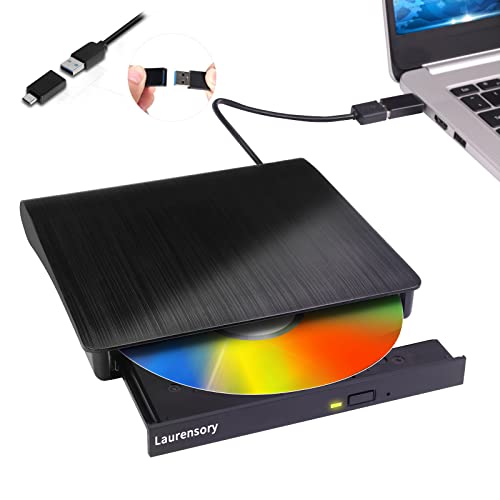
What Is a PC Optical Drive?
 By Theo LangUpdated
A PC optical drive is a drive that reads and writes discs such as CDs and DVDs. Laptops with no built-in drive need an external one, which plugs into a USB port and adds disc reading and burning to the computer. Check the disc types and the ports on your computer before you buy one.
What an optical drive does
An optical drive uses a laser to read the data stored on a disc, and a writer also burns new data onto blank discs. It handles CDs and DVDs, the discs used for music, movies, software and files. The drive connects through USB, so it works with a laptop or desktop that has a free USB port, and it needs no disc tray inside the computer itself. Read the disc types a drive lists before you buy, since not every drive reads every disc.
Internal and external drives
An internal drive fits inside a desktop case, while an external drive sits on the desk and plugs into a USB port. External drives suit laptops and desktops with no built-in drive, since they need no opening of the computer. The four drives below are all external. The Rioddas drive is powered by its USB port and needs no power adapter, so it travels with the laptop. Pick an external drive to share one drive between computers, since it plugs into a USB port.
Check the ports and disc types
Match the drive plug to a port on your computer. The ASUS ZenDrive U9M includes USB-C and USB-A cables, and the ASUS ZenDrive V1M has a built-in USB-C cable, while the Rioddas and Alronly drives use USB 3.0. Check the disc types too: the Rioddas drive lists CD and DVD formats and states it does not work with Blu-ray or 4K discs, and the Alronly drive lists CD and DVD with 8x DVD and 24x CD speeds. If the computer runs ChromeOS, check compatibility first, since the Rioddas drive states it does not work with ChromeOS.
What the drive is used for
An optical drive plays music CDs and movie DVDs, installs software from discs, and burns files to blank discs for backup or sharing. The ASUS drives add M-DISC support, which stores photos, videos and data on special discs. The Alronly drive lists 8x DVD and 24x CD speeds for reading and writing. If you only need to watch a movie now and then, any of the drives below reads DVDs, so match the ports and the disc types instead.
What you need
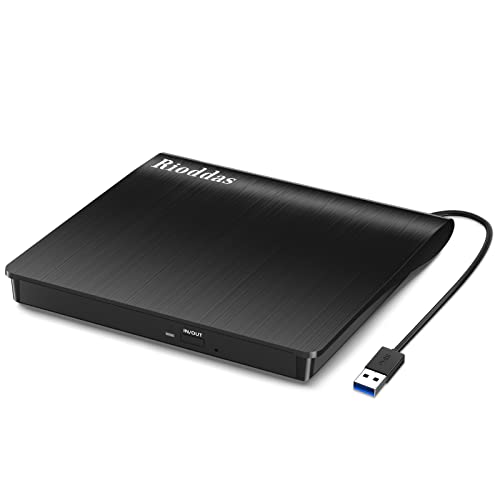
Rioddas External CD/DVD Drive for Laptop
An external CD and DVD drive with USB 3.0, plug and play power from the USB port, and support for CD and DVD formats.
View on Amazon
ASUS ZenDrive U9M Ultraslim External DVD Drive & Writer
An ultraslim external DVD drive and writer with 8X DVD writing, M-DISC support, and USB-C and USB-A cables included.
View on Amazon
ASUS ZenDrive V1M External DVD Drive & Writer
An external DVD drive and writer with 8X DVD writing, M-DISC support, and a built-in 24cm USB-C cable.
View on Amazon
External CD/DVD Drive USB 3.0 Type-C Burner Writer Reader for Laptop/PC/Mac
An external CD and DVD drive with USB 3.0 and Type-C, 8x DVD and 24x CD speeds, and a built-in cable.
View on AmazonThese come from our ranked list Best External Cd Drive, which compares them spec by spec.
FAQ
Do I need a driver for an external optical drive?
The Rioddas and Alronly drives below state plug and play with no driver needed. Plug the drive into a USB port and the computer detects it. If the drive is not recognized, try a different USB port, as the Rioddas drive suggests.
Can an external optical drive read Blu-ray discs?
Only a drive that lists Blu-ray support can read them. The Rioddas drive below states it does not work with Blu-ray or 4K discs, so check the disc list on the drive you choose before you buy.
Will an external drive work with a Mac?
The Rioddas drive lists macOS support, and both ASUS drives list Windows 11 and macOS compatibility. Check the drive listing for your exact system before you buy, and check the cable matches a port on the computer.