
How to Burn a DVD on a Chromebook
 By Theo LangUpdated
The drives shown here work with Windows or Mac, and the Rioddas drive also states Linux support, and two of them state they do not work with Chromebooks. To burn a DVD, connect one of these drives to a Windows or Mac computer and burn the disc there.
Check what a Chromebook can burn
A Chromebook on its own cannot write a DVD, so the burn has to happen on another computer. The Rioddas drive is not compatible with ChromeOS, and the Alronly drive does not support Chromebooks. The ASUS V1M works with Windows and macOS, and the ASUS U9M supports Mac and PC. That leaves a Windows or Mac computer as the machine that burns the disc.
Pick a drive for your computer
Match the drive to the computer that will burn the disc. The Rioddas drive works with Windows, Linux and macOS, the ASUS V1M works with Windows and macOS, and the ASUS U9M supports Mac and PC. The Alronly drive works with PC and Mac. Check the drive's port as well: the Rioddas and Alronly drives use USB 3.0, the ASUS V1M uses USB-C, and the ASUS U9M includes USB-C and USB-A cables.
Connect the drive and burn
Plug the drive into a USB port on the Windows or Mac computer and wait for the computer to find it. The Rioddas drive needs no driver and draws power from the USB port, and the Alronly drive needs no driver to install. Put a blank DVD in the tray, open the burning tool on the computer, add the files you want on the disc, and start the burn. Do not unplug the drive while the disc is writing.
Check the finished disc
When the burn finishes, let the drive eject the disc and put it back in to check it reads. Play the disc or open its files on the computer to confirm the burn worked. If the computer does not find the drive, try a different USB port. Keep the disc in its case away from scratches.
What you need
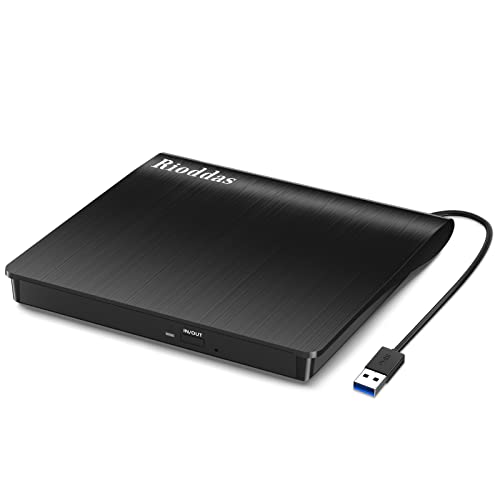
Rioddas External CD/DVD Drive for Laptop
A USB 3.0 CD/DVD burner that draws power from the USB port, with an eject button and a built-in cable, not compatible with ChromeOS.
View on Amazon
ASUS ZenDrive U9M Ultraslim External DVD Drive & Writer
An ultraslim 13.9mm DVD writer with 8X DVD writing, M-DISC support and USB-C and USB-A cables included.
View on Amazon
ASUS ZenDrive V1M External DVD Drive & Writer
A slim DVD writer with 8X DVD writing, M-DISC support and a built-in 24cm USB-C cable, for Windows and macOS.
View on Amazon
External CD/DVD Drive USB 3.0 Type-C Burner Writer Reader for Laptop/PC/Mac
A USB 3.0 Type-C CD/DVD burner with 8x DVD and 24x CD speeds and a built-in cable, not for Chromebook use.
View on AmazonThese come from our ranked list Best External Cd Drive, which compares them spec by spec.
FAQ
Can a Chromebook burn a DVD directly?
No. A Chromebook on its own cannot burn a DVD, and the Rioddas and Alronly drives state they do not work with Chromebooks. Burn the disc from a Windows or Mac computer with an external drive instead.
Which of these drives work with a Mac?
All four drives work with macOS. The Rioddas drive, both ASUS drives and the Alronly drive all state Mac support. Check the drive's port against your Mac before you buy.
What discs can these drives burn?
The Rioddas burns CD and DVD formats, the ASUS drives write DVDs at 8X, and the Alronly drive writes DVDs at 8x and CDs at 24x.


