How to Copy DVDs to a Hard Drive
 By Theo LangUpdated
To copy a DVD to a hard drive, connect an external DVD drive to the computer, insert the disc, and use disc-ripping software to save the contents as a file on the drive. The software reads the disc and writes a video file or disc image to a folder you choose. Copy only discs you own or have the right to copy.
Connect an external DVD drive
Connect the drive with its USB cable and wait for the computer to detect it. The Rioddas drive runs from the USB port with no driver or power adapter needed. If the drive is not detected, try a different USB port. Insert the DVD only after the drive appears on the computer.
Open disc-ripping software
Install ripping software on the computer first, then open it and choose the DVD drive as the source. The software lists the disc title and its contents, so check that the right disc is loaded before you go on. Insert the disc only after the software is open and the drive is ready.
Choose the output format and folder
Pick a format for the saved file, such as a video file or a disc image, and pick the folder on the hard drive where it will go. Check the free space in that folder first, since a full disc copy needs room for the whole disc. Name the file so you can find it later.
Start the copy and check the file
Start the copy in the software and leave the computer and the drive alone until it finishes. Do not eject the disc or unplug the drive while the copy runs. When the software reports the copy is done, open the saved file and play a few minutes of it to check the picture and sound.
What you need
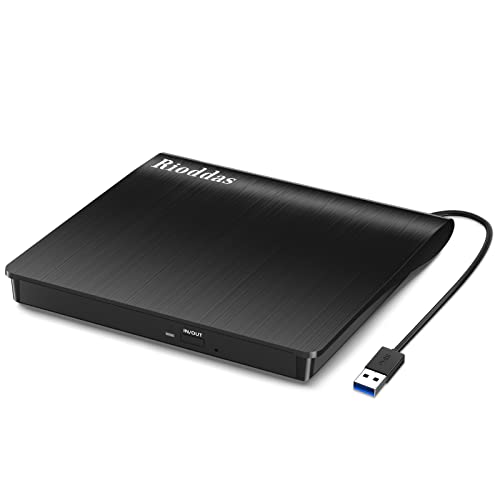
Rioddas External CD/DVD Drive for Laptop
A USB 3.0 CD/DVD burner that runs from the USB port with no driver or power adapter, with data transfer up to 5Gbps.
View on Amazon
ASUS ZenDrive U9M Ultraslim External DVD Drive & Writer
An ultraslim DVD writer with 8X DVD writing, USB-C and USB-A cables included, a 13.9mm slim design and M-DISC support.
View on Amazon
ASUS ZenDrive V1M External DVD Drive & Writer
A DVD writer with 8X DVD writing, a built-in 24cm USB-C cable and M-DISC support, for Windows 11 and macOS.
View on Amazon
External CD/DVD Drive USB 3.0 Type-C Burner Writer Reader for Laptop/PC/Mac
A USB 3.0 Type-C CD/DVD burner with 8x DVD and 24x CD speeds, plug and play with a built-in cable.
View on AmazonThese come from our ranked list Best External Cd Drive, which compares them spec by spec.
FAQ
Can I copy a DVD without an external drive?
No, unless the computer has a built-in DVD drive. Laptops without a disc drive need an external USB DVD drive to read the disc.
What format should I save the DVD as?
Save it as a video file if you want to play it on a phone, tablet or computer, or as a disc image if you want an exact copy of the disc. Check that the player you will use can open the format you pick.
Why does the copy stop partway through?
A scratched or dirty disc can stop a copy, so clean the disc and try again. A loose USB connection can also stop it, so check the cable and try a different USB port.