
Is an External SSD Drive Recommended?
 By Theo LangUpdated
Yes. An external SSD gives you fast, portable storage that works across a PC, Mac or console through a USB port. It is a good fit for backups, extra game storage and carrying large files, as long as you keep a second copy of anything you cannot lose.
When an external SSD makes sense
An external SSD fits when you want storage you can move between computers or take on a trip. Use one to carry a photo or video library, to hold a game library you play on more than one machine, or to keep a backup copy of files that live on your main drive. If the drive never leaves your desk, an internal drive or a desktop hard drive can serve the same job, so weigh portability against capacity and cost.
Check the port and interface first
An external SSD is only as fast as the port you plug it into. Look at the interface the drive lists, such as USB 3.2 Gen 2x2 or USB 3.2 Gen-2, and check that your computer has a matching port. A drive plugged into a slower port still works, but it runs at the slower port's speed. If your computer has USB-C, check that the cable in the box fits that port before you buy.
Pick a capacity with room to spare
Add up the files you plan to store, then choose a drive with space left over for new files. A drive that is nearly full leaves no room for the next project or the next game install, and moving files off a full drive takes time. For a backup drive, leave room for more than one copy of your files, so a failed backup does not leave you with nothing.
Keep a second copy of important files
One drive is one copy, and a single copy is not a backup. Keep important files in more than one place, such as on your computer and on the external drive, or on the external drive and a cloud backup. Check now and then that the backup opens, and replace a drive that reports errors or disconnects on its own.
What you need

Western Digital P50
A 4TB portable SSD with read speeds up to 2000 MB/s and a SuperSpeed USB 20Gb/s interface, built for a game library on PC or console.
View on Amazon
Western Digital P40
A 1TB portable SSD with a USB 3.2 Gen2x2 interface and speeds up to 2000 MB/s, with RGB lighting you can set in the WD_BLACK Dashboard.
View on Amazon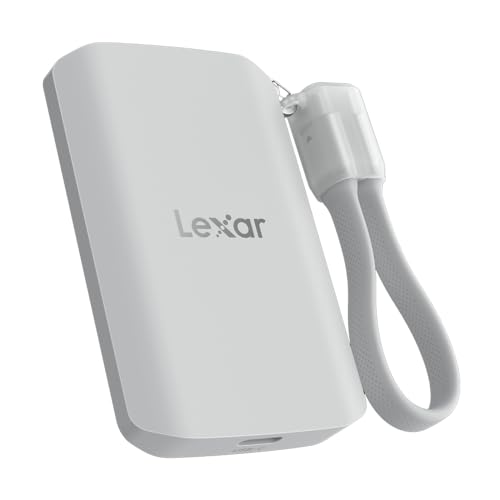
Lexar 2TB ES5 Magnetic External SSD
A 2TB magnetic SSD with read and write speeds up to 2000 MB/s, made to attach to a MagSafe-compatible phone and record Apple ProRes video.
View on Amazon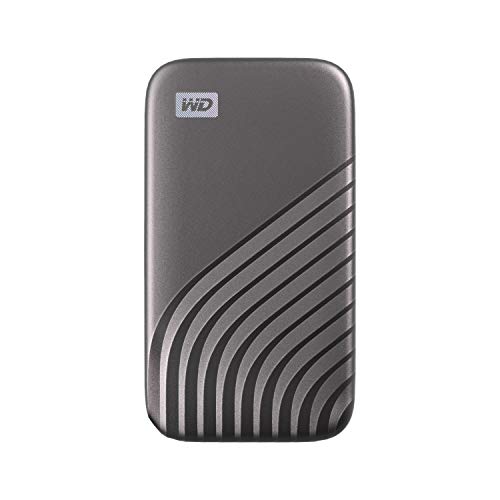
Western Digital WDBAGF0010BGY-WESN
A 1TB portable SSD with read speeds up to 1050 MB/s, password protection with 256-bit AES hardware encryption, and USB-C for newer systems.
View on AmazonThese come from our ranked list Best External SSD, which compares them spec by spec.
FAQ
Can I run games from an external SSD?
Yes, on a PC or a console that lists external drive support for games. The P40 drive is built for game libraries, and its console notes say which games you can play and which you can only store. Check your console's notes before you move a game.
Is an external SSD good for backups?
Yes, if you keep a second copy elsewhere. A backup on one drive is gone if that drive fails, so pair the external SSD with your computer's internal drive or a cloud backup, and open the backup now and then to confirm it works.
Do I need a USB-C port for an external SSD?
No. An external SSD connects through USB, and the cable type varies by drive. Check the cable and the port on your computer, and match them before you buy.


