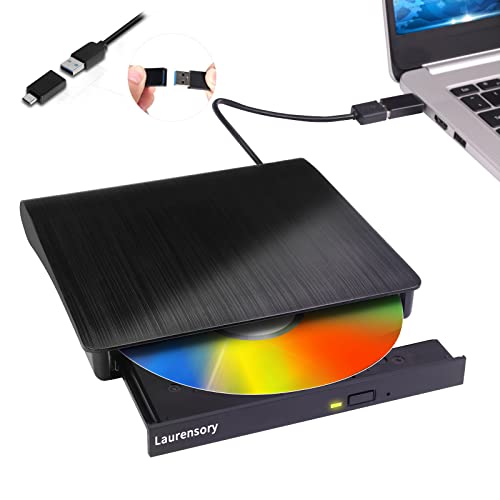
How to Set Up an External DVD Drive
 By Theo LangUpdated
Plug an external DVD drive into a USB port on your computer and it shows up as a disc drive in a few seconds. The drive draws power from the USB port, so no separate power adapter is needed. Insert a disc, open it from your file manager, and play, copy or burn files with the software on your computer.
Check which ports your computer has
Look at the USB ports on your computer before you buy or connect a drive. Some drives use a USB-A plug, others use USB-C, and some include both cables in the box. If your laptop has only USB-C ports, check that the drive you pick includes a USB-C cable or adapter. A USB-C port on a laptop does not always carry video output, but that does not matter here: a DVD drive needs only a data connection and power from the port.
Connect the drive and let it install
Plug the drive's cable into a USB port on your computer, using a rear USB port on a desktop when one is free. The drive draws power from the port, so no power adapter is needed. Your computer should detect the drive and install the drivers it needs on its own. If nothing appears, try a different USB port, then restart the computer with the drive still connected.
Insert a disc and open it
Press the eject button on the drive to open the tray, place the disc with the printed side up, and close the tray. Open your file manager and look for the drive under the list of devices. Double-click it to see the files on the disc. To play a movie, open the disc in your media player; to install software, run the setup file on the disc.
Burn a disc with your software
To write files or a video to a blank disc, open the disc burning software on your computer. Add the files you want, choose the disc type, and start the burn. Leave the drive connected and do not move it while the disc is being written. When the burn finishes, the software ejects the disc or tells you it is ready to remove.
What you need
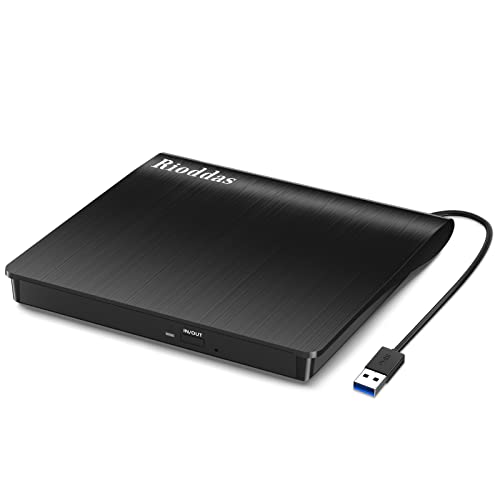
Rioddas External CD/DVD Drive for Laptop
A USB 3.0 CD/DVD drive that runs on power from the USB port, with a physical eject button and an embedded cable that stores inside the drive.
View on Amazon
ASUS ZenDrive U9M Ultraslim External DVD Drive & Writer
A slim 13.9 mm DVD writer with USB-C and USB-A cables included, M-DISC support and Win 11 and macOS compatibility.
View on Amazon
ASUS ZenDrive V1M External DVD Drive & Writer
A slim 14 mm DVD writer with a built-in 24 cm USB-C cable, M-DISC support and Windows and macOS compatibility.
View on Amazon
External CD/DVD Drive USB 3.0 Type-C Burner Writer Reader for Laptop/PC/Mac
A USB 3.0 Type-C CD/DVD drive with a built-in cable, plug-and-play setup and 8x DVD and 24x CD write speeds.
View on AmazonThese come from our ranked list Best External Cd Drive, which compares them spec by spec.
FAQ
Do I need to install drivers for an external DVD drive?
Plug the drive in and your computer installs the drivers it needs on its own. If your computer does not see the drive, try another USB port and restart the computer with the drive connected.
Why does my computer not see the drive?
Try a different USB port, and on a desktop use a port on the back of the computer. If the drive still does not appear, restart the computer with the drive connected and check that the cable is fully plugged in.
Can I use an external DVD drive with a Mac?
Yes, if the drive lists macOS support. Check the drive's notes for your macOS version before buying, and check that your Mac has a matching USB port or an adapter for the drive's cable.
Can an external DVD drive play Blu-ray discs?
No. A DVD drive cannot play a Blu-ray disc. If you want to play Blu-ray discs, you need a drive that lists Blu-ray support.