How Does an External SSD Work With a PC?
 By Theo LangUpdated
An external SSD is a portable drive that stores files on flash memory and connects to a PC through a USB cable. When you plug it in, the PC detects it as a drive, so you can open it, copy files to it, and run files from it without opening the PC. The cable carries both the data and the power the drive needs.
What an external SSD is
An external SSD holds your files on flash memory inside a small case, with a USB port for the cable that links it to your PC. The drives here state shock or drop resistance, with one model stating drop resistance up to 6.5 ft. When you plug the cable into a USB port on your PC, the PC reads the drive and shows it as extra storage you can open, copy files to, and copy files from.
Connect it to your PC
Plug the cable that comes with the drive into the drive, then into a USB port on your PC. The PC detects the drive and shows it in your file manager, ready to open. If nothing appears, try another USB port on the PC, check that the cable is pushed in at both ends, and look in your PC's disk settings to see whether the drive shows there.
Match the port and cable
The drive and the port share the speed of the slower side, so a drive with a faster USB interface still moves files at the pace of an older port. Check the interface the drive supports, such as USB 3.2 Gen 2x2, and plug it into a port on your PC that supports the same interface. Use the cable that comes with the drive, since a cable built for charging only will not carry data.
Move files and unplug the drive
Open the drive in your file manager and copy or move the files you want to keep there, such as photos, videos, documents or game installs. Keep a second copy of anything you cannot lose, since one drive is a single place for your files. When you finish, eject the drive in your PC's menus before you pull the cable.
What you need

Western Digital P50
A 4TB portable SSD with speeds up to 2000 MB/s and a SuperSpeed USB 20Gb/s interface, built for PC and console gaming.
View on Amazon
Western Digital P40
A 1TB portable SSD with a USB 3.2 Gen2x2 interface, speeds up to 2000 MB/s and RGB lighting you can change with the WD_BLACK Dashboard.
View on Amazon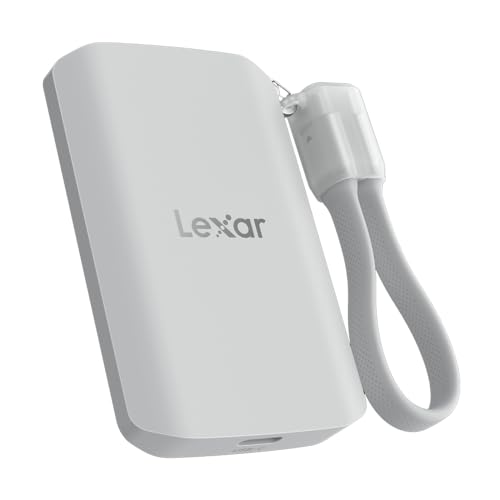
Lexar 2TB ES5 Magnetic External SSD
A 2TB magnetic SSD with up to 2000 MB/s read and write speeds, a USB 3.2 Gen 2x2 interface and an IP65 rating for dust and water resistance.
View on Amazon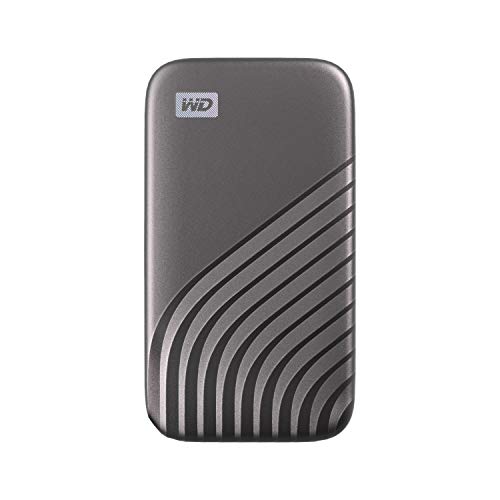
Western Digital WDBAGF0010BGY-WESN
A 1TB portable SSD with speeds up to 1050 MB/s, USB 3.2 Gen-2 and USB-C, and password protection with 256-bit AES hardware encryption.
View on AmazonThese come from our ranked list Best External SSD, which compares them spec by spec.
FAQ
Can I run games from an external SSD?
Yes. The PC can open and run files stored on the drive once it is connected, including game files you install there. Check the requirements published for each game before you move it.
Do I need to install software to use one?
No. A PC detects the drive as storage once you connect it, and you can open it in your file manager. Some drives include extra software for their own features, which you install only if you want them.
Can I use the same drive on another PC?
Yes. Unplug the drive after ejecting it, then plug it into another PC and open it the same way. The files stay on the drive, so they travel with it from one PC to the next.