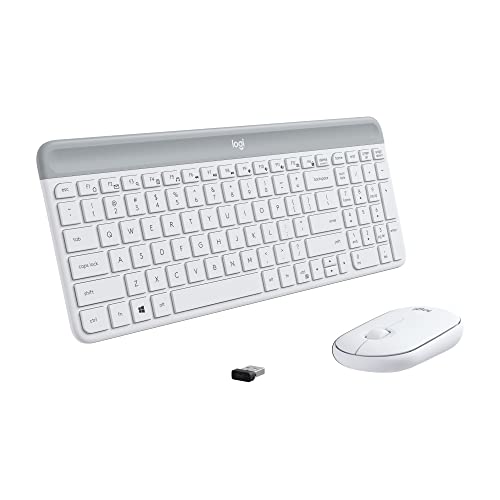
Types of Wireless Keyboard and Mouse Combos
 By Theo LangUpdated
Wireless keyboard and mouse combos differ mainly by connection type, keyboard size and how they are powered. Some pair by Bluetooth only, some use a small USB receiver, and some offer both plus a wired option. Choosing the type first helps you match the set to your computer ports, desk space and the number of devices you switch between.
Bluetooth only combos
A Bluetooth only set pairs directly with a computer that has Bluetooth, with no receiver to plug in and no USB port used. You pair the keyboard and mouse in your operating system settings and reconnect them there if they drop. Check that your computer lists Bluetooth before you choose this type, and keep the pairing steps from the maker handy for the first setup.
Receiver based combos
A receiver based set includes a small USB receiver that you plug into the computer, and the keyboard and mouse connect to that receiver. This type suits a computer without Bluetooth or a desk where you want to move the set by moving one receiver. Check whether the receiver uses a USB-A or USB-C plug and whether your computer has that port free during use.
Multi mode combos
A multi mode set offers more than one connection path in the same keyboard and mouse, such as Bluetooth, a receiver and a wired cable. You switch modes with a key or switch on the device, which lets one set work with more than one computer. Read the mode instructions before pairing, since the keyboard and mouse must each be set to the mode you intend to use.
Full size and compact keyboards
A full size keyboard keeps a separate number pad and full function row, which suits long number entry and needs more desk width. A compact keyboard shortens or removes parts of that layout to save space and leave more room for mouse movement. Measure your desk and check the layout drawing for the set you consider, since key placement differs between compact designs.
Rechargeable and replaceable power
Some sets charge by cable and some run on replaceable batteries that you swap when they run down. With a rechargeable set, check the charging cable type and whether the set works while charging. With replaceable batteries, check which battery sizes the keyboard and mouse take and whether batteries come in the box, so you can keep spares ready.
What you need
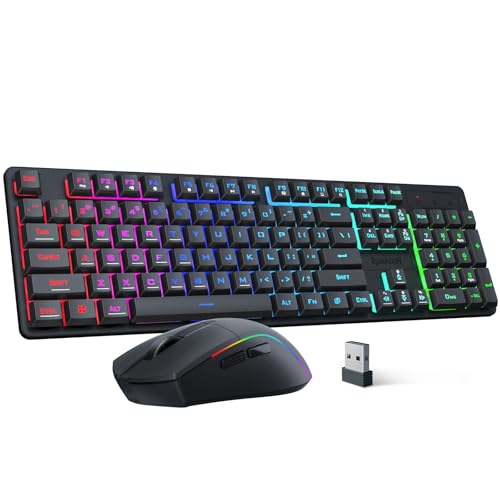
Redragon S107KS Wireless Gaming Keyboard and Mouse
A tri mode set with wired, 2.4G receiver and BT connection, RGB backlit keyboard and a 10000 DPI mouse with software adjustment.
View on Amazon
Redragon Wireless Gaming Keyboard and Mouse Combo
A compact tri mode set with Bluetooth, receiver and USB-C wired connection, RGB backlight and a 12800 DPI mouse.
View on Amazon
Logitech MK250 Wireless Bluetooth Keyboard and Mouse Combo
A Bluetooth only compact set with a number pad on the keyboard and a small ambidextrous mouse for either hand.
View on Amazon
MEETION Wireless Bluetooth Keyboard and Mouse
A full size set with USB-A receiver and dual Bluetooth connection, quiet keys and a 3200 DPI optical mouse.
View on AmazonThese come from our ranked list Best Bt Keyboard and Mouse, which compares them spec by spec.
FAQ
Do I need Bluetooth for a wireless combo?
No. A set with a USB receiver works through that receiver instead of Bluetooth. A Bluetooth only set needs Bluetooth on the computer, so check your computer spec sheet first.
Can one combo work with two computers?
A multi mode set can switch between devices if the maker lists that support. Check the connection modes and switching steps for the set, and pair each device in the correct mode.
Is a compact keyboard harder to type on?
A compact layout moves or removes some keys to save space, so check the layout before you buy. If you enter numbers often, a layout with a number pad keeps those keys separate.