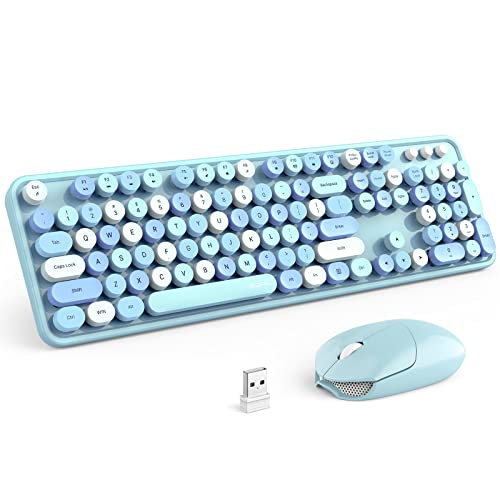
How to Connect a Keyboard and Mouse to One USB Port
 By Theo LangUpdated
Plug a two-in-one USB receiver from a wireless keyboard and mouse combo into the port, and both devices work through that single connection. Bluetooth combos skip the port entirely, and a USB hub lets wired keyboards and mice share one port the same way.
Use a combo with one receiver
Start with a wireless keyboard and mouse sold as a combo with a two-in-one receiver. That single dongle is paired with both devices, so one plug-in gives you typing and pointing at the same time. A keyboard and mouse bought separately each come with their own receiver, and each receiver needs its own port, so the combo is what makes one port enough.
Plug in and switch on
Push the receiver into the free USB port, then turn on the keyboard and the mouse. If either device has a mode switch, set it to the 2.4G position so it talks to the receiver instead of Bluetooth. Move the mouse and type a few keys to check both respond. If one stays silent, switch it off and on again and move it closer to the receiver.
Pair over Bluetooth to use no port
A Bluetooth combo needs no receiver and no port at all. Open the Bluetooth settings on your computer, put the keyboard in pairing mode, and select it from the list, then do the same for the mouse. Check first that your computer has Bluetooth built in. If it does not, a Bluetooth adapter would take the port you are trying to save, so the receiver route fits better.
Share the port with a hub
If you already own a wired keyboard and mouse, plug a USB hub into the one free port and connect both devices to the hub. The computer sees the hub as one connection and the keyboard and mouse through it. This also works with two separate wireless receivers, since each receiver plugs into the hub instead of the computer. Keep the hub where the receiver still has a clear path to the devices.
Check the port type first
Look at the port you have free before you buy or plug in. Receivers come in USB-A and USB-C shapes, and the plug has to match the port. If your computer only has USB-C ports and the receiver is USB-A, you need an adapter or a hub with the right sockets, and that adapter then holds the one port. Match the shapes first so the single connection works without extra pieces.
What you need
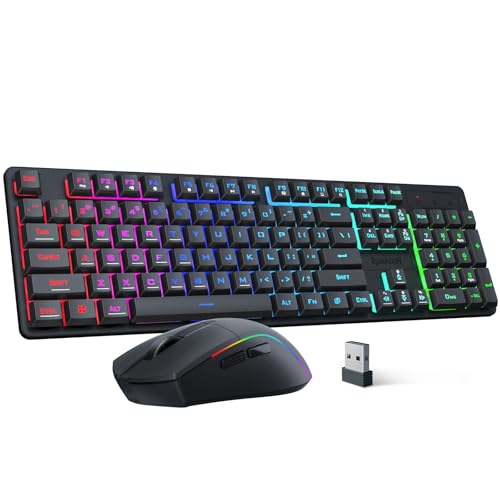
Redragon S107KS Wireless Gaming Keyboard and Mouse
A combo whose two-in-one 2.4G receiver runs the keyboard and mouse from one USB port, with a wired mode as well and up to 10,000 DPI.
View on Amazon
Redragon Wireless Gaming Keyboard and Mouse Combo
A compact 60% combo with an upgraded 2-in-1 2.4G receiver that controls the keyboard and mouse together, plus Bluetooth 5.0 and USB-C wired modes.
View on Amazon
Logitech MK250 Wireless Bluetooth Keyboard and Mouse Combo
A Bluetooth-only combo that pairs without a dongle, so the keyboard and mouse use no USB port at all.
View on Amazon
MEETION Wireless Bluetooth Keyboard and Mouse
A full-size combo that connects through one 2.4GHz USB-A receiver or two Bluetooth channels, with switching between up to 3 devices.
View on AmazonThese come from our ranked list Best Bt Keyboard and Mouse, which compares them spec by spec.
FAQ
Can one receiver control both devices?
Yes, when the keyboard and mouse are a combo built around a two-in-one receiver. The one dongle handles both devices, so a single USB port runs your typing and your mouse at the same time.
Does Bluetooth use a USB port?
No. Bluetooth pairs the keyboard and mouse directly with the computer, so no dongle and no port are involved. The computer needs Bluetooth built in for this to work, so check its specs or settings before you rely on it.
Can wired gear share one port?
Yes. Plug a USB hub into the free port, then plug the wired keyboard and mouse into the hub. Both devices work through that one connection to the computer, and the hub leaves the setup easy to move between machines.