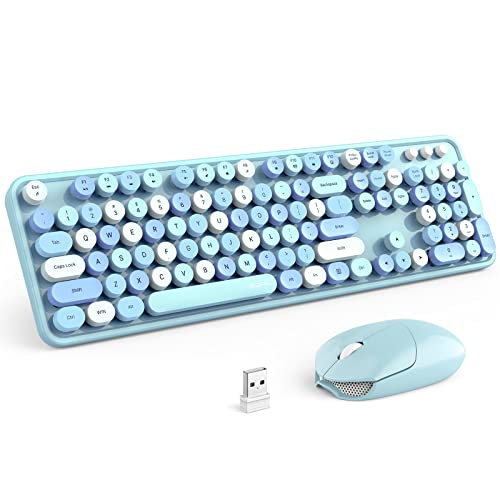
What Is a Bluetooth Mouse and Keyboard?
 By Theo LangUpdated
A Bluetooth mouse and keyboard connect to a PC over Bluetooth wireless, with no cable and no USB receiver in the port. You pair each device in the PC Bluetooth settings, and the PC remembers the pairing for later use. Some sets also offer a 2.4G receiver mode or a wired mode.
How Bluetooth pairing works
Put the keyboard or mouse in pairing mode, open Bluetooth settings on the PC, and select the device from the list. After pairing, the device reconnects when you turn it on near the PC. If a device will not pair, remove old pairings for it in settings and pair it again from the start.
Bluetooth, 2.4G receiver or wired
Bluetooth mode uses the Bluetooth radio built into the PC and leaves USB ports free. A 2.4G receiver plugs into a USB port and links the keyboard and mouse through that receiver. Wired mode uses a cable for the connection. Check which modes a set offers, since some sets are Bluetooth only and some offer more than one mode.
Check your PC and devices first
Check that the PC has Bluetooth and that the set lists your operating system. Multi-device sets can pair with more than one device and switch between them, so check how switching works on the set you pick. A set with a receiver needs a free USB port of the matching type for that receiver.
Batteries, charging and sleep
Bluetooth keyboards and mice run on batteries, either rechargeable cells charged over USB or replaceable batteries you swap when they run down. Many sets sleep after a period without use and wake when you press a key or move the mouse. Check the battery type in the set details before you order, so you know what to charge or replace.
What you need
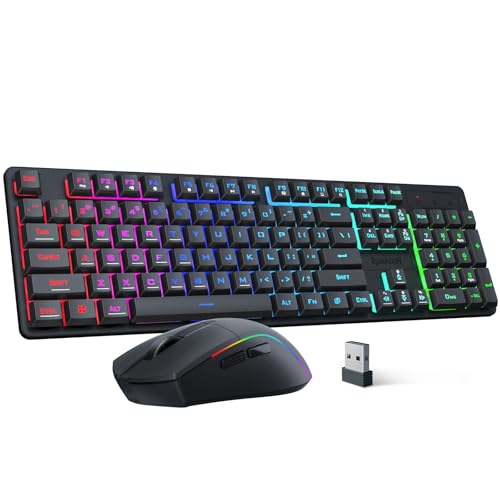
Redragon S107KS Wireless Gaming Keyboard and Mouse
A tri-mode keyboard and mouse set with wired, 2.4G and Bluetooth modes, RGB backlight and a mouse rated up to 10,000 DPI.
View on Amazon
Redragon Wireless Gaming Keyboard and Mouse Combo
A 60% keyboard and mouse set with Bluetooth 5.0, 2.4G and USB-C wired modes, RGB backlight and a 12800 DPI mouse.
View on Amazon
Logitech MK250 Wireless Bluetooth Keyboard and Mouse Combo
A Bluetooth-only keyboard and mouse set with a compact keyboard with number pad and a small ambidextrous mouse with 3 buttons.
View on Amazon
MEETION Wireless Bluetooth Keyboard and Mouse
A full-size 115-key keyboard and mouse set with 2.4GHz USB-A and dual Bluetooth modes and a 3200 DPI optical mouse.
View on AmazonThese come from our ranked list Best Bt Keyboard and Mouse, which compares them spec by spec.
FAQ
Do I need a USB receiver for Bluetooth?
No. Bluetooth mode pairs directly with the Bluetooth radio in the PC, with no receiver in a USB port. A receiver is used only when you choose the 2.4G mode on a set that offers it.
Can one set work with two devices?
Some sets can. Multi-device sets pair with more than one device and switch between them with a key or button. Check the set details for the number of devices and the switching method.
Is Bluetooth the same as 2.4G wireless?
No. Bluetooth pairs with the PC Bluetooth radio, while 2.4G mode uses a small USB receiver. Some sets offer both modes, and some sets offer Bluetooth only.