How to Connect a Keyboard and Mouse to Two Computers
 By Theo LangUpdated
To use one wireless keyboard and mouse with two computers, use a set that can store more than one connection, then pair each computer on a different channel or mode and switch between them. Bluetooth multi-device sets and tri-mode sets with Bluetooth plus a 2.4G receiver give you separate connections for each computer.
Check how the set connects
Look at the connection modes listed for the keyboard and mouse. A set with two Bluetooth channels, or Bluetooth plus a 2.4G receiver, can keep a separate pairing for each computer. A set with a single 2.4G receiver and no Bluetooth can only talk to the computer that receiver is plugged into, unless you move the receiver.
Pair the first computer
Turn on the keyboard and mouse and select the first Bluetooth channel or mode. Put the set in pairing mode with the key combination in its manual, then open Bluetooth settings on the first computer and select the keyboard and mouse when they appear. Type and move the pointer to confirm the connection works before you continue.
Pair the second computer
Switch the keyboard and mouse to the second Bluetooth channel or to the 2.4G mode. If you use 2.4G, plug the receiver into the second computer. Put the set in pairing mode again and pair it in Bluetooth settings on the second computer, or let the receiver connect. Keep the first computer on its own channel so the pairings stay separate.
Switch between the computers
Use the channel switch, mode switch or hotkeys on the keyboard and mouse to choose which computer is active. Change both the keyboard and the mouse to the same channel or mode. If a device does not respond, check that the channel matches the computer, that Bluetooth is on, and that the receiver is plugged into the right computer.
What you need
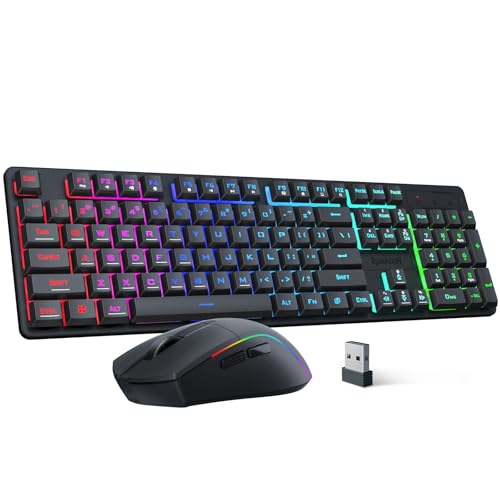
Redragon S107KS Wireless Gaming Keyboard and Mouse
A tri-mode keyboard and mouse with wired and 2.4G options, a two-in-one receiver, keyboard support for up to five devices, and a 10000 DPI mouse.
View on Amazon
Redragon Wireless Gaming Keyboard and Mouse Combo
A compact 60% combo with Bluetooth 5.0, 2.4G and USB-C wired modes, hotkey switching between devices, and a 2-in-1 receiver.
View on Amazon
Logitech MK250 Wireless Bluetooth Keyboard and Mouse Combo
A Bluetooth-only keyboard and mouse combo with a compact keyboard, number pad, and pairing that needs no dongle or USB port.
View on Amazon
MEETION Wireless Bluetooth Keyboard and Mouse
A full-size set with a 2.4GHz USB-A receiver and dual Bluetooth channels, listed for switching between up to 3 connected devices.
View on AmazonThese come from our ranked list Best Bt Keyboard and Mouse, which compares them spec by spec.
FAQ
Can I use one receiver for two computers?
A single 2.4G receiver connects to the computer it is plugged into. To control two computers without moving the receiver, pair the second computer over Bluetooth on a different channel or mode.
Do the keyboard and mouse switch together?
Change the channel or mode on both devices. Some sets use one switch for the pair and some need the keyboard and mouse set separately, so check the manual for your set.
What if Bluetooth pairing fails on one computer?
Remove the keyboard and mouse from Bluetooth settings on that computer, put the set back in pairing mode on the right channel, and pair again. Keep the other computer on its own channel while you pair.