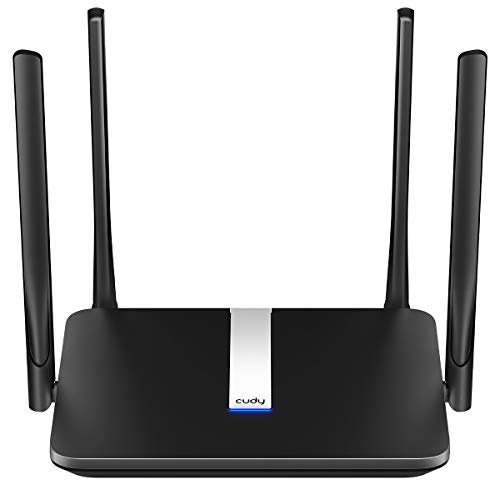
Where to Place a Wi-Fi Router
 By Theo LangUpdated
Place your router in a central, open spot in your home, up off the floor and away from thick walls, metal objects and large appliances. A central spot shortens the distance to each room, and an open spot lets the signal spread in every direction. If your home has more than one floor, put the router on the middle floor or add a mesh node upstairs.
Put the router in the middle of your home
A router sends its signal in every direction, so a spot near the center of your home gives each room a shorter path to the signal. Start with the room where you use the most devices, then move the router toward the center of the home from there. If the modem outlet is in a corner room, use a long Ethernet cable to move the router to a more central spot, or add a mesh node to cover the far rooms.
Raise it off the floor
Set the router on a shelf, a desk or a table instead of on the floor. A router on the floor sends part of its signal into the floor and through furniture, while a raised router has a clearer path to the devices around it. Keep it out in the open rather than inside a cabinet or behind a stack of books, so the antennas stay clear.
Keep it clear of walls and metal
Thick walls, metal objects and large appliances weaken the signal between the router and your devices. Keep the router away from metal filing cabinets, mirrors and the back of a television, and keep it out of a closed cupboard. If the signal must pass through a thick wall to reach a room, move the router closer to that room or place a mesh node on the other side of the wall.
Place mesh nodes between rooms
In a mesh system, each node repeats the signal, so place nodes in the rooms between the main router and the weak spots, not in the weak spots themselves. A node in a hallway or a room next door still gets a strong signal from the router and passes it on. Leave each node in the open, at the same height as the router, and check the mesh app to see whether each node shows a strong link.
Check the signal after you move it
After you place the router, walk through your home with a phone or laptop and open a page or start a video in each room. Note the rooms where pages load slowly or video stops, then move the router a short distance toward those rooms or add a node nearby. Small moves can change the result, so move the router once, check again, and keep the spot that works best in every room.
What you need

TP-Link Deco X55 AX3000
A Wi-Fi 6 mesh system with a 3-pack that covers up to 6500 sq. ft., with 3 Gigabit ports per unit and support for Ethernet backhaul.
View on Amazon
Amazon eero 6 mesh
A Wi-Fi 6 mesh router that covers up to 1,500 sq. ft., connects 75+ devices, and has a built-in Zigbee smart home hub.
View on Amazon
TP-Link AX1800 WiFi 6 Router
A Wi-Fi 6 dual band router with AX1800 speed, 4 high-gain antennas, and support for Easy Mesh.
View on Amazon
NETGEAR Nighthawk
A Wi-Fi 6 dual band router with AX1800 speed, 4 Gigabit LAN ports, and coverage up to 1,500 sq. ft. for up to 20 devices.
View on AmazonThese come from our ranked list Best Wi-Fi Router, which compares them spec by spec.
FAQ
Should the router go upstairs or downstairs?
Put it on the floor where you use the most devices, or on the middle floor in a home with more than one floor. A mesh node on another floor covers the rooms the main router cannot reach.
Can I put the router inside a cabinet?
You can, but the cabinet walls and the items around it weaken the signal. Keep the router in the open on a shelf or table, with space around it and nothing stacked on top.
Does the router need to stay near the modem?
Yes, the router connects to the modem with an Ethernet cable. Use a longer cable to move the router to a central spot, or add a mesh system that places nodes around the home.