What to Look for in a Cable Modem
 By Theo LangUpdated
A cable modem turns the signal from your cable provider into an internet connection for your router. Look for the DOCSIS version, the port speed, and a match with your provider and your internet plan. A modem is not a router, so you still need a router or a modem-router combo to run Wi-Fi in your home.
Check the DOCSIS version
DOCSIS is the standard your cable modem uses to talk to your provider. DOCSIS 3.1 modems in this guide support the higher speeds of current cable plans, while a DOCSIS 3.0 modem such as the ARRIS SB6183 bonds 16 downstream channels and 4 upstream channels with a 400 Mbps max internet speed. Match the version to your plan: a modem with a lower max speed than your plan caps the speed you get. Check your provider's approved modems before you buy.
Match the port to your plan
The Ethernet port on the modem sets the ceiling for the speed that reaches your router. The Motorola MB8611 has a 2.5 Gbps port with downstream speeds just below 2,500 Mbps and upstream speeds up to 800 Mbps when your plan supports them. A modem with a 1 Gbps port caps the connection at that figure even if your plan is faster. Compare the port speed with the speed of your plan, then pick a modem whose port speed is at least as high.
Decide if you need Wi-Fi built in
Some cable modems are modems only, and some add a router with Wi-Fi. The Motorola MB8611 pairs with any Wi-Fi router and is not a router, so you buy a router separately. The ARRIS Surfboard G36 is a modem and Wi-Fi 6 router in one box, with AX3000 Wi-Fi 6 to 2,500 sq ft and a 2.5 GbE port plus four 1 GbE ports. If you already own a router you like, a modem-only box keeps the choice simple. If you want one box, check the Wi-Fi coverage and the port count against your home.
Check provider approval and warranty
Cable providers approve specific modems for each plan tier, and a modem outside that approval may not activate. The Motorola MB8611 is approved for Comcast Xfinity, Cox Gigablast and Spectrum, and the ARRIS Surfboard G36 is compatible with Xfinity, Cox and Spectrum. Check with your provider that the exact model matches your plan tier. Also note the warranty: the Motorola MB8611 and the ARRIS SB6183 each carry a 2-year warranty, and the ARRIS Surfboard G36 carries a 2 Year Limited Warranty.
What you need
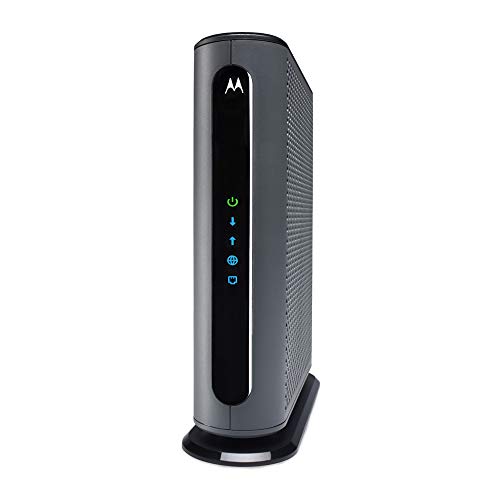
Motorola MB8611 DOCSIS 3.1 Multi-Gig Cable Modem
A DOCSIS 3.1 modem with a 2.5 Gbps Ethernet port, with speeds just below 2,500 Mbps and approved for Comcast Xfinity, Cox Gigablast and Spectrum.
View on Amazon
ARRIS Surfboard G36 DOCSIS 3.1 Multi-Gig Modem &
A DOCSIS 3.1 modem and Wi-Fi 6 router in one box, with AX3000 Wi-Fi 6 to 2,500 sq ft, a 2.5 GbE port and four 1 GbE ports.
View on Amazon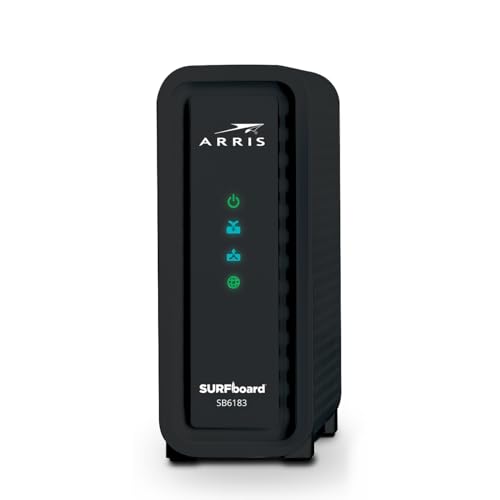
ARRIS (SB6183) -Cable Modem
A DOCSIS 3.0 modem with 16x4 channel bonding, a 1 Gbps port and a 400 Mbps max internet speed, with a 2 Year Warranty.
View on Amazon
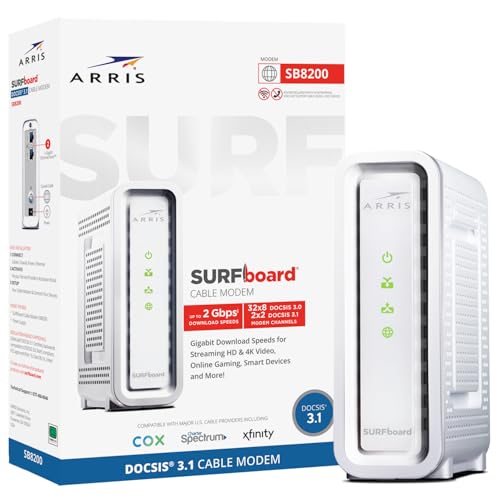
Arris Touchstone CM8200A DOCSIS 3.1 Ultra Fast Cable Modem 32X8 Gigabit (Black)
A DOCSIS 3.1 modem with 32x8 channel bonding and a single active Ethernet port for the primary device connection.
View on AmazonThese come from our ranked list Best Docsis, which compares them spec by spec.
FAQ
Do I need a router with a cable modem?
A modem-only box needs a separate router to run Wi-Fi and connect more than one device. The Motorola MB8611 is a modem only, so you pair it with a router. A modem-router combo such as the ARRIS Surfboard G36 runs Wi-Fi on its own.
Will any cable modem work with my provider?
No. Check with your provider that the exact model matches your plan tier before you buy. The Motorola MB8611 is approved for Comcast Xfinity, Cox Gigablast and Spectrum, and the ARRIS Surfboard G36 is compatible with Xfinity, Cox and Spectrum.
What does DOCSIS 3.1 change over DOCSIS 3.0?
DOCSIS 3.1 is the newer standard and supports the higher speeds of current cable plans. DOCSIS 3.0 modems such as the ARRIS SB6183 bond 16 downstream channels and 4 upstream channels and have a 400 Mbps max internet speed.