How to Connect a Cable Modem
 By Theo LangUpdated
To connect a cable modem, plug the coaxial cable from the wall outlet into the modem, plug in the power, then run an Ethernet cable from the modem to your router or computer. Wait for the modem lights to settle, then activate the modem with your internet provider. A separate router is needed for Wi-Fi unless the modem has one built in.
Connect the coaxial cable first
Find the coaxial wall outlet and connect a coaxial cable from the outlet to the coax port on the back of the modem. Tighten the connector by hand until it is snug. If the outlet has not been used before, or the modem shows no signal, contact your internet provider to check that the outlet is live.
Power on the modem
Plug the power adapter into the modem and into a wall outlet, then switch the modem on if it has a power switch. Give the modem time for its lights to settle into a steady pattern. Do not unplug it while the lights are still changing, and check the modem manual for what each light means.
Connect the modem to a router
Run an Ethernet cable from the modem's Ethernet port to the WAN port on your router. The Motorola MB8611 is a modem only, so it needs a separate router for Wi-Fi. The ARRIS G36 has Wi-Fi 6 built in, so it works as a modem and router in one box. The ARRIS SB6183 and the Arris CM8200A are modems, so each needs a separate router too.
Activate the modem with your provider
Contact your internet provider to activate the modem, through their activation page or by phone. Give them the modem model and the MAC address on the modem. Check that your provider supports the modem on your plan tier before you start, since the Motorola MB8611 notes compatibility by tier. Once activated, check the connection on a wired device first.
What you need
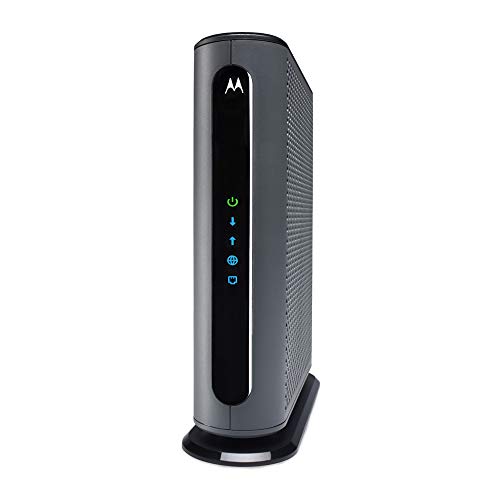
Motorola MB8611 DOCSIS 3.1 Multi-Gig Cable Modem
A DOCSIS 3.1 cable modem with a 2.5 Gbps Ethernet port that pairs with any WiFi router.
View on Amazon
ARRIS Surfboard G36 DOCSIS 3.1 Multi-Gig Modem &
A DOCSIS 3.1 modem and Wi-Fi 6 router in one box, with a 2.5 GbE port and four 1 GbE ports.
View on Amazon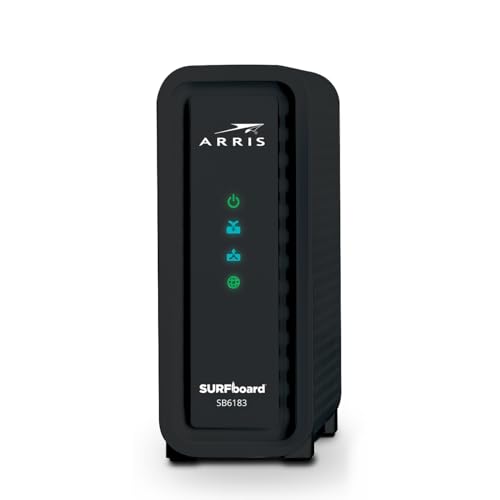
ARRIS (SB6183) -Cable Modem
A DOCSIS 3.0 cable modem with a 1 Gbps port and 16 downstream and 4 upstream channels.
View on Amazon
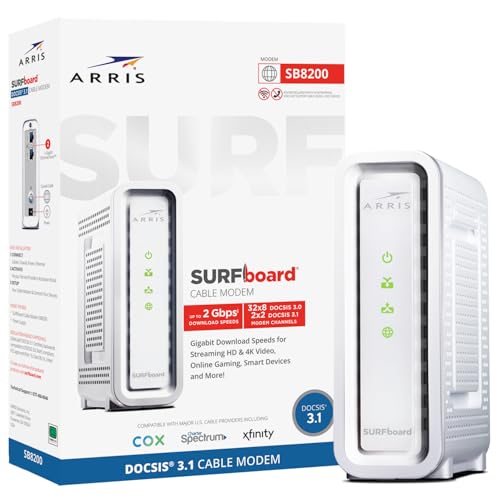
Arris Touchstone CM8200A DOCSIS 3.1 Ultra Fast Cable Modem 32X8 Gigabit (Black)
A DOCSIS 3.1 cable modem with 32x8 channel bonding and a single active Ethernet port.
View on AmazonThese come from our ranked list Best Docsis, which compares them spec by spec.
FAQ
Do I need a router with a cable modem?
It depends on the modem. The Motorola MB8611, the ARRIS SB6183 and the Arris CM8200A are modems only, so each needs a separate router for Wi-Fi. The ARRIS G36 has Wi-Fi 6 built in, so it works as a modem and router in one box.
Which cable modem works with Xfinity, Cox and Spectrum?
The Motorola MB8611 is approved for Comcast Xfinity, Cox Gigablast and Spectrum. The ARRIS G36 works with Xfinity, Spectrum and Cox. Check with your provider for compatibility with your plan tier before you buy.
What is the difference between DOCSIS 3.0 and 3.1?
DOCSIS 3.1 is the newer version used by the Motorola MB8611, the ARRIS G36 and the Arris CM8200A. The ARRIS SB6183 uses DOCSIS 3.0 with 16 downstream and 4 upstream channels. Check that your provider supports the version on your plan tier.