How to Connect a Modem to a PC
 By Theo LangUpdated
To connect a cable modem to a PC, connect the modem to your cable line, plug it into power, then run an Ethernet cable from the modem to the PC or to a router. Once the modem links up with your provider, open a browser on the PC to finish activation.
Check your cable service first
A cable modem needs cable internet service at your address, so confirm your plan before you start. Providers approve specific modems for specific plan tiers, so check the modem against your provider and your plan level. If the modem is not approved for your tier, it will not connect even when every cable is in place.
Connect the cable line and power
Screw the cable line onto the round cable connector on the back of the modem and tighten it by hand. Then plug the modem's power adapter into the modem and into a wall outlet. Give the modem a few minutes to start up and find the provider's signal before you connect anything else.
Run Ethernet to the PC
Plug one end of an Ethernet cable into the modem's Ethernet port and the other end into the PC's Ethernet port. That wired link is the whole connection between the two devices. If you want Wi-Fi or more than one device online, run the Ethernet cable to a router instead and connect the PC to the router.
Activate the modem with your provider
A new modem has to be registered on your account before it passes traffic. Open a browser on the connected PC and follow your provider's activation page, or call the provider and give the modem model number and serial number. Keep the modem powered on during activation so it can receive its settings.
Check the connection on the PC
Load a web page on the PC to confirm the connection works. If pages do not load, check that the Ethernet cable clicks into both ports, then restart the modem by unplugging its power, waiting briefly, and plugging it back in. Restart the PC after the modem is back up and try again.
What you need
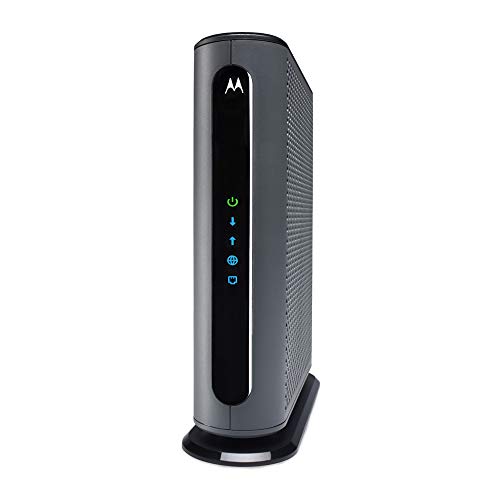
Motorola MB8611 DOCSIS 3.1 Multi-Gig Cable Modem
A DOCSIS 3.1 cable modem with a 2.5 Gbps Ethernet port that pairs with a separate WiFi router for Xfinity, Cox and Spectrum plans.
View on Amazon
ARRIS Surfboard G36 DOCSIS 3.1 Multi-Gig Modem &
A DOCSIS 3.1 modem and Wi-Fi 6 router in one unit, with a 2.5 GbE port and four 1 GbE ports for wired devices.
View on Amazon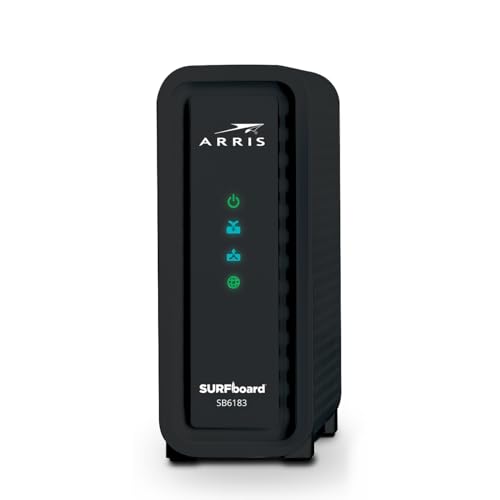
ARRIS (SB6183) -Cable Modem
A DOCSIS 3.0 cable modem with a 1 Gbps port, listed for cable internet plans up to 400 Mbps.
View on Amazon
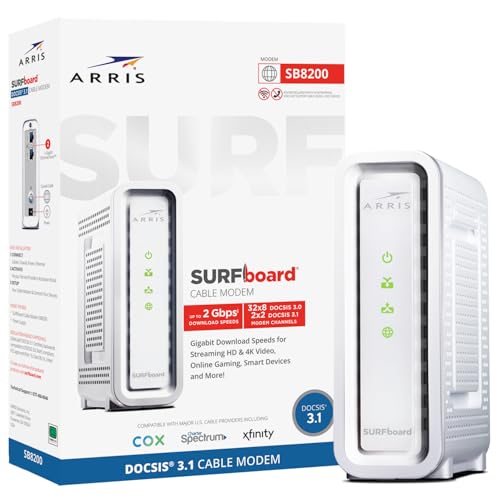
Arris Touchstone CM8200A DOCSIS 3.1 Ultra Fast Cable Modem 32X8 Gigabit (Black)
A DOCSIS 3.1 cable modem with a single active Ethernet port for one primary device connection.
View on AmazonThese come from our ranked list Best Docsis, which compares them spec by spec.
FAQ
Can I connect a modem to a PC without a router?
Yes. An Ethernet cable from the modem to the PC gives that PC a wired connection. A router is only needed when you want Wi-Fi or several devices online at once, unless the modem itself includes a router.
Will any cable modem work with my provider?
No. Providers approve modems by plan tier, so check the modem against your provider and plan level before buying. The Motorola MB8611 and the ARRIS Surfboard G36 both list Xfinity, Cox and Spectrum compatibility.
What do I do if the PC shows no connection?
Check the Ethernet cable at both ends, then restart the modem and the PC in that order. If it still fails, confirm with your provider that the modem is activated on your account and approved for your plan tier.