How to Install a Cable Modem
 By Theo LangUpdated
To install a cable modem, connect it to the coax outlet, plug in its power, connect it to your router with an Ethernet cable, then activate it with your internet provider. The modem links your home network to the cable line, and the router shares that connection with your devices. Activation ties the modem to your account, so the provider can send it the service signal.
Connect the coax cable
Find the coax outlet on the wall and a coax cable to run from the outlet to the modem. Screw the cable onto the wall outlet and onto the coax port on the back of the modem, finger tight. If the outlet feeds a splitter, use the port marked for the modem, or connect the modem straight to the wall outlet when you can. A loose coax connection is a common cause of a modem that never comes online, so check that both ends sit firm.
Plug in the power and wait for the lights
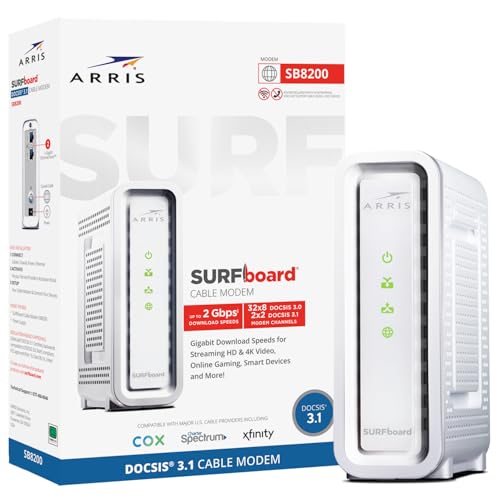
Plug the modem power adapter into a wall outlet and into the modem, then switch the modem on if it has a power switch. The lights on the front blink while the modem starts up and locks onto the cable signal. Wait until the power, downstream, upstream and online lights stay solid, as the modem manual describes them. If a light keeps blinking after several minutes, unplug the modem, check the coax connection, and plug it back in.
Connect the modem to your router
Plug an Ethernet cable into the Ethernet port on the back of the modem and into the WAN or internet port on your router. You can also plug the cable straight into a computer to check the connection, then add the router. Some modems also work as routers, while others need a separate router for Wi-Fi, so check what your modem does.
Activate the modem with your provider
Call your internet provider or open its activation page, and have the modem MAC address ready. You can find the MAC address printed on the modem or in the modem manual. The provider links the modem to your account and sends it the service signal, which can take a few minutes. Restart the modem and the router after activation, then open a web page to confirm the connection works.
Check the connection and the lights
Open a web page on a device connected to the router. If the page loads, the modem and router are passing traffic. If it does not load, check the coax and Ethernet cables, restart the modem and router, and confirm the modem shows as active with your provider. Keep the modem in a spot with airflow around it, away from heat, and leave it powered on.
What you need
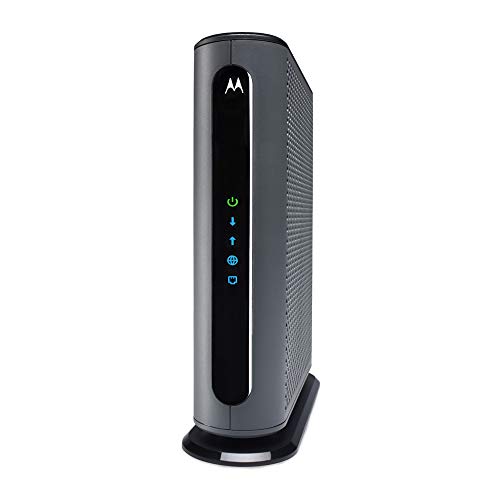
Motorola MB8611 DOCSIS 3.1 Multi-Gig Cable Modem
A DOCSIS 3.1 modem with a 2.5 Gbps Ethernet port and 2,500 Mbps max internet speed, approved for Comcast Xfinity, Cox Gigablast and Spectrum.
View on Amazon
ARRIS Surfboard G36 DOCSIS 3.1 Multi-Gig Modem &
A DOCSIS 3.1 modem and Wi-Fi 6 router in a single box, with a 2.5 GbE port, four 1 GbE ports and Wi-Fi 6 coverage to 2,500 sq ft.
View on Amazon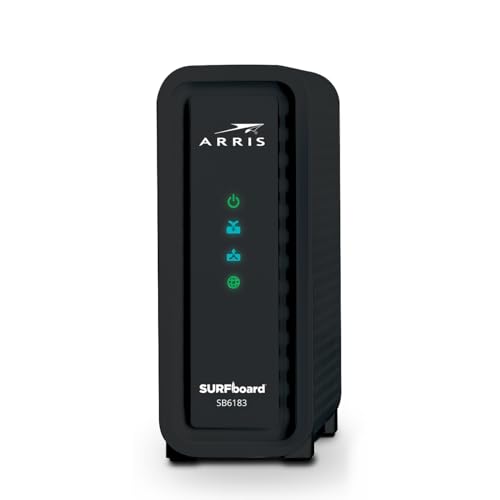
ARRIS (SB6183) -Cable Modem
A DOCSIS 3.0 modem with 16x4 channel bonding, a 1 Gbps port and 400 Mbps max internet speed.
View on Amazon
Arris Touchstone CM8200A DOCSIS 3.1 Ultra Fast Cable Modem 32X8 Gigabit (Black)
A DOCSIS 3.1 modem with 32x8 channel bonding and a single active Ethernet port for the connection to your router.
View on AmazonThese come from our ranked list Best Docsis, which compares them spec by spec.
FAQ
Do I need a router with a cable modem?
A cable modem on its own gives you a wired connection, and a router shares it with your devices over Wi-Fi. Some modems, such as the ARRIS Surfboard G36, also work as routers. Check what your modem does before you buy.
How do I know the modem is activated?
The online light on the modem stays solid, and a web page loads on a device connected to the router. If the light keeps blinking, the modem has not locked onto the signal, so check the coax cable and confirm the activation with your provider.
Can I use my own modem with my provider?
Providers publish a list of modems that work on their network, and your modem must match the service type and speed tier on your account. Check the provider's approved modem list before you buy, and confirm the DOCSIS version the provider supports.