How to Hook Up a Laptop to a Modem
 By Theo LangUpdated
You hook up a laptop to a modem by running an Ethernet cable from the modem's Ethernet port to the laptop, after the modem is connected to the cable line and activated with your provider.
Check what your modem provides
Look at the ports on your modem before you connect anything. A modem on its own gives you a wired connection for a single device, while a modem with a built-in router also provides Wi-Fi and extra Ethernet ports. Check with your cable provider that the modem is approved for your plan, since a modem the provider does not support will not come online even when the cables are right.
Connect the coax and power cables
Screw the coaxial cable from the wall outlet onto the coax port on the back of the modem, and tighten it by hand until it is snug. Plug the power adapter into the modem and into a wall outlet, then switch the modem on if it has a power button. Wait until the lights on the front stop blinking and stay lit, which shows the modem has locked onto the cable signal.
Plug the laptop into the modem
Run an Ethernet cable from the Ethernet port on the modem to the Ethernet port on your laptop, and push each plug in until it clicks. If your laptop uses Wi-Fi only, connect it to a router by Wi-Fi instead, with the router plugged into the modem by cable. Open a web page on the laptop to check that the connection loads, and reseat the cable at both ends if it does not.
Activate the modem with your provider
A new modem has to be registered on your account before it will pass internet traffic to the laptop. Call your provider or open its activation page and give the MAC address printed on the modem, along with the model name. The provider may ask you to restart the modem once activation is done, so unplug the power, plug it back in, and wait for the lights to settle before you check the laptop connection again.
What you need
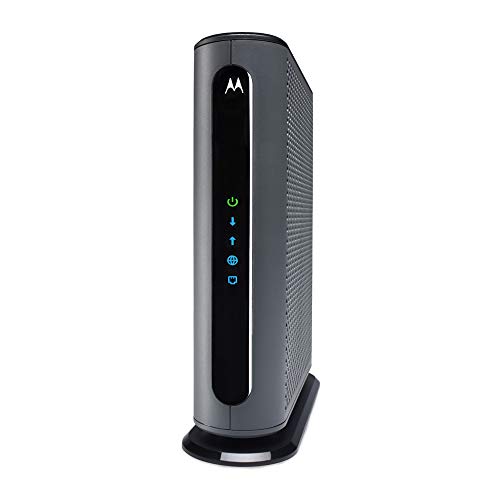
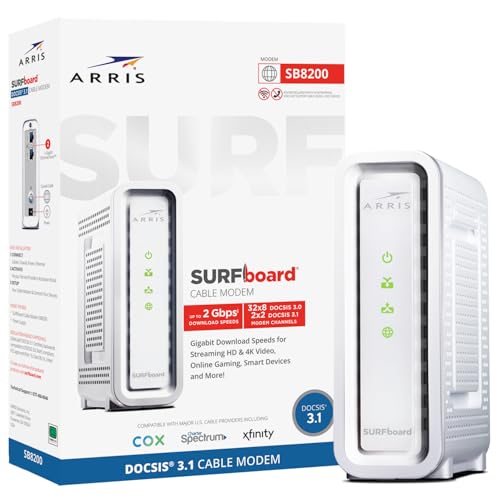
Motorola MB8611 DOCSIS 3.1 Multi-Gig Cable Modem
A DOCSIS 3.1 cable modem with a 2.5 Gbps Ethernet port that pairs with a separate WiFi router for your laptop connection.
View on Amazon
ARRIS Surfboard G36 DOCSIS 3.1 Multi-Gig Modem &
A DOCSIS 3.1 modem with built-in Wi-Fi 6, a 2.5 GbE port and four 1 GbE ports, so a laptop can join by Wi-Fi or cable.
View on Amazon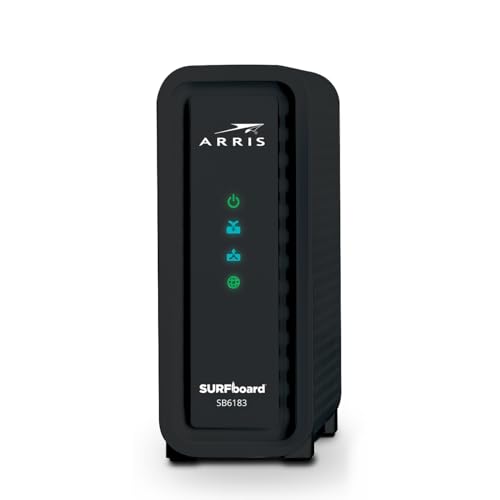
ARRIS (SB6183) -Cable Modem
A DOCSIS 3.0 cable modem with a 1 Gbps port for cable plans up to 400 Mbps, with 16 downstream and 4 upstream channels.
View on Amazon
Arris Touchstone CM8200A DOCSIS 3.1 Ultra Fast Cable Modem 32X8 Gigabit (Black)
A DOCSIS 3.1 cable modem with 32x8 channel bonding and a single active Ethernet port for one wired device or a router.
View on AmazonThese come from our ranked list Best Docsis, which compares them spec by spec.
FAQ
Can I connect a laptop directly to a modem?
Yes. An Ethernet cable between the modem and the laptop gives the laptop a wired connection, as long as the modem is activated on your account. A modem on its own serves that single wired device, so other devices in the home need a router.
Do I need a router with a cable modem?
You need a router if you want Wi-Fi or want more than one device online at the same time. A modem with a built-in router covers both jobs in one box, while a modem on its own needs a separate router plugged into its Ethernet port.
Why does the laptop show no internet after connecting?
The modem may not be activated yet, or it may not have locked onto the cable signal. Check that the coax cable is snug, restart the modem by unplugging its power and plugging it back in, and confirm with your provider that the modem is approved for your plan.