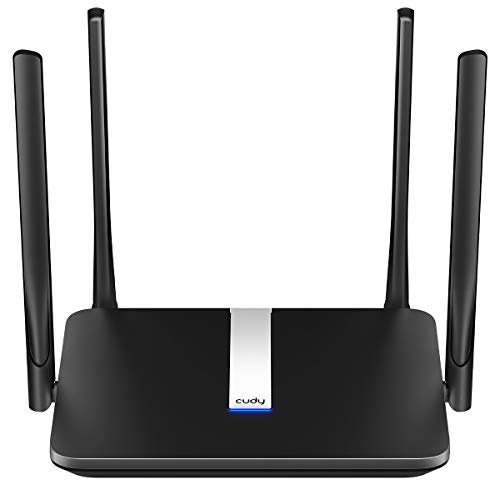
What Is a Router?
 By Theo LangUpdated
A router is the box that connects your home network to the internet and shares that connection with your phones, laptops and TVs over Wi-Fi and Ethernet cables. It takes the signal from a modem, gives each device an address on the network, and keeps traffic moving between them. The routers here are all Wi-Fi 6 models, from a 1-pack unit to a 3-pack mesh system.
What a router does
A router sits between the modem and your devices. The modem brings the internet into the home, and the router shares it: it hands out addresses so each phone, laptop and TV joins the same network, and it moves traffic between the devices and the internet. Wired devices plug into its Ethernet ports, while phones and laptops connect over Wi-Fi. Without a router, each device would need its own path to the internet.
Router, modem and mesh
A modem and a router do different jobs. The modem talks to your internet provider, and the router builds the home network behind it. The TP-Link Archer AX21 and the NETGEAR Nighthawk are single routers that plug into a modem. The Archer notes that all Wi-Fi routers require a separate modem, while the Nighthawk pairs with your existing modem or gateway. The TP-Link Deco X55 is a mesh system of 3 units that replaces a router and an extender, spreading Wi-Fi across up to 6500 sq ft. The Amazon eero 6 is a single mesh router that covers up to 1,500 sq ft on its own and grows by adding more eero units.
Coverage, speed class and devices
Coverage, speed class and device count tell you how much router you are looking at. The Deco X55 covers up to 6500 sq ft and connects up to 150 devices, while the eero 6 and the Nighthawk each cover up to 1,500 sq ft, with the Nighthawk listing up to 20 devices. The Deco X55 lists AX3000, and the Archer AX21 and the Nighthawk list AX1800, with the Archer listing 1.8 Gbps total bandwidth. Match those figures to the size of your home and the number of devices on your network.
Ports, bands and extras
Wired ports matter when devices sit near the router. The Deco X55 has 3 Gigabit Ethernet ports per unit, and the Nighthawk has 4 Gigabit LAN ports plus a separate WAN port for the modem. These routers use Wi-Fi 6, and the Archer AX21 and the Nighthawk list the 2.4 GHz and 5 GHz bands, while the Archer notes that dual-band routers do not support the 6 GHz band. The eero 6 has a built-in Zigbee smart home hub, and the Deco X55 includes HomeShield network security features.
What you need

TP-Link Deco X55 AX3000
A Wi-Fi 6 mesh system in a 3-pack covering up to 6500 sq ft, with 3 Gigabit ports per unit and support for up to 150 devices.
View on Amazon
Amazon eero 6 mesh
A Wi-Fi 6 mesh router covering up to 1,500 sq ft, with speeds up to 900 Mbps, 75+ devices and a built-in Zigbee smart home hub.
View on Amazon
TP-Link AX1800 WiFi 6 Router
A Wi-Fi 6 dual-band router with AX1800 speed class, 1.8 Gbps total bandwidth, 4 high-gain antennas and a 2-year warranty.
View on Amazon
NETGEAR Nighthawk
A Wi-Fi 6 dual-band router covering up to 1,500 sq ft, with 4 Gigabit LAN ports, WPA3 security and a 1-year limited warranty.
View on AmazonThese come from our ranked list Best Wi-Fi Router, which compares them spec by spec.
FAQ
Do I need a modem with a router?
Yes, for most internet providers. The Archer AX21 notes that all Wi-Fi routers require a separate modem, and the Nighthawk pairs with your existing modem or gateway.
What is a mesh Wi-Fi system?
It is a set of units that work together as a network, so Wi-Fi reaches rooms a single router cannot. The Deco X55 is a 3-pack mesh system, and the eero 6 grows by adding more eero units.
Is Wi-Fi 6 the same on every router?
No. The routers here all use Wi-Fi 6, but they differ in speed class, coverage and device count. The Deco X55 lists AX3000, while the Archer AX21 and the Nighthawk list AX1800.