What Is an Ethernet Router?
 By Theo LangUpdated
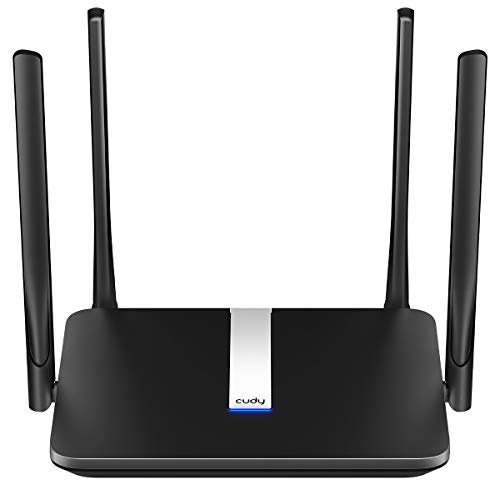
An Ethernet router is a box that connects your home network to the internet through a modem and shares that connection with your devices. It sends traffic between the modem and each device, offers wired Ethernet ports for a stable connection and creates the Wi-Fi network your phones and laptops join. It sits at the center of the home network, between the modem and every device.
What an Ethernet router does
The router is the traffic manager for a home network. It takes the internet connection from the modem and directs it to each device, whether that device connects by cable or by Wi-Fi. It also lets devices on the same network reach each other, so a laptop can send a file to a printer or a phone can cast video to a TV. Without a router, each device would need its own path to the modem.
Connect the modem first
Start with the modem, since the modem provides the internet connection for the router. Run an Ethernet cable from the modem to the internet or WAN port on the router, then plug the router into power. The NETGEAR Nighthawk R6700AX has a separate 1 Gig WAN port for the modem, plus 4 Gigabit LAN ports for wired devices. Once the lights settle, connect a phone or laptop to the new Wi-Fi network and open the setup app.
Wired ports and Wi-Fi bands
Ethernet ports give a wired device a direct line to the router, which suits a desktop, a game console or a streaming box that stays in one place. The TP-Link Deco X55 has 3 Gigabit Ethernet ports per unit, so a 3-pack puts wired ports in several rooms. Wi-Fi runs on the 2.4 GHz and 5 GHz bands: the 2.4 GHz band reaches farther, while the 5 GHz band carries faster speeds over shorter range. Wi-Fi 6 works across the 2.4 GHz and 5 GHz bands.
Mesh systems and coverage
A mesh system uses several units that work together as one network, so a phone stays connected while moving from room to room. The TP-Link Deco X55 3-pack covers up to 6500 square feet and connects up to 150 devices. The Amazon eero 6 covers up to 1,500 square feet and connects 75+ devices. The NETGEAR Nighthawk R6700AX covers up to 1,500 square feet for up to 20 devices. Pick the coverage that fits the size of the home.
What you need

TP-Link Deco X55 AX3000
A Wi-Fi 6 mesh system with 3 Gigabit Ethernet ports per unit, Ethernet backhaul and coverage up to 6500 square feet for a 3-pack.
View on Amazon
Amazon eero 6 mesh
A Wi-Fi 6 mesh router that supports internet plans up to 900 Mbps, covers up to 1,500 square feet and connects 75+ devices.
View on Amazon
TP-Link AX1800 WiFi 6 Router
A dual-band Wi-Fi 6 router with AX1800 speed class, Gigabit Ethernet, Easy Mesh support and 4 high-gain antennas.
View on Amazon
NETGEAR Nighthawk
A dual-band Wi-Fi 6 router with 4 Gigabit Ethernet LAN ports, a separate WAN port and coverage up to 1,500 square feet.
View on AmazonThese come from our ranked list Best Wi-Fi Router, which compares them spec by spec.
FAQ
Do I need a modem with an Ethernet router?
Yes. A router shares the connection from a modem, and the TP-Link Deco X55, TP-Link Archer AX21 and NETGEAR Nighthawk R6700AX each work with a separate modem.
What is the difference between a router and a modem?
A modem connects your home to your internet provider, while a router shares that connection with your devices over Ethernet and Wi-Fi. The router creates the home network; the modem brings the internet line into the home.
Can I plug a computer straight into the router?
Yes. Plug an Ethernet cable from the computer into a LAN port on the router. The NETGEAR Nighthawk R6700AX has 4 Gigabit Ethernet LAN ports for wired devices, and the TP-Link Deco X55 has 3 Gigabit Ethernet ports per unit.