
What Is an Encrypted External Hard Drive?
 By Theo LangUpdated
An encrypted external hard drive is a portable drive that scrambles the files stored on it, so they cannot be read without the password, phone or key that unlocks it. The encryption runs on the drive itself or through software on your computer. If the drive is lost or stolen, the files stay unreadable to anyone who cannot unlock it.
How hardware encryption works
Hardware encryption scrambles files on the drive itself, with a chip inside the drive doing the work. You set a password or another unlock method, and the drive locks when you unplug it. The next time you plug it in, you unlock it before the files open. The Western Digital My Passport SSD uses password-enabled 256-bit AES hardware encryption, and the G-Technology ArmorLock uses 256-bit AES-XTS hardware encryption.
Hardware encryption and software encryption
Software encryption runs on your computer instead of on the drive. The Samsung T9 uses Magician Software for extra encryption, with firmware updates and continual monitoring of the drive. Hardware encryption runs on the drive itself, so the lock travels with the drive from one computer to another. Either way, you need the password, phone or key to open the files.
How you unlock the drive
Some drives unlock with a password you type, and some unlock with your phone. The Western Digital My Passport SSD unlocks with a password, and the G-Technology ArmorLock unlocks with your phone, with no password needed. The ArmorLock also supports multi-user and multi-drive management, so more than one person can use the same drive. Set a password you can remember, and keep a copy of it with your other passwords.
What to check before you buy
Check the capacity, the read speed and the connector. The Samsung T9 2TB lists read speeds up to 2,000 MB/s over USB 3.2 Gen 2x2, while the Western Digital My Passport SSD lists read speeds up to 1050 MB/s over USB 3.2 Gen-2, and the G-Technology ArmorLock lists read speeds up to 1000 MB/s over USB-C. Check that your computer has the port the drive uses, and check the warranty the maker lists.
What you need

Samsung T9 Portable SSD
A 2TB Samsung T9 with read speeds up to 2,000 MB/s over USB 3.2 Gen 2x2, plus Magician Software for extra encryption.
View on Amazon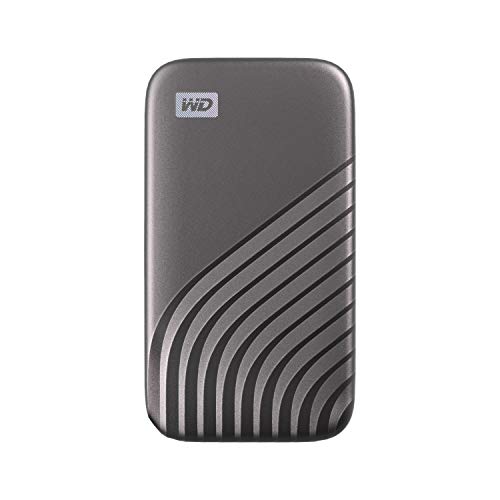
Western Digital
A 2TB Western Digital My Passport SSD with password-enabled 256-bit AES hardware encryption and read speeds up to 1050 MB/s.
View on Amazon
G-Technology 2TB ArmorLock Encrypted NVMe SSD High
A 2TB G-Technology ArmorLock with 256-bit AES-XTS hardware encryption, phone unlock and read speeds up to 1000 MB/s.
View on AmazonSamsung T9 Portable SSD
A 1TB Samsung T9 with read speeds up to 2,000 MB/s over USB 3.2 Gen 2x2, plus Magician Software for extra encryption.
View on AmazonThese come from our ranked list Best Encrypted External SSD, which compares them spec by spec.
FAQ
Is an encrypted external hard drive the same as a password-protected one?
Not always. A password can guard the files through software, while hardware encryption scrambles the files on the drive itself. The Western Digital My Passport SSD and the G-Technology ArmorLock both use hardware encryption.
Can I open an encrypted drive on any computer?
Yes, if the computer has the port the drive uses and the software or app the drive needs to unlock. The G-Technology ArmorLock unlocks with your phone, so keep the phone and the drive together when you travel.
What happens if I forget the password?
The files stay locked, since the encryption only opens with the password, phone or key. Keep a copy of the password with your other passwords, and check the drive's instructions before you set it up.


