
What Is a Portable External Hard Drive?
 By Theo LangUpdated
A portable external hard drive is a storage drive in its own case that plugs into a computer through a USB cable. It holds files outside the computer, so photos, videos, documents and backups travel with you and free space on the internal drive. Portable drives come as hard disk drives with spinning disks and as solid state drives with no moving parts, and both connect the same way.
How a portable drive connects
A portable drive connects through a USB cable to a USB port on your computer. Many portable drives use USB-C, and the Transcend ESD310 includes both USB-C and USB-A connectors for different ports. Plug-and-play drives appear as a storage volume once connected, with no software to install. Check which USB ports your computer has before you buy, and check that the cable in the box matches one of them.
Hard drives and solid state drives
A hard disk drive stores data on spinning disks inside its case. A solid state drive stores data in flash memory with no moving parts. The WD Elements drive is a hard disk drive with 6TB of capacity, while the SanDisk Extreme Portable SSD and the Samsung T9 are solid state drives rated at up to 2000MB/s. Choose a hard disk drive for a large backup kept in one place, and a solid state drive for files you carry and open on the move.
Pick a capacity for your files
Capacity is the amount of files a drive holds. The Transcend ESD310 holds 256GB, the SanDisk Extreme Portable SSD and the Samsung T9 hold 2TB, and the WD Elements holds 6TB. Match the capacity to the files you plan to keep: photos and documents take less room than video, and a backup of a full computer takes more room than a few folders. Check the storage already used on your computer before choosing a size.
Protect the drive and its files
Keep the drive in a pocket or bag away from hard knocks. The SanDisk Extreme Portable SSD is rated IP65 and has up to 3M drop protection, which covers spills and drops. The SanDisk drive also has 256-bit AES encryption with password protection, and the Transcend ESD310 has one-time password protection through Transcend Elite software. Keep a second copy of files that matter, since one drive alone is a single copy.
What you need

SanDisk 2TB Extreme Portable SSD
A 2TB solid state drive rated at up to 2000MB/s, with USB-C 3.2 Gen 2, IP65 rating, up to 3M drop protection and 256-bit AES encryption.
View on Amazon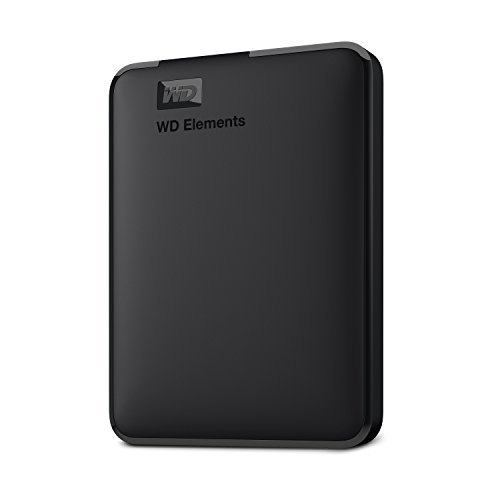
WD 6TB Elements Portable External Hard Drive
A 6TB portable hard drive with USB 3.2 Gen 1, plug-and-play setup for PC and Mac, in a 2.5-inch form factor.
View on Amazon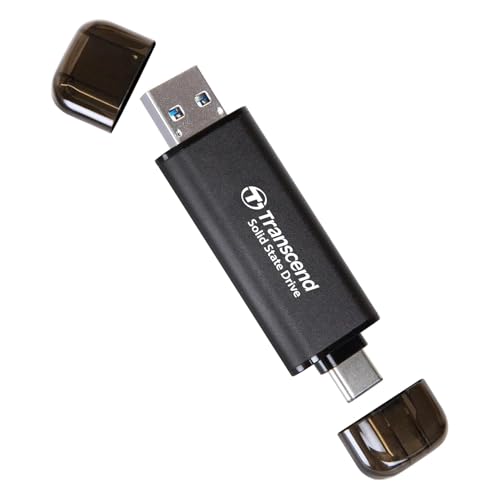
Transcend 256GB ESD310 Dual Portable SSD 1050MB/s
A 256GB thumb-drive solid state drive rated at up to 1050MB/s, with dual USB-C and USB-A connectors and one-time password protection.
View on Amazon
Samsung T9 Portable SSD
A 2TB solid state drive rated at up to 2,000 MB/s, with USB 3.2 Gen 2x2 and Magician Software for firmware updates and extra encryption.
View on AmazonThese come from our ranked list Best Portable External SSD, which compares them spec by spec.
FAQ
Do portable external hard drives work with Mac and Windows?
Many do. The WD Elements drive is listed for PC and Mac, and the Transcend ESD310 is pre-formatted as exFAT for Windows, Linux, macOS and Android. Check the drive's notes for your computer before buying.
Can I run files straight from a portable drive?
Yes, for files such as documents, photos and videos. The Samsung T9 is rated at up to 2,000 MB/s for loading, editing and transfer, and the SanDisk Extreme Portable SSD is rated at up to 2000MB/s. Check the requirements published for your software before running large apps from a drive.
How do I know when a portable drive needs replacing?
Watch for signs such as files that fail to copy, a drive that reports errors, or a drive your computer stops recognizing. The Samsung T9 includes Magician Software with firmware updates, extra encryption and continual monitoring of your drive. Copy your files to another drive at the first sign of trouble.



