
What Does a Portable SSD Do?
 By Theo LangUpdated
A portable SSD is a small external drive that stores files outside your computer and moves them between devices through a USB cable. You plug it in, copy photos, videos, documents or game files onto it, and carry them to another computer, phone or console. It also works as extra space when your drive is full and as a place to keep a backup copy of files that matter.
What a portable SSD stores
A portable SSD holds the files you do not want to keep only on your computer: photos, videos, music, documents and game files. When your built-in drive runs low on room, moving files to the SSD frees space without deleting them. The drive keeps those files with it, so you can plug it into another computer and open them there. It also gives you a second copy of files you cannot afford to lose, such as a photo library or a work folder.
How it moves files between devices
Connect the drive with its USB cable and it shows up on your computer as an external drive. Copy or drag files onto it, eject it, and plug it into the next device to open them. A drive with a USB-C plug fits newer laptops, phones and tablets, while a drive with both USB-C and USB-A plugs fits older ports too. Check that the cable and the port on your device match the drive, and that your device can read the drive.
What the speed figure means
The speed on the box is the read speed the maker lists for the drive, such as up to 2000MB/s on the SanDisk and Samsung drives, or up to 1050MB/s on the Transcend drive. Your real speed also depends on the port and cable you use, so a drive on a slower port runs below its listed speed. Speed counts when you copy large files, such as 4K video clips or photo edits, and counts less when you open a single document.
How to pick the right capacity
Capacity is how much the drive holds, and the drives here range from 256GB to 6TB. A 256GB drive suits a smaller set of files, while a 2TB drive holds a larger photo or video library and a 6TB drive holds more still. Think about what you plan to store: video clips and game files take more room than documents or music. If you plan to keep a backup copy as well as your main files, pick a larger capacity so both fit.
What you need

SanDisk 2TB Extreme Portable SSD
A pocket-sized 2TB SSD with up to 2000MB/s speeds, IP65 water and dust resistance, and 256-bit AES encryption.
View on Amazon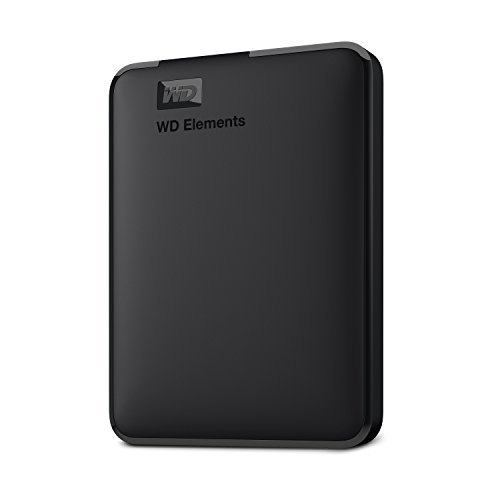
WD 6TB Elements Portable External Hard Drive
A 6TB 2.5-inch portable hard drive with USB 3.2 Gen 1 and plug-and-play setup for extra photo, video and document storage.
View on Amazon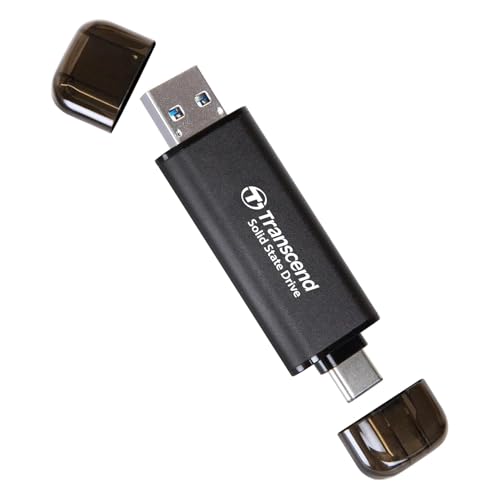
Transcend 256GB ESD310 Dual Portable SSD 1050MB/s
A thumb-drive-sized 256GB SSD with dual USB-C and USB-A ports and up to 1050MB/s speeds for phones, tablets and laptops.
View on Amazon
Samsung T9 Portable SSD
A 2TB SSD with USB 3.2 Gen 2x2 and up to 2,000MB/s speeds, with a thermal guard that controls heat during longer use.
View on AmazonThese come from our ranked list Best Portable External SSD, which compares them spec by spec.
FAQ
Is a portable SSD the same as a USB flash drive?
Both store files outside your computer and connect by USB. A portable SSD is a small solid-state drive in a case, while a flash drive is a single stick. The drives here list 256GB to 6TB of space, with read speeds up to 2000MB/s on the SanDisk and Samsung drives.
Can I use a portable SSD with my phone?
Some models list phone support. The Transcend drive lists Android phones, iPhone and iPad. The Samsung T9 lists support for iPhone 15 Pro Res 4K video at 60fps. Check that your phone has a matching USB-C port before you buy.
Do I need to install software to use one?
No. Connect the cable and the drive shows up on your computer so you can copy files. Optional maker software can add password protection or extra encryption, as on the SanDisk and Samsung drives.


