Types of Routers Explained
 By Theo LangUpdated
A router is the box that shares your internet connection with the devices in your home. Standalone routers cover a home from where they sit, mesh systems link units into a shared network, and dual-band Wi-Fi 6 routers run on the 2.4 GHz and 5 GHz bands. The right type depends on the size of your home and how many devices connect at once.
What a router does
A router connects to your modem and shares that internet connection with the devices in your home, over Wi-Fi and Ethernet cables. It gives devices a network address, directs traffic between devices and the internet, and keeps the home network separate from the internet outside it. Without a router, a modem connection serves only the device plugged into it.
Standalone routers
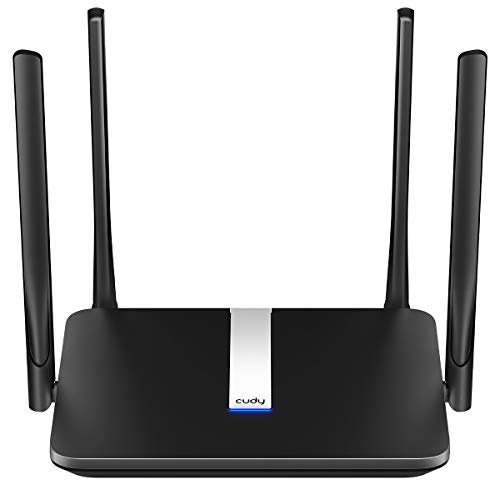
A standalone router is a box with built-in Wi-Fi that you place near the modem and connect by Ethernet. It covers the home from that spot, so it suits a flat or a small house where devices sit within range of it. If rooms far from the router get a weak signal, moving the router or adding a mesh system helps.
Mesh Wi-Fi systems
A mesh system links units into a shared network, with a unit connected to the modem and the rest placed around the home. The eero 6 comes as a 1-pack mesh router that works alone, and you can add eero products as your needs change. A device connects to the nearest unit, so coverage follows you from room to room. Mesh suits larger homes and homes with thick walls, where a standalone router leaves rooms with a weak signal.
Dual-band Wi-Fi
Wi-Fi 6 routers use the 2.4 GHz and 5 GHz bands. The 2.4 GHz band reaches farther through walls, while the 5 GHz band carries more data over a shorter distance. A dual-band router lets a device use the band that fits its position, so a phone in the next room and a laptop beside the router can use the band that works for them.
Modem-router combos
Some boxes combine a modem and a router, so they connect straight to the line from your internet provider. For the Deco X55, a modem is required for most internet service providers; for the Archer AX21, all WiFi routers require a separate modem. Before you buy, check whether the box has a modem built in and whether it works with your provider.
What you need

TP-Link Deco X55 AX3000
A Wi-Fi 6 mesh system in a 3-pack that covers up to 6500 square feet, with 3 Gigabit Ethernet ports per unit and support for Ethernet backhaul.
View on Amazon
Amazon eero 6 mesh
A Wi-Fi 6 mesh router that covers up to 1,500 sq. ft. and supports internet plans up to 900 Mbps, with a built-in Zigbee smart home hub.
View on Amazon
TP-Link AX1800 WiFi 6 Router
A dual-band Wi-Fi 6 router with AX1800 speed class, 4 high-gain antennas, Easy Mesh support and VPN server support.
View on Amazon
NETGEAR Nighthawk
A dual-band Wi-Fi 6 router with 4 Gigabit Ethernet ports, coverage up to 1,500 sq. ft. for up to 20 devices and WPA3 encryption.
View on AmazonThese come from our ranked list Best Wi-Fi Router, which compares them spec by spec.
FAQ
What does dual-band mean?
Dual-band means a router runs on the 2.4 GHz and 5 GHz bands. The 2.4 GHz band reaches farther, while the 5 GHz band carries more data over a shorter distance. A device uses the band that fits where it sits.
Do I need a modem with a router?
Most standalone routers need a modem. For the Deco X55, a modem is required for most internet service providers; for the Archer AX21, all WiFi routers require a separate modem. A modem-router combo has the modem built in, so check the box before you buy.
Can I use a Wi-Fi 6 router with older devices?
Yes. The Nighthawk R6700AX is backward compatible with WiFi 5 and earlier, so phones, laptops and TVs that support older Wi-Fi still connect. Check that your devices support the bands the router runs on.