How to Connect an External SSD to a PC
 By Theo LangUpdated
To install an external SSD, plug the drive into a USB port on the PC with the cable in the box. The drive appears in the file manager, and you can copy files to it right away. If the PC asks you to format the drive first, format it through the disk tool, then use it as extra storage.
Match the cable to a port
Look at the cable in the box and the ports on the PC. The WD_BLACK P50 comes with a USB Type-A to Micro-B cable, and the My Passport drive uses USB-C with USB-A for older systems. Plug the cable into a matching port on the PC, and check the drive's listed interface if the plug does not fit.
Plug the drive in
Connect the cable to the drive and to the PC, then wait for the drive to appear in the file manager. The PC may show a notice when the drive is ready. If nothing appears, try a different USB port on the PC and check that the cable is pushed in fully at both ends.
Format the drive if asked
Some drives need formatting before the PC can use them. If the PC asks you to format the drive, open the disk tool on the PC and follow the prompts to format it. Formatting erases everything on the drive, so copy any files off it first if it already holds data.
Move files and eject it
Copy or move files to the drive from the file manager, and leave the drive plugged in until the copy finishes. When you are done, use the eject option on the PC before you unplug the cable. Pulling the cable out during a copy can leave files half-written.
What you need

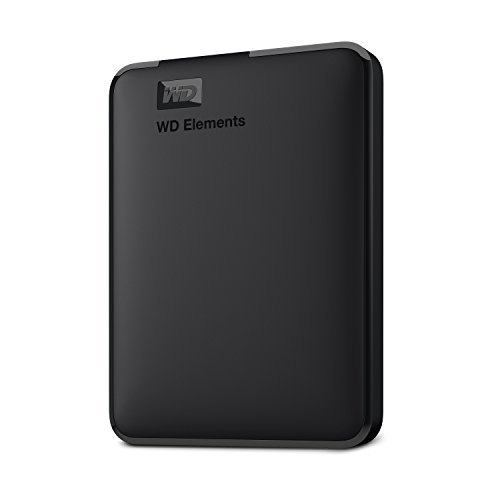
Western Digital P50
A 4TB portable drive with speeds up to 2,000 MB/s and a SuperSpeed USB 20Gb/s interface, with an 18-inch USB Type-A to Micro-B cable in the box.
View on Amazon
Western Digital P40
A 1TB portable drive with speeds up to 2,000MB/s over a USB 3.2 Gen2x2 interface, with RGB lighting and a shock-resistant build.
View on Amazon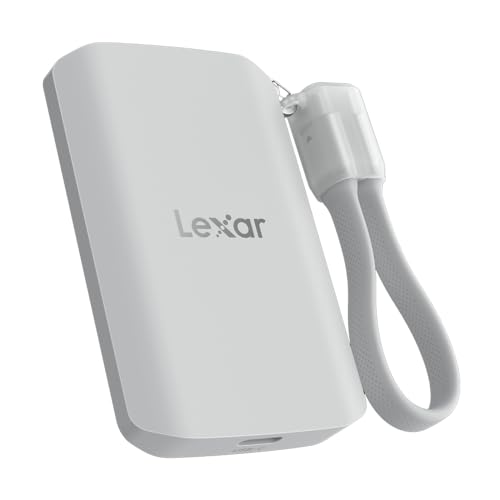
Lexar 2TB ES5 Magnetic External SSD
A 2TB magnetic drive with speeds up to 2000MB/s over USB 3.2 Gen 2x2, rated IP65 and drop resistant up to 3M.
View on Amazon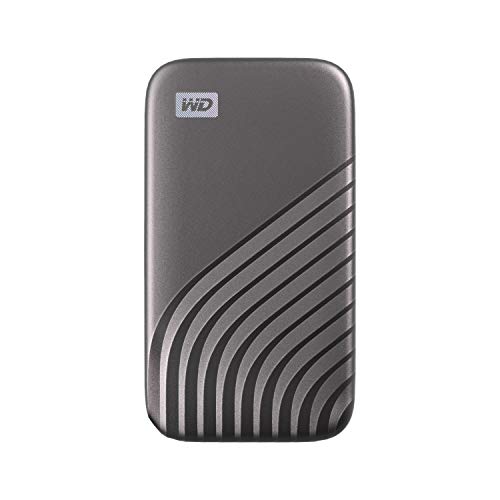
Western Digital WDBAGF0010BGY-WESN
A 1TB portable drive with speeds up to 1050MB/s over USB 3.2 Gen-2 and USB-C, with password protection and 256-bit AES hardware encryption.
View on AmazonThese come from our ranked list Best External SSD, which compares them spec by spec.
FAQ
Do I need to install drivers for an external SSD?
The PC finds the drive on its own when you plug it in. If the drive does not appear, try a different USB port and check the cable at both ends.
Can I use an external SSD with a game console?
The WD_BLACK P50 and P40 list PlayStation and Xbox in their compatibility, and the Lexar drive lists PC and Mac. Check the console's own notes for how it uses an external drive before you plug it in.
Why does my PC not see the external SSD?
Check the cable at both ends, try a different USB port, and look for the drive in the PC's disk tool. If the drive still does not appear, it may need formatting through the disk tool.