How to Configure a Router Step by Step
 By Theo LangUpdated
To configure a router, plug it into your modem, open the maker's app, and follow the setup steps to name your network and set a password. Then place the router where its signal reaches the rooms you use, and check for a firmware update in the app. The four routers here are all Wi-Fi 6, and the Deco, eero and Nighthawk each set up through their own app.
Plug the router into the modem
Connect the router to your modem with an Ethernet cable, using the WAN port on the router. The Nighthawk has a separate 1 Gig WAN port for the modem and four 1 Gig LAN ports for wired devices, and each Deco X55 unit has 3 Gigabit Ethernet ports. Plug the router into power and wait for its lights to settle before you open the app. A modem is required for most internet service providers, so check that the modem is online first.
Open the app and follow setup
Open the maker's app on your phone: the Deco app, the eero app, or the Nighthawk app. The apps walk you through setup with guided steps, and the Deco app gives clear visual guidance. Give the network a name and a password when the app asks, and write the password down where you can find it. Let the app finish each step before you move to the next one.
Name the network and set security
Set a network name and a password that only your household knows, and turn on the guest network for visitors. The Nighthawk lists WPA3 encryption, a guest network and security enabled out of the box. The Deco includes HomeShield with basic network security, quality of service and parental controls at no cost. Check the app for a firmware update after setup: the Archer works best on the latest firmware through the Tether app, and the Nighthawk and eero update firmware automatically.
Place the router and check coverage
Put the router in the open, near the middle of the space it must cover, and away from thick walls and metal. The Deco X55 3-pack covers up to 6500 square feet, the eero 6 covers up to 1,500 square feet, and the Nighthawk covers up to 1,500 square feet for up to 20 devices. If a room still has a weak signal, add a mesh unit: the Deco and the Archer both support mesh, and eero hardware is cross-compatible for adding units.
Connect devices and check the speed
Connect your phones, laptops and TVs to the new network name, starting with the devices you use most. The Deco X55 connects up to 150 devices, the eero 6 connects 75+ devices, and the Nighthawk covers up to 20 devices. Check the speed in the app if it offers one: the Nighthawk app runs speed checks. If a device will not connect, check that you typed the password right and that the device is on the right band, 2.4 GHz or 5 GHz.
What you need

TP-Link Deco X55 AX3000
A Wi-Fi 6 mesh system, 3-pack, covering up to 6500 square feet, with 3 Gigabit ports per unit, support for up to 150 devices and a 2-year warranty.
View on Amazon
Amazon eero 6 mesh
A Wi-Fi 6 mesh router covering up to 1,500 square feet, with speeds up to 900 Mbps, 75+ connected devices and a built-in Zigbee smart home hub.
View on Amazon
TP-Link AX1800 WiFi 6 Router
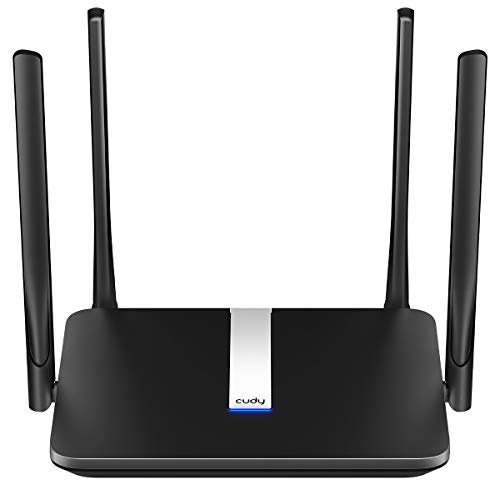
A dual-band Wi-Fi 6 router with AX1800 speeds up to 1.8 Gbps, 4 high-gain antennas, Easy Mesh and a 2-year warranty.
View on Amazon
NETGEAR Nighthawk
A dual-band Wi-Fi 6 router covering up to 1,500 square feet, with speeds up to 1.8 Gbps, 4 Gigabit LAN ports, WPA3 encryption and a 1-year limited warranty.
View on AmazonThese come from our ranked list Best Wi-Fi Router, which compares them spec by spec.
FAQ
Do I need a modem with these routers?
Yes, for most internet service providers. A modem is required for most providers with the Deco, and the Archer requires a separate modem. The Nighthawk pairs with your existing modem or gateway through Ethernet.
Can I add more units to a mesh network?
Yes. The Deco X55 is a mesh system that covers up to 6500 square feet as a 3-pack, and eero hardware is cross-compatible so you can add eero products as your needs change. The Archer supports Easy Mesh.
What is the difference between 2.4 GHz and 5 GHz?
They are the two bands used by dual-band routers. The Archer reaches up to 1200 Mbps on 5 GHz and up to 574 Mbps on 2.4 GHz, and the Nighthawk delivers speeds up to 1.8 Gbps across the 2.4 GHz and 5 GHz bands.