How to Clean an External SSD
 By Theo LangUpdated
Clean an external SSD in two parts. Wipe the outside with a dry soft cloth after you eject and unplug the drive, and clear files from inside through your computer. Keep liquids away from ports, and back up files you want to keep before you delete or format.
Back up files first
Copy files you want to keep to your computer or another drive before you clean. Check that the copies open and that folders you need are included. Keep the backup connected until cleaning is done, so you can restore files if you delete the wrong folder.
Eject and unplug the drive
Eject the drive in your computer system and wait for the eject icon to change or for the removal message to appear. Unplug the cable from the computer and from the drive. Do not pull the cable while files are copying, since that can leave files incomplete.
Wipe the outside and ports
Wipe the case with a dry soft cloth and brush dust from around ports with a dry soft brush. Keep water and cleaning sprays away from ports and seams. Do not open the drive case. If the case is cracked or the port is loose, contact the maker for service.
Delete files you no longer need
Reconnect the drive and open it in your file manager. Delete large folders you no longer need, such as old game installs or duplicate video files. Empty the trash or recycle bin with the drive connected, since deleted files can still take space until you empty it.
Format only to wipe the drive
Format the drive only if you want to erase everything on it, such as before you give it away. Confirm you picked the external drive and not your computer drive, then follow the format steps in your system. Formatting removes access to files on the drive, so keep your backup until you confirm the result.
What you need

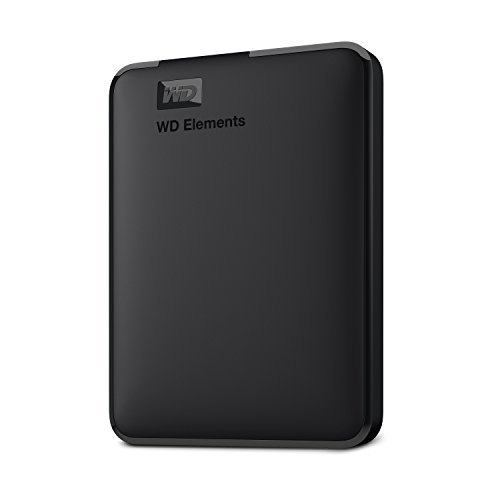
Western Digital P50
A portable external SSD with 4TB capacity and a SuperSpeed USB interface, in a shock-resistant form factor for desk and travel use.
View on Amazon
Western Digital P40
A portable external SSD with 1TB capacity and a USB 3.2 Gen2x2 interface, built with a shock-resistant structure.
View on Amazon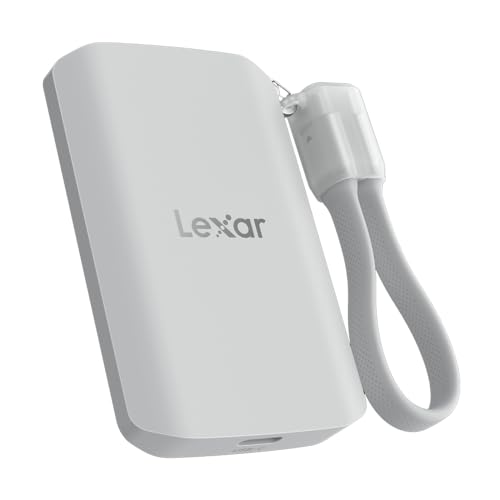
Lexar 2TB ES5 Magnetic External SSD
A magnetic external SSD with 2TB capacity, a USB 3.2 Gen 2x2 interface and IP65 dust and water resistance.
View on Amazon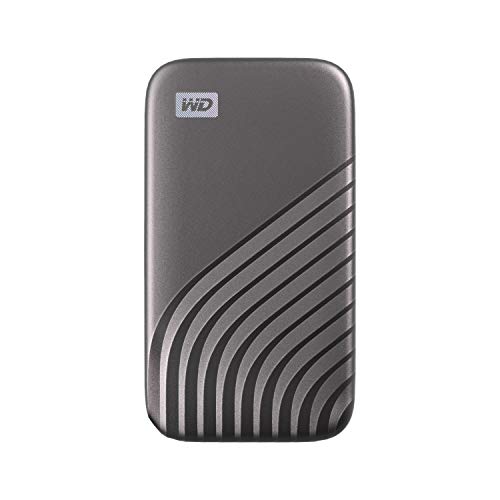
Western Digital WDBAGF0010BGY-WESN
A portable external SSD with 1TB capacity and a USB 3.2 Gen-2 interface, shock and vibration resistant.
View on AmazonThese come from our ranked list Best External SSD, which compares them spec by spec.
FAQ
Can I use water to clean an external SSD?
No. Use a dry soft cloth on the case and keep liquids away from ports and seams. If liquid gets inside, stop using the drive and contact the maker.
Does deleting files clean an external SSD?
Deleting files frees space for new files. Empty the trash or recycle bin with the drive connected to release that space. Format only if you want to erase everything.
Should I open the case to clean inside?
No. Do not open the case of an external SSD. Wipe the outside only, and contact the maker if the drive is damaged or stops working.