
Can You Do Digital Art on a Laptop?
 By Theo LangUpdated
Yes. A laptop can run digital art software, and you draw with a pen tablet connected to the laptop instead of a mouse. The tablet gives you pen pressure and a pen grip, so strokes follow your hand. Check the system requirements published for your drawing software before you install it.
Connect a drawing tablet to the laptop
Plug the tablet into a free USB port on the laptop, using an adapter when the tablet cable and the laptop port differ. The XP-Pen G430S uses a micro USB to USB-A connection, so a Mac without a USB-A port needs an adapter. Place the tablet where your drawing hand rests, with the laptop screen in front of you.
Install the driver and set the pen
Install the tablet driver from the maker, then open its settings to set pen pressure, pen buttons and left-hand or right-hand mode. The HUION Inspiroy H640P driver saves different shortcut profiles for different apps. If another tablet driver is already installed, remove it and restart the laptop before installing a new driver, as XP-Pen instructs for the G430S.
Check your drawing software requirements
Open the requirements page for your drawing software and compare it with your laptop operating system and hardware. The tablets here list support for Windows and macOS versions in their own descriptions, and the HUION models also list Android support. Install the software, create a canvas, and confirm the pen draws, erases and changes brush size with pressure.
Match the active area to your desk
Active area is the part of the tablet that maps to your screen. The HUION Inspiroy H1060P gives 10 x 6.25 inches, the GAOMON S620 gives 6.5 x 4 inches, and the XP-Pen G430S gives 4 x 3 inches. A larger area gives longer pen strokes for the same screen movement. A smaller area fits a crowded desk and a laptop bag.
Set shortcut keys for your workflow
Assign the tablet keys to commands you use often, such as undo, zoom, brush switch and save. The HUION Inspiroy H640P has 6 customizable press keys, and the HUION Inspiroy H1060P has 12 programmable press keys plus 16 programmable soft keys. Set one profile per app, then draw a short sketch to confirm each key does what you expect.
What you need

HUION Inspiroy H640P 6x4-inch Drawing Tablet 8192 Pen Pressure
A 6 x 4 inch tablet with 8192 pressure levels, a battery-free PW100 stylus and 6 customizable press keys for Mac, PC and Android.
View on Amazon
HUION Inspiroy H1060P Graphics Drawing Tablet
A 10 x 6.25 inch tablet with 8192 pressure levels, tilt support, a battery-free PW100 stylus and 12 plus 16 programmable keys.
View on Amazon
GAOMON S620 Graphics Drawing Tablet
A 6.5 x 4 inch tablet with 8192 pressure levels, 4 customizable express keys, a battery-free pen and 266 PPS report rate.
View on Amazon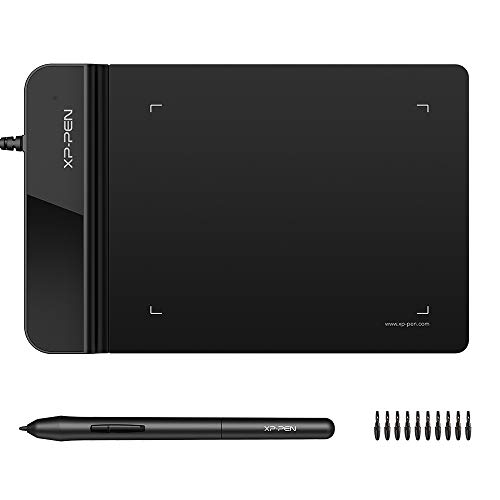
Drawing Tablet XPPen G430S OSU
A 4 x 3 inch tablet, 2 mm thick, with 8192 pressure levels, a battery-free stylus and 266 RPS report rate for drawing and signatures.
View on AmazonThese come from our ranked list Best Digital Pen Tablet, which compares them spec by spec.
FAQ
Can I draw on a laptop without a tablet?
You can draw with a mouse or a trackpad in drawing software, but you get no pen pressure. A pen tablet adds pressure levels and a pen grip, which changes how strokes look.
Do I need a touchscreen laptop for digital art?
No. You draw on the tablet surface and watch the result on the laptop screen, which is how the HUION, GAOMON and XP-Pen models here work.
Will a drawing tablet work with my laptop?
Check the operating system versions in the tablet description against your laptop. The HUION Inspiroy H1060P lists Windows 7 or later and macOS 10.12 or later, and a USB adapter is required to connect it to a Mac.

