Are External SSDs Reliable?
 By Theo LangUpdated
Yes, for everyday use. An external SSD stores files on memory chips, so a knock or drop that could damage a hard drive is less likely to hurt it, and the drives below carry shock or drop protection and 5-year warranties. They can still fail, so keep a second copy of files you cannot lose.
Why an SSD handles knocks better
A solid-state drive stores files on memory chips, so there is no spinning disk or moving arm to jar out of place. That is why the drives below carry shock or drop protection, and why an SSD suits a bag or a desk that gets bumped. A hard knock can still damage the case, the port or the cable, so carry the drive in a pocket or sleeve and check the cable if the drive stops showing up.
What the warranty and build tell you
All four drives below carry a 5-year warranty and shock or drop protection. The Lexar ES5 also carries IP65 dust and water resistance and drop protection up to 3 m, while the WD My Passport SSD carries drop protection up to 6.5 ft and password protection with 256-bit AES hardware encryption. A long warranty and a tough case are useful signs, but neither one promises a drive will never fail.
Keep a second copy of important files
One drive on its own holds only one copy of your files. Copy photos, work and other files you cannot replace to a second drive or to another place, and check now and then that the copy opens. If a drive stops showing up, makes errors when you copy files or runs hot to the touch, stop using it for new files and copy what you can to another drive.
Use the right cable and eject the drive
The WD_BLACK P50 carries a SuperSpeed USB 20Gb/s interface with read speeds up to 2000 MB/s, and the WD My Passport SSD carries a USB-C connection. Use the cable that came with the drive, or one that matches its port, and plug it in firmly. Eject the drive in your computer before you unplug it, so a file that is still copying does not get cut off.
What you need

Western Digital P50
A 4TB portable SSD with read speeds up to 2000 MB/s, a SuperSpeed USB 20Gb/s interface, shock resistance and a 5-year warranty.
View on Amazon
Western Digital P40
A 1TB portable SSD with read speeds up to 2000 MB/s, a USB 3.2 Gen2x2 interface, RGB lighting, drop protection and a 5-year warranty.
View on Amazon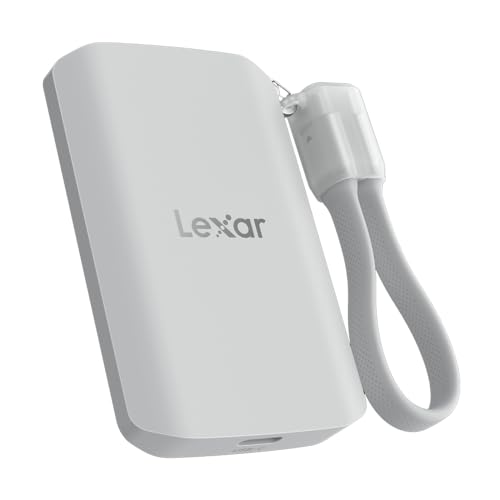
Lexar 2TB ES5 Magnetic External SSD
A 2TB magnetic SSD with read and write speeds up to 2000 MB/s, a USB 3.2 Gen 2x2 interface, IP65 dust and water resistance and a 5-year warranty.
View on Amazon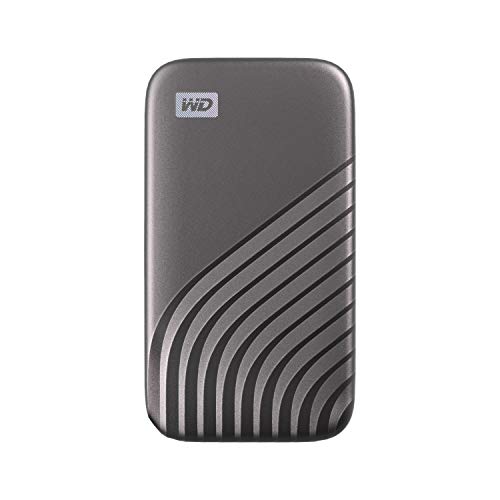
Western Digital WDBAGF0010BGY-WESN
A 1TB portable SSD with read speeds up to 1050 MB/s, a USB 3.2 Gen-2 interface, password protection with 256-bit AES hardware encryption and a 5-year warranty.
View on AmazonThese come from our ranked list Best External SSD, which compares them spec by spec.
FAQ
Can an external SSD fail without warning?
Yes. A drive can stop showing up or start making errors when you copy files. Keep a second copy of files you cannot replace, and copy them to another drive at the first sign of trouble.
Do external SSDs last longer than hard drives?
They store files on memory chips, so a knock is less likely to damage them, and the drives here carry shock or drop protection and 5-year warranties. Still, any drive can fail, so keep a second copy of important files.
Is one external SSD enough for backup?
No. One drive holds one copy, and any drive can fail. Keep your files in two places, such as a second drive, so a single failure does not take everything with it.