What Is the Purpose of a Chromebook?
 By Theo LangUpdated
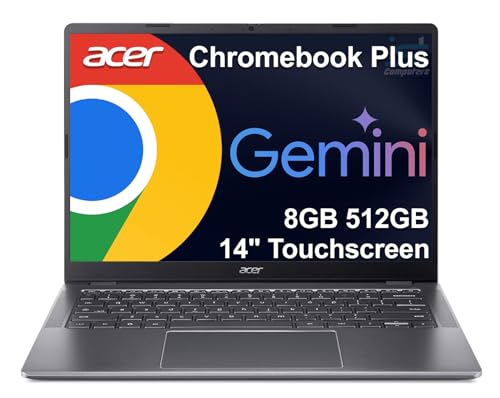
A Chromebook is a laptop built around Chrome OS, the web browser and cloud apps, for schoolwork, documents, email, video calls and streaming. Its purpose is simple everyday computing: it boots to the browser, keeps files in the cloud with backups, and runs Android apps from Google Play. The four models here show that purpose in different sizes, from a 14-inch touchscreen to a 15.6-inch model with a numeric keyboard.
What Chrome OS is for
Chrome OS puts the browser first. You open the Chrome browser for mail, documents, classes and video calls, and you add Android apps from Google Play for the rest. Files back up to the cloud. The Lenovo runs Chrome OS with thousands of apps and cloud backups, and the HP Chromebook 15 states the same plus Google Assistant.
School, work and home use
A Chromebook fits schoolwork, home office work and everyday browsing. The Lenovo has a 14-inch Full HD touchscreen with a 720p webcam and privacy shutter for online classes, and the HP 14 has a 14-inch HD display with stereo speakers and a battery rated for up to 14 hours. The Acer adds a 15.6-inch Full HD touchscreen for study and business, and the HP 15 adds a numeric keyboard and a webcam with a shutter.
Memory and storage on these models
The models here carry 4 GB or 8 GB of RAM and 64 GB or 128 GB of installed storage. RAM holds the apps and browser tabs you have open, and storage holds the apps and files you keep on the machine. The Lenovo and the HP 14 carry 4 GB of RAM with 64 GB of eMMC storage, the Acer carries 8 GB of RAM with 128 GB of eMMC storage, and the HP 15 carries 8 GB of RAM with 64 GB of installed eMMC storage plus a 128 GB SD card. Check the requirements published for your software before you buy.
Ports, screens and keyboards
Screens run 14 inches on the Lenovo and the HP 14 and 15.6 inches on the Acer and the HP 15, with Full HD 1920 x 1080 on the Lenovo and the Acer and HD 1366 x 768 on the HP 14 and the HP 15. The Acer has two USB-C ports, two USB-A ports and an HDMI output, and the HP 15 has two USB-C ports and a USB-A port. The Lenovo has one USB-C port, one USB-A port and a microSD card reader, and the HP 15 adds a numeric keyboard.
What you need

Lenovo Flagship Chromebook
A 14-inch Full HD touchscreen Chromebook with an 8-core MediaTek Kompanio 520, 4 GB of RAM, 64 GB of eMMC storage and Wi-Fi 6.
View on Amazon
HP Chromebook 14 Laptop
A 14-inch HD Chromebook with an Intel Celeron N4120, 4 GB of RAM, 64 GB of eMMC storage and a battery rated for up to 14 hours.
View on Amazon
Acer 15.6-inch Touch Chromebook
A 15.6-inch Full HD touchscreen Chromebook with an Intel N50, 8 GB of DDR5 RAM, 128 GB of eMMC storage, two USB-C ports and an HDMI port.
View on Amazon
HP Chromebook 15 15.6-inch Laptop
A 15.6-inch Chromebook with an Intel N200, 8 GB of DDR5 RAM, 64 GB of eMMC storage and a 128 GB SD card, a numeric keyboard and USB-C ports.
View on AmazonThese come from our ranked list Best Chromebook, which compares them spec by spec.
FAQ
What is the difference between a Chromebook and a Windows laptop?
A Chromebook runs Chrome OS, a browser-first system with Android apps from Google Play and files backed up to the cloud. A Windows laptop runs Windows instead, so check that the software you use has a Chrome OS or Android version before you buy.
How long will a Chromebook get updates?
Only the HP Chromebook 15 here states an Auto Update Expiration date, the date it stops receiving Chrome OS updates. June 2030 is the date for the HP Chromebook 15, so check the AUE date for the model you buy.
Can I connect a monitor to a Chromebook?
It depends on the model. The Acer has an HDMI output, and the HP Chromebook 15 connects one external monitor through its USB-C port at 4K. Check the model's notes for video output before you buy.