Chromebook Screen Sizes Explained
 By Theo LangUpdated
Chromebook screens here run 14 inches to 15.6 inches, measured corner to corner. The 14-inch models are the Lenovo Flagship Chromebook and the HP Chromebook 14, and the 15.6-inch models are the Acer and the HP Chromebook 15. A larger screen shows more at once, while a smaller screen keeps the laptop lighter to carry.
How screen size is measured
Screen size is the diagonal measurement of the display, corner to corner, across the screen itself. A 14-inch Chromebook and a 15.6-inch Chromebook can have the same 1920 x 1080 resolution, so size and resolution are separate figures. Compare the diagonal size and the resolution together when you shop.
14-inch or 15.6-inch?
The Lenovo Flagship Chromebook and the HP Chromebook 14 both have 14-inch screens, while the Acer and the HP Chromebook 15 both have 15.6-inch screens. The 14-inch models are smaller, and the 15.6-inch models give you a larger view for documents and video. The Lenovo 14-inch screen is a 1920 x 1080 touchscreen, and the Acer 15.6-inch screen is a 1920 x 1080 touchscreen, while the HP models use 1366 x 768 displays. Pick the size that fits your bag and your desk.
Resolution and touchscreens
Resolution is the count of pixels across and down the screen. The Lenovo and Acer screens are 1920 x 1080 Full HD, while the HP Chromebook 14 and the HP Chromebook 15 are 1366 x 768. Touchscreens appear on the Lenovo and Acer models: the Lenovo has a 14-inch Full HD touchscreen, and the Acer has a 15.6-inch Full HD touchscreen. A touchscreen lets you tap and scroll on the screen itself.
Memory, storage and ports
The Lenovo and HP Chromebook 14 models have 4GB of memory and 64GB of storage, while the Acer and the HP Chromebook 15 have 8GB of memory. The Acer has 128GB of storage, and the HP Chromebook 15 has 64GB eMMC plus a 128GB SD card. The Lenovo and Acer models have USB-C ports. The Acer also has an HDMI port. The HP Chromebook 15 has USB-C ports with DisplayPort, a USB-A port and a microSD card reader.
What you need

Lenovo Flagship Chromebook
A 14-inch Full HD touchscreen Chromebook with a MediaTek Kompanio 520 chip, 4GB of memory, 64GB of storage and Wi-Fi 6.
View on Amazon
HP Chromebook 14 Laptop
A 14-inch Chromebook with a 1366 x 768 display, an Intel Celeron N4120 chip, 4GB of memory and 64GB of storage.
View on Amazon
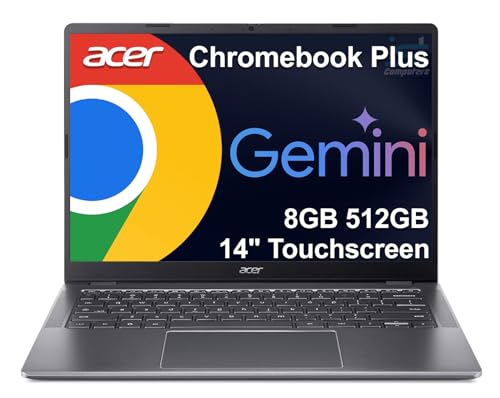
Acer 15.6-inch Touch Chromebook
A 15.6-inch Full HD touchscreen Chromebook with an Intel N50 chip, 8GB of DDR5 memory, 128GB of storage, USB-C and HDMI.
View on Amazon
HP Chromebook 15 15.6-inch Laptop
A 15.6-inch Chromebook with a 1366 x 768 display, an Intel N200 chip, 8GB of memory and 64GB eMMC plus a 128GB SD card.
View on AmazonThese come from our ranked list Best Chromebook, which compares them spec by spec.
FAQ
Is a 14-inch or 15.6-inch Chromebook better?
It depends on how you carry it. A 14-inch screen keeps the laptop smaller, while a 15.6-inch screen shows more at once. The Lenovo and HP Chromebook 14 are 14 inches, and the Acer and HP Chromebook 15 are 15.6 inches.
Do all Chromebooks have touchscreens?
No. The Lenovo and Acer models here have touchscreens, with 1920 x 1080 Full HD displays. Look for the word touchscreen in the screen details when touch matters to you.
How long does a Chromebook battery last?
The HP Chromebook 14 lists up to 14 hours of battery life, and the HP Chromebook 15 has a battery that lasts all day. Watch for a battery that drains faster than it used to, and check the listing for the figure.