What Is a Chromebook?
 By Theo LangUpdated
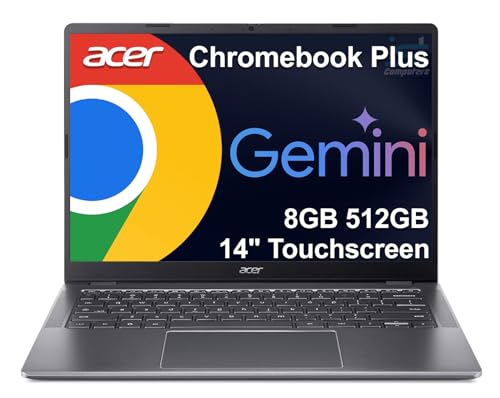
A Chromebook is a laptop that runs Chrome OS, Google's operating system built around the Chrome browser. Instead of installed desktop software, it leans on web apps, Android apps from Google Play, and files stored in the cloud. It fits browsing, email, documents, streaming, and school or office work done in a browser.
How Chrome OS works
Chrome OS puts the Chrome browser at the center of the system. Apps come from the web and from Google Play, and documents and photos live in cloud storage rather than on the machine. The system installs its updates automatically, and each model carries an auto-update expiration date, so check that date for the model you buy.
What a Chromebook does well
A Chromebook handles work done in a browser: email, documents and spreadsheets, video calls, streaming, and online classes. Android apps from Google Play add games and tools that run on the same machine. Files stay backed up in the cloud, so a document edited on the Chromebook is there when you open it on another device.
What to check before you buy
Look at the screen size, the memory and storage figures, and the ports. The models here come with 4 GB or 8 GB of memory and 64 GB to 192 GB of storage, and screens run 14 inches or 15.6 inches with 1920 x 1080 or 1366 x 768 resolution. Check that the USB-C port supports video output if you plan to use an external monitor, and check the software you use runs on Chrome OS before you buy.
Chromebook or Windows laptop
A Chromebook runs Chrome OS, while a Windows laptop runs Windows, so the apps and the setup differ even when the hardware looks the same. Chromebooks store much of their work in the cloud and lean on web and Android apps, while Windows laptops run desktop programs installed on the machine. If the software you rely on only runs on Windows, a Chromebook is the wrong machine for that job.
What you need

Lenovo Flagship Chromebook
A 14-inch touchscreen Chromebook with a 1920 x 1080 display, a MediaTek Kompanio 520 processor, 4 GB of memory, 64 GB of storage, and Wi-Fi 6.
View on Amazon
HP Chromebook 14 Laptop
A 14-inch Chromebook with an Intel Celeron N4120 processor, 4 GB of memory, 64 GB of storage, a 1366 x 768 display, and a 1-year limited hardware warranty.
View on Amazon
Acer 15.6-inch Touch Chromebook
A 15.6-inch touchscreen Chromebook with an Intel N50 processor, 8 GB of DDR5 memory, 128 GB of storage, a 1920 x 1080 display, and HDMI.
View on Amazon
HP Chromebook 15 15.6-inch Laptop
A 15.6-inch Chromebook with an Intel N200 processor, 8 GB of DDR5 memory, 192 GB of storage, a numeric keyboard, and a webcam with a privacy shutter.
View on AmazonThese come from our ranked list Best Chromebook, which compares them spec by spec.
FAQ
Can I open documents and spreadsheets on a Chromebook?
Yes, through web apps in the browser and through Android apps from Google Play. Open your files in a browser, or install the Android app version and check that it covers the features you use before you buy.
Do Chromebooks need internet to work?
Many Chromebook tasks need the web, since apps and files live online. Some apps keep working offline, so check the apps you rely on before you count on working without a connection.
Can I print from a Chromebook?
Yes, if your printer works with Chrome OS. Connect it over Wi-Fi or USB, add it in the Chromebook settings, and print a page before you need it for school or work.
How much storage does a Chromebook have?
It varies by model. The models here come with 64 GB, 128 GB, or 192 GB of storage, and files can also live in the cloud, so check the storage figure on the model you buy.