What Do Chromebooks Look Like?
 By Theo LangUpdated
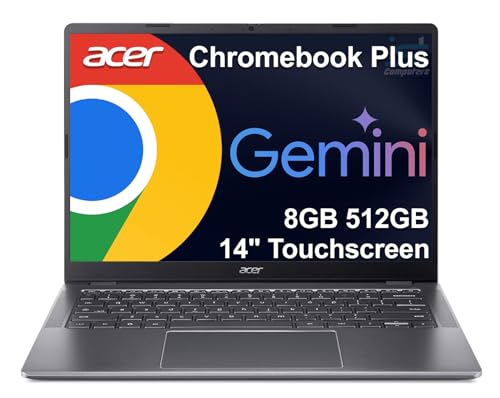
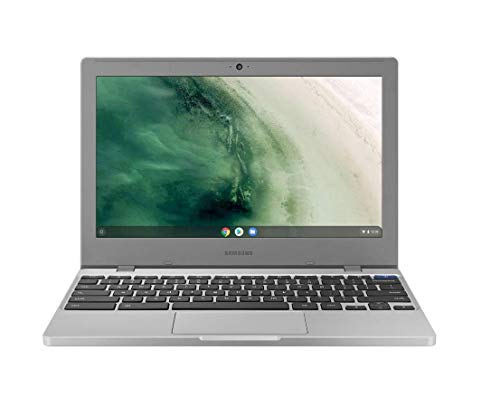
A Chromebook looks like a regular laptop: a screen on a hinge above a keyboard base with a trackpad. The four here run 14 to 15.6 inches, with touchscreens on two of them, in blue and silver finishes. All four run Chrome OS, so the screen shows the Chrome browser.
A laptop shape with a keyboard and trackpad
A Chromebook has the shape of a regular laptop: a base with a keyboard and a trackpad, and a screen that opens on a hinge. The Lenovo is 13.23 inches long, 8.7 inches wide and 0.73 inches thick at 2.86 lb. The HP 14 has a full-size keyboard with a multi-touch touchpad, and the HP 15 adds a numeric keyboard beside the main keys. The Lenovo has a 720p webcam with a privacy shutter built in.
Screen sizes and touchscreens
The screens here measure 14 inches on the Lenovo and the HP 14, and 15.6 inches on the Acer and the HP 15. The Lenovo and the Acer have 1920x1080 touchscreens, while the HP 14 and the HP 15 have 1366x768 displays with anti-glare coatings. The Lenovo screen uses IPS technology for wide viewing angles. Pick the size that fits your bag and your desk, and check for a touchscreen if you want to tap the screen.
Colors and finishes
The Lenovo comes in Abyss Blue, the HP 14 in Mineral Silver, the Acer in Sparkling Silver and the HP 15 in Silver. The HP 14 has a micro-edge display with a thin design, and the Lenovo is a slim 0.73 inches thick. Color does not change what the Chromebook does, so pick the finish you like looking at.
Ports and slots on each model
Ports differ by model. The Lenovo has one USB-A port, one USB-C port, a microSD card reader and a headphone and microphone combo jack. The Acer has 2 USB-C ports, 2 USB-A ports, an HDMI output and a headphone jack. The HP 15 has 2 USB-C ports, a USB-A port, a microSD card reader and an audio combo jack. Check the ports on the model you pick against the cables and cards you use.
What you need

Lenovo Flagship Chromebook
A 14-inch Chromebook with a 1920x1080 touchscreen, a 720p webcam with a privacy shutter and an Abyss Blue finish at 2.86 lb.
View on Amazon
HP Chromebook 14 Laptop
A 14-inch Chromebook with a 1366x768 anti-glare display, a multi-touch touchpad and a thin design in Mineral Silver.
View on Amazon
Acer 15.6-inch Touch Chromebook
A 15.6-inch Chromebook with a 1920x1080 anti-glare touchscreen, 2 USB-C ports and an HDMI output in Sparkling Silver.
View on Amazon
HP Chromebook 15 15.6-inch Laptop
A 15.6-inch Chromebook with a 1366x768 anti-glare display, a numeric keyboard and a webcam with a privacy shutter.
View on AmazonThese come from our ranked list Best Chromebook, which compares them spec by spec.
FAQ
Do Chromebooks have touchscreens?
The Lenovo 14-inch Chromebook and the Acer 15.6-inch Chromebook have touchscreens. Check the model you pick for a touchscreen if you want to tap the screen.
How big is a Chromebook screen?
The screens here measure 14 inches on the Lenovo and the HP 14, and 15.6 inches on the Acer and the HP 15. The Lenovo and Acer screens are 1920x1080, and the HP 14 and HP 15 screens are 1366x768.
Can a Chromebook connect to an external monitor?
The HP Chromebook 15 can connect one external monitor through its Type-C port at 4K and 60Hz. Check the ports on the model you pick, since a USB-C port does not always carry video.