Chromebook Sizes Explained
 By Theo LangUpdated
Chromebook size is the screen size, measured diagonally from corner to corner. The models here come in 14 inches and 15.6 inches, and the same screen size can carry a different resolution: the 14-inch models here show 1920 x 1080 or 1366 x 768. Pick the screen size that fits your bag and your desk, then check the resolution, weight and ports on that model.
Screen size is measured diagonally
The size number on a Chromebook is the screen measured from one corner to the opposite corner. It describes the screen, not the body around it, so Chromebooks with the same screen size can have different footprints. The Lenovo body measures 13.23 by 8.7 by 0.73 inches around its 14-inch screen.
14 inches or 15.6 inches
The models here come in 2 screen sizes. The Lenovo Flagship Chromebook and the HP Chromebook 14 have 14-inch screens, while the Acer and the HP Chromebook 15 have 15.6-inch screens. A 14-inch screen takes less room in a bag, and a 15.6-inch screen gives a larger view on a desk. Measure your bag and your desk space, then pick the size that fits both.
Resolution is separate from size
Resolution counts the pixels on the screen, and it does not follow from screen size. The Lenovo 14-inch and the Acer 15.6-inch screens show 1920 x 1080, while the HP Chromebook 14 and the HP Chromebook 15 show 1366 x 768. A larger screen with the lower resolution shows the same picture larger, not sharper. Compare the resolution figure on each model, not the size alone.
Touchscreens, keyboards and ports
Touchscreens appear on the Lenovo 14-inch and the Acer 15.6-inch models here, with finger-touch navigation on the Lenovo and an anti-glare touchscreen on the Acer. The HP Chromebook 15 has a numeric keyboard. Ports differ too. The Acer has 2 USB-C ports, 2 USB-A ports and an HDMI output. The Lenovo has a USB-A port, a USB-C port and a microSD card reader. The HP Chromebook 15 has 2 USB-C ports with DisplayPort 1.4, a USB-A port and a microSD reader. Check the ports on the model you are considering.
Check the body before you buy
Screen size does not set the weight or the thickness. The Lenovo weighs 2.86 lb with a body 0.73 inches thick, and its 14-inch screen sits in a 13.23 by 8.7 inch body. The HP Chromebook 14 charges from 0 to 50% in approximately 45 minutes with HP Fast Charge. Read the weight, the body size and the charging notes on the model you are considering.
What you need

Lenovo Flagship Chromebook
A 14-inch touchscreen Chromebook with a 1920 x 1080 display, a MediaTek Kompanio 520 processor, 4GB of RAM and 64GB of eMMC storage, weighing 2.86 lb.
View on Amazon
HP Chromebook 14 Laptop
A 14-inch Chromebook with a 1366 x 768 display, an Intel Celeron N4120 processor, 4GB of RAM, 64GB of eMMC storage and up to 14 hours of battery life.
View on Amazon
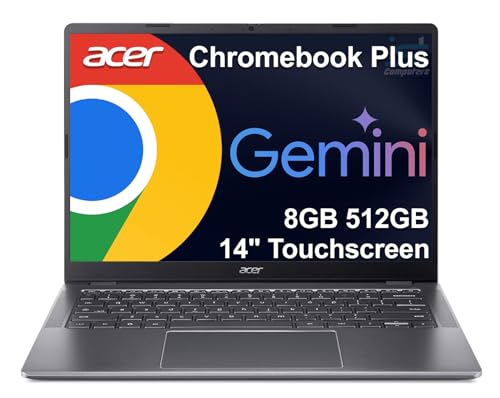
Acer 15.6-inch Touch Chromebook
A 15.6-inch touchscreen Chromebook with a 1920 x 1080 display, an Intel N50 processor, 8GB of DDR5 RAM and 128GB of eMMC storage.
View on Amazon
HP Chromebook 15 15.6-inch Laptop
A 15.6-inch Chromebook with a 1366 x 768 display, an Intel N200 processor, 8GB of DDR5 RAM, 64GB of eMMC storage and a numeric keyboard.
View on AmazonThese come from our ranked list Best Chromebook, which compares them spec by spec.
FAQ
What sizes do Chromebooks come in?
The models here come in 14 inches and 15.6 inches. Screen size is measured from corner to corner across the screen, so the number describes the screen, not the body.
Is the HP Chromebook 14 screen 4K?
No. Its display is 1366 x 768, and Intel UHD Graphics 600 handles 4K content. The 4K wording covers streaming, not the screen.
Which Chromebook here has a numeric keyboard?
The HP Chromebook 15 has a numeric keyboard. Its 15.6-inch screen is paired with a 1366 x 768 display, an Intel N200 processor and 8GB of DDR5 RAM.