What Is a Chromebook Mainly Used For?
 By Theo LangUpdated
A Chromebook is a laptop that runs Chrome OS and is built for web browsing, schoolwork, email, documents and video calls, with files and apps living mostly in the cloud. It boots quickly, updates itself, and suits students, home workers and anyone whose day runs in a browser. The four Chromebooks here show the range, from a 14-inch touchscreen to a 15.6-inch model with a numeric keyboard.
What a Chromebook does best
A Chromebook runs Chrome OS, the browser-based system from Google, and its main job is everyday computing on the web. You open Chrome for email, documents, spreadsheets and video calls, and you install apps from the Google Play Store. Files live in cloud storage with built-in backups.
School, work and home use
Chromebooks fit school and home use because they cover the same everyday tasks: classes, homework, email and video calls. The Lenovo suits online class, Google Classroom, remote learning and Zoom, and the HP 15 suits online courses, online school and Zoom meetings. The Acer is sold for business and study, and the HP 14 is aimed at home, work and school. Pick the screen size and keyboard that fit your desk: the Acer and the HP 15 have 15.6-inch screens, and the HP 15 adds a numeric keyboard.
Screen, memory and storage
Screen size and memory set how much fits on the desk and in memory at once. The Lenovo and the Acer have 14-inch and 15.6-inch Full HD touchscreens at 1920 by 1080, while the HP 14 and the HP 15 have 14-inch and 15.6-inch HD screens at 1366 by 768. The Lenovo and the HP 14 have 4GB of RAM and 64GB of eMMC storage, and the Acer and the HP 15 have 8GB of RAM, with 128GB of eMMC in the Acer and 64GB of eMMC plus a 128GB SD card in the HP 15.
Battery life and ports
Battery life decides how long the laptop runs away from a plug. The HP 14 runs up to 14 hours, and its Fast Charge takes it from 0 to 50 percent in about 45 minutes. The HP 15 runs on a battery that lasts all day, and the Lenovo processor is designed for class-leading battery life. The Lenovo, the Acer and the HP 15 have USB-C. The Acer adds two USB-C ports, two USB-A ports and HDMI. The HP 15 adds USB-C with DisplayPort and a microSD reader.
What you need

Lenovo Flagship Chromebook
A 14-inch Full HD touchscreen Chromebook with a MediaTek Kompanio 520 processor, 4GB of RAM, 64GB of eMMC storage and Wi-Fi 6.
View on Amazon
HP Chromebook 14 Laptop
A 14-inch HD Chromebook with an Intel Celeron N4120 processor, 4GB of RAM, 64GB of eMMC storage and up to 14 hours of battery life.
View on Amazon
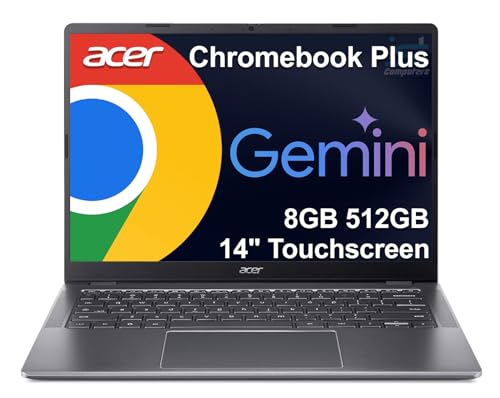
Acer 15.6-inch Touch Chromebook
A 15.6-inch Full HD touchscreen Chromebook with an Intel N50 processor, 8GB of DDR5 RAM, 128GB of eMMC storage and HDMI.
View on Amazon
HP Chromebook 15 15.6-inch Laptop
A 15.6-inch HD Chromebook with an Intel N200 processor, 8GB of DDR5 RAM, 64GB of eMMC storage plus a 128GB SD card and a numeric keyboard.
View on AmazonThese come from our ranked list Best Chromebook, which compares them spec by spec.
FAQ
Do Chromebooks need Wi-Fi to work?
Chromebooks run Chrome OS and are built for the web, so Wi-Fi carries most of the work. The Lenovo, the HP 14 and the HP 15 have Wi-Fi, and the Lenovo adds Wi-Fi 6. Files live in cloud storage with built-in backups, so a connection keeps them in sync.
How much storage does a Chromebook have?
It varies by model. The Lenovo and the HP 14 have 64GB of eMMC storage, the Acer has 128GB of eMMC storage, and the HP 15 has 64GB of eMMC storage plus a 128GB SD card.
Can I use a Chromebook for video calls?
Yes. The Lenovo has a 720p HD webcam with a privacy shutter for online class and Zoom, and the HP 15 has an HD webcam with a privacy shutter for video calls.