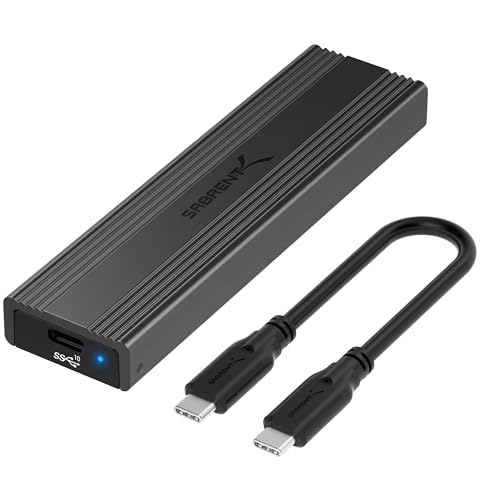
What Is an SSD Enclosure?
 By Theo LangUpdated
An SSD enclosure is a case that holds a SATA SSD or hard drive and connects it to your computer through USB, so the drive works as an external drive. You slide the drive in, close the case, and plug the cable into a USB port. It is the way to reuse a drive from an old laptop or to carry files on a drive you already own.
What an SSD enclosure does
An enclosure gives a bare SATA drive a USB connection and a case to sit in. The drive inside stays the same drive, and your computer sees it as an external drive you can open, copy files to, and eject. Enclosures are used to reuse a drive pulled from a laptop, to move files between computers, or to keep a spare drive as portable storage. You add a drive you already own, since the enclosure is only the case and the connection.
Match the enclosure to your drive
Check the drive type first. These enclosures fit 2.5-inch SATA drives, and the SABRENT EC-KSL3 also fits 3.5-inch SATA drives. The SABRENT EC-KSL3 does not fit M.2 NVMe, M.2 SATA, NVMe PCIe, or IDE/PATA drives. The BENFEI enclosures are made for 7 and 9.5 mm thick 2.5-inch drives up to 6TB. Some 4TB and larger 3.5-inch drives with a non-standard PCB height may not seat correctly in the EC-KSL3, so check your drive's physical dimensions before you buy.
Check the USB connection
Look at the USB ports on your computer before you choose. The SABRENT EC-KSL3 uses a USB Type-A connection, and a USB-C to USB-A adapter is required if your computer only has USB-C ports. The BENFEI enclosures have USB Type-C and Type-A plugs, and the second BENFEI includes a USB Type-C and Type-A 10Gbps cable. All four support UASP. Transfer rates reach up to 5 Gbps on a USB 3.0 port and up to 480 Mbps on a USB 2.0 port.
Set the drive up
All four enclosures install without tools. Push out the cover on a BENFEI enclosure, plug in the drive, and close the cover. Slide the drive into the SABRENT EC-KSL3 and click it shut, and install the drive in the SABRENT EC-UASP with its tool-free design. Then connect the cable and plug the enclosure into your computer. No drivers are needed, and the enclosures work with Windows and macOS. The SABRENT EC-KSL3 needs its 12V power adapter plugged into a wall outlet, since it is not bus-powered through USB.
What you need
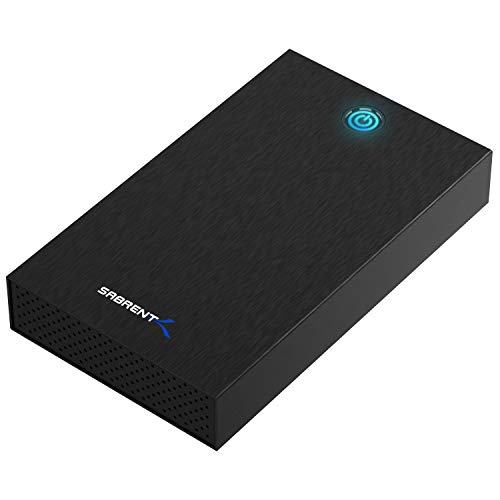
SABRENT USB 3.0 Hard Drive Enclosure
A tool-free enclosure for 2.5-inch and 3.5-inch SATA drives with a USB 3.0 Type-A connection, UASP, and a 12V power adapter.
View on Amazon
BENFEI 2.5-inch SATA to USB Tool Free External Hard Drive Enclosure
A tool-free 2.5-inch SATA enclosure with USB Type-C and Type-A plugs, up to 5 Gbps with UASP, and an 18-month warranty.
View on Amazon
BENFEI 2.5-inch SATA to USB Tool Free External Hard Drive Enclosure (6Gbps
A tool-free 2.5-inch SATA enclosure with an included USB Type-C and Type-A 10Gbps cable, up to 6 Gbps, and an 18-month warranty.
View on Amazon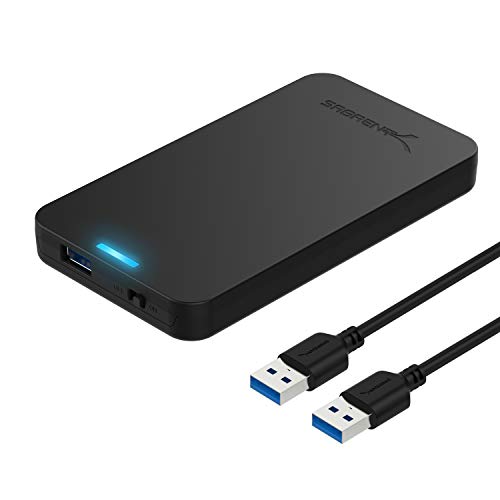
SABRENT 2.5-inch SATA to USB 3.0 Tool-Free SSD/HDD Enclosure (EC-UASP)
A tool-free 2.5-inch SATA enclosure with USB 3.0, UASP, hot-swapping, and transfer rates up to 5 Gbps.
View on AmazonThese come from our ranked list Best SSD Case, which compares them spec by spec.
FAQ
Can I use an SSD enclosure with a hard drive?
Yes. The SABRENT EC-KSL3 fits 2.5-inch and 3.5-inch SATA hard drives and SSDs, and the BENFEI enclosures fit 2.5-inch SATA hard drives and SSDs up to 6TB. Pick an enclosure that matches your drive's size and connector.
Do I need drivers to use an SSD enclosure?
No. All four enclosures are plug and play with no drivers needed. The BENFEI enclosures are hot-swappable, so you can connect and disconnect them without shutting the computer down.
Why is my drive slower in an enclosure?
The USB connection sets the ceiling. The SABRENT EC-KSL3 lists transfer speeds up to 625 MB/s as a theoretical maximum, with typical real-world speeds up to 400 to 500 MB/s for SSDs. A USB 2.0 port caps the rate at 480 Mbps, so use a USB 3.0 port for the faster rate.