What Are the Different Types of Chromebooks?
 By Theo LangUpdated
The models here run from a 14-inch touchscreen to a 15.6-inch laptop with a numeric keyboard, with 4GB or 8GB of memory. Pick the type that matches the screen, the keyboard and the memory your daily work calls for.
Screen size and touchscreen
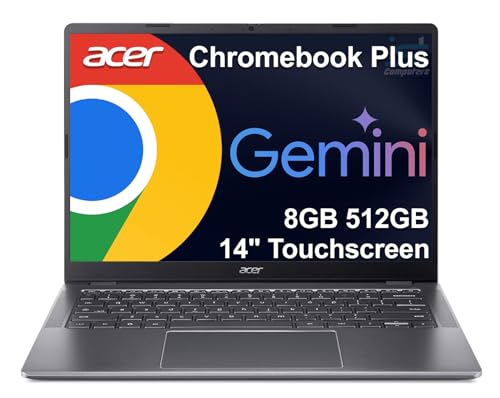
The models here come in 14-inch and 15.6-inch screens. A 14-inch screen keeps the laptop smaller, while a 15.6-inch screen gives a larger display and leaves room for a numeric keyboard, as on the HP Chromebook 15. A touchscreen lets you tap and scroll on the screen, and the Lenovo 14-inch and the Acer 15.6-inch models here have one. The HP 14 has a multi-touch touchpad for scrolling and zooming.
Memory and storage
The models here carry 4GB or 8GB of memory. The Lenovo and the HP 14 have 4GB of RAM and 64GB of eMMC storage, while the Acer has 8GB of DDR5 memory and 128GB of eMMC storage. The HP 15 has 8GB of DDR5 memory and 192GB of storage made up of 64GB of eMMC plus a 128GB SD card. More memory holds more browser tabs and apps open at once, and more storage holds more files on the device.
Processors and what they run
Each model here runs Chrome OS, and the processor differs by model. The Lenovo runs a MediaTek Kompanio 520, the HP 14 runs an Intel Celeron N4120, the Acer runs an Intel N50, and the HP 15 runs an Intel N200. All four handle web browsing and school work, since Chrome OS runs web apps and Android apps from the Google Play Store. Check the requirements published for any software you plan to use before you buy.
Ports, wireless and battery
The Lenovo has one USB-A port, one USB-C port, a microSD card reader and a headphone jack, with Wi-Fi 6 and Bluetooth 5.1. The Acer has two USB-C ports, two USB-A ports, an HDMI output and a headphone jack. The HP 15 connects one external monitor through its USB-C port at 4K and 60Hz. The HP 14 lists up to 14 hours of battery life and charges from 0 to 50 percent in about 45 minutes with HP Fast Charge.
What you need

Lenovo Flagship Chromebook
A 14-inch Full HD touchscreen Chromebook with a MediaTek Kompanio 520 processor, 4GB of RAM, 64GB of eMMC storage, Wi-Fi 6 and a 720p webcam with a privacy shutter.
View on Amazon
HP Chromebook 14 Laptop
A 14-inch HD Chromebook with an Intel Celeron N4120 processor, 4GB of RAM, 64GB of eMMC storage, up to 14 hours of battery life and a 1-year limited hardware warranty.
View on Amazon
Acer 15.6-inch Touch Chromebook
A 15.6-inch Full HD touchscreen Chromebook with an Intel N50 processor, 8GB of DDR5 memory, 128GB of eMMC storage, two USB-C ports and an HDMI output.
View on Amazon
HP Chromebook 15 15.6-inch Laptop
A 15.6-inch HD Chromebook with an Intel N200 processor, 8GB of DDR5 memory, 192GB of storage, a numeric keyboard and a webcam with a privacy shutter.
View on AmazonThese come from our ranked list Best Chromebook, which compares them spec by spec.
FAQ
What is the difference between a 14-inch and a 15.6-inch Chromebook?
The 15.6-inch models here have a larger display, and the HP 15 adds a numeric keyboard. The 14-inch models are smaller, and the Lenovo 14-inch model weighs 2.86 lb.
Do all Chromebooks have a touchscreen?
No. The Lenovo 14-inch and the Acer 15.6-inch models here have a touchscreen. Touch is one of the differences between models, so check the screen description before you buy.
How much memory and storage do these Chromebooks have?
The Lenovo and the HP 14 have 4GB of RAM and 64GB of eMMC storage. The Acer has 8GB of DDR5 memory and 128GB of eMMC storage, and the HP 15 has 8GB of DDR5 memory and 192GB of storage.